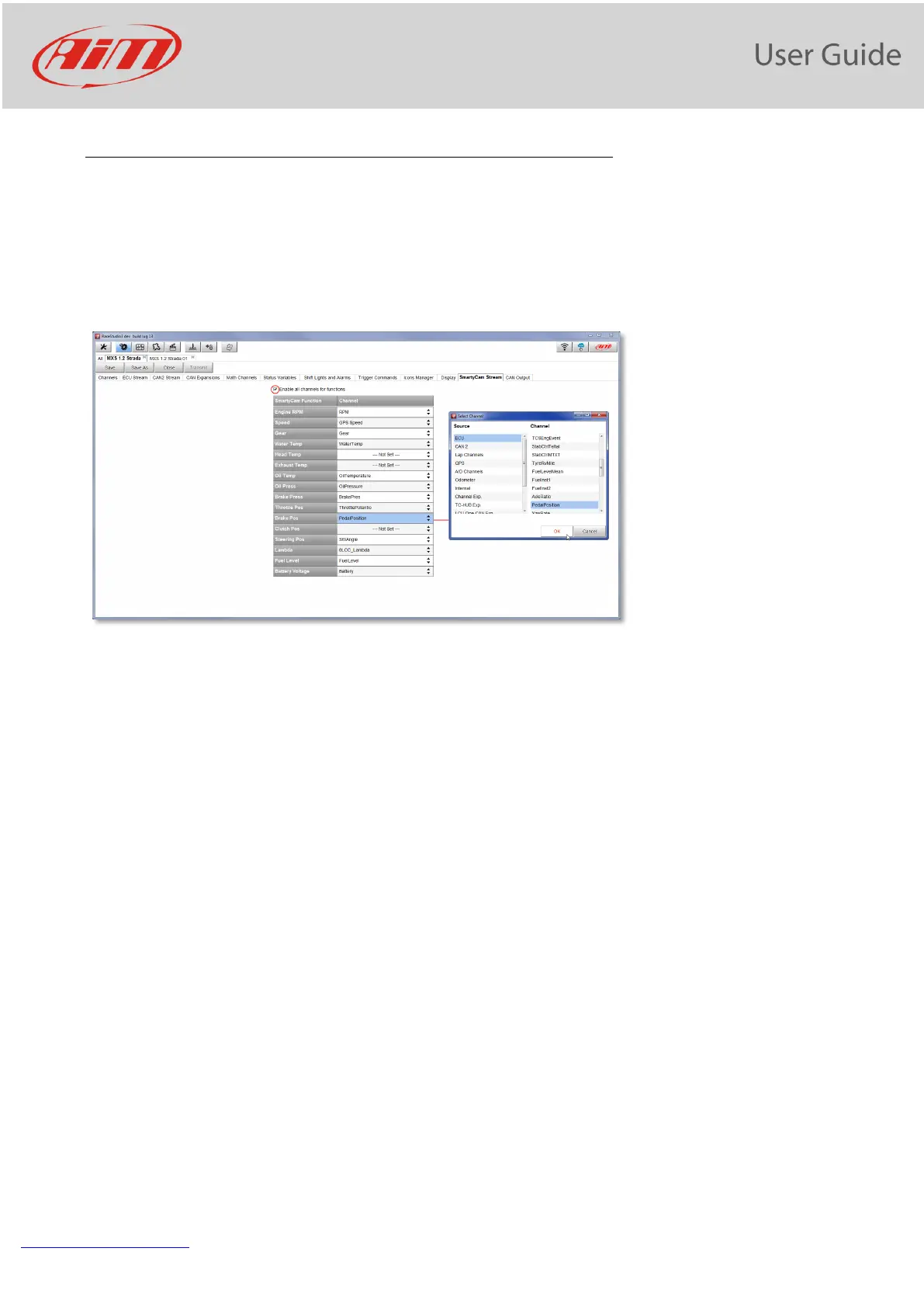
18. SmartyCam stream setting
The PDM 32 can be connected to AiM SmartyCam to show the data you wish on SmartyCam video. To set
each channel:
• click on it and a setting panel shows up
• it shows all channels and/or sensors that fits the selected function
• in case you do not find the channel or the sensor in the list enable “Enable all channels for functions”
checkbox and all channels/sensors will be shown


 To Next Page