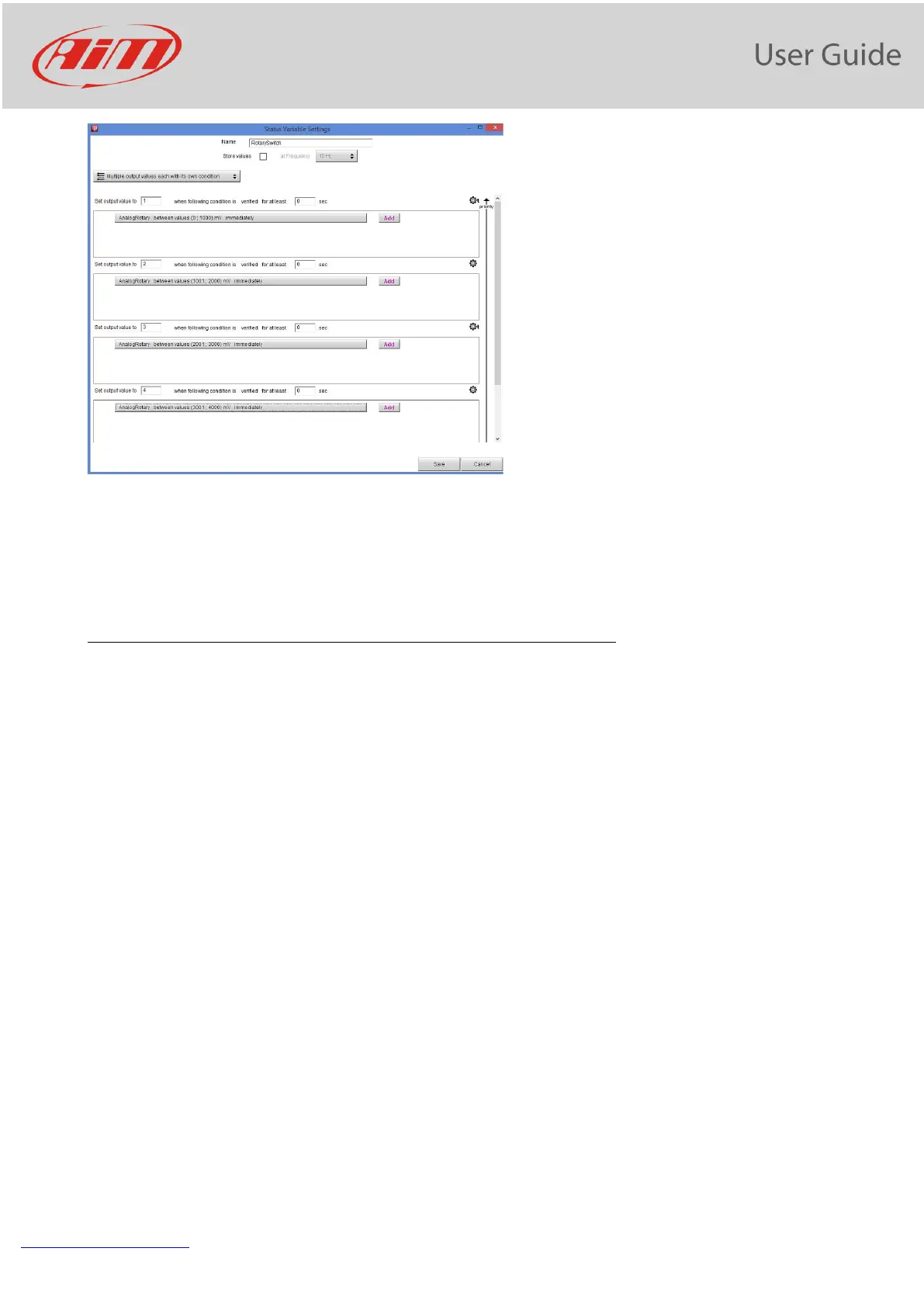
The Status Variable assumes, in this example, the values 1,2,3, 4.. in dependence upon a defined
condition.
11.8 Trigger commands
The “Trigger Commands” execute some specific actions on your PDM32.
The commands available up to now are:
- set next/previous page
- show Camera Input page
- reset alarms
- activate pushbutton 1-4
You may define the condition that activates a Trigger Command.
To add a new command:
• Press “+Add New Command” (1)
• The “Create new Output Command” panel appears
• Set the condition for activating the trigger command.
As an example, let us activate the mirror camera when the gear is in reverse. As you see, it is very simple:


 To Next Page