Soft Start and Soft Stop activation modes are available
A Soft Start prevents the sudden current flow in the circuit during the start. It is useful to protect the devices
or electronic components from the damage caused by instantaneous high input current.
It is possible to define both the timings in which the current arises (or decreases) from 0 to 100% (and vice
versa)
Power Output Activation and Deactivation
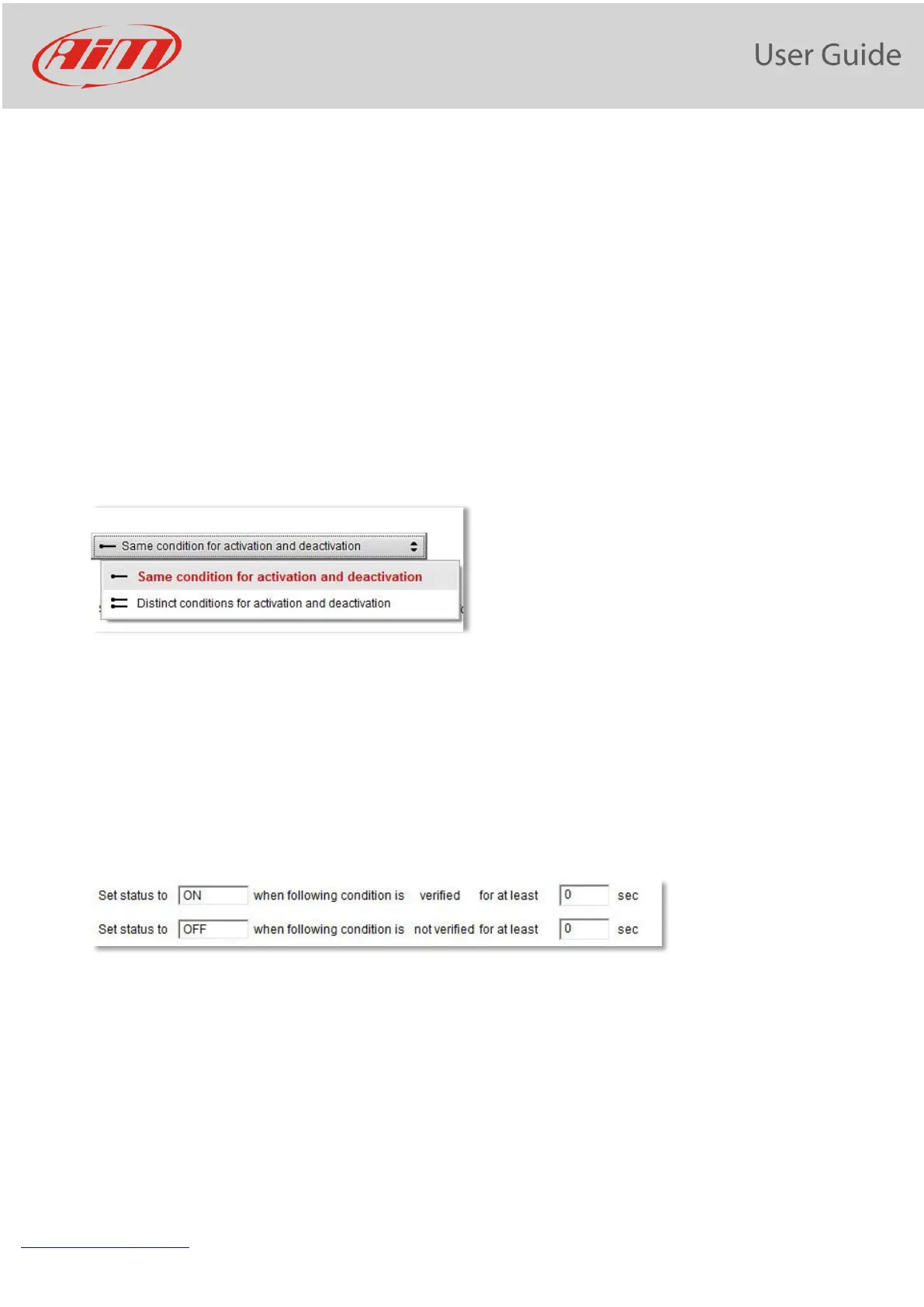
The conditions for activating and deactivating every output of the PDM 32 are completely configurable. First
of all, it is possible to select one of the two modes:
Same condition for both activating and deactivating.
Different conditions for activating and for deactivating
• Same Condition. It means that the Output is turned OFF when the defined condition is not valid
anymore. Example: Turn the fan ON when the water temperature reaches 100°C. In this case, the fan is
turned OFF when the water temperature decreases and reaches 99.9°C
• Distinct Conditions. It means that the condition that turns the output OFF is to be specified. Example:
Turn the fan ON when the water temperature reaches 100°C and turn it OFF when the water
temperature reaches 80°C. In this case, the fan is turned OFF only when, after having reached 100°C,
the water temperature decreases and reaches 80°C
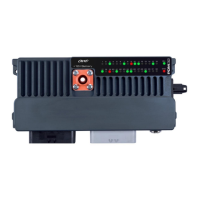
Activation and deactivation conditions must be verified for a period set by the user:


 To Next Page