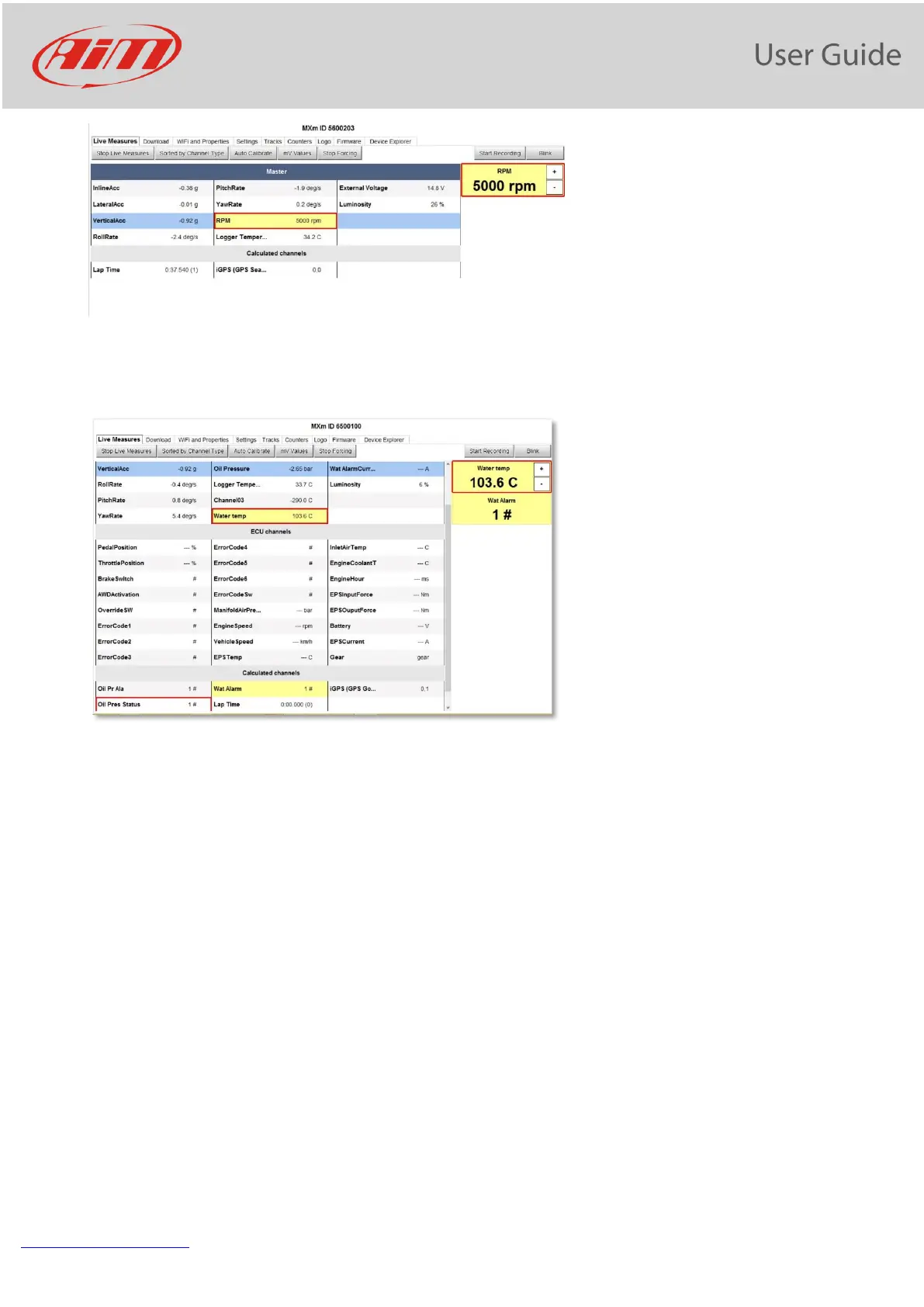
Then, you may move it up and down using the pushbuttons “+” and “-“.
This feature may be useful for testing, for example, Icons behavior, alarms, Power Outputs, harnesses.
In the above configuration, for example, a Power Output is turned ON when the Water temperature
reaches 100°C. If you force its value at 100°C, and, using the “+” and “- “pushbuttons, you move this value
up and down and you may see the alarm being turned ON and OFF.


 To Next Page