14 ProHood Capture Hoods PH730/PH731
Connecting the Air Flow Probe to the Micromanometer
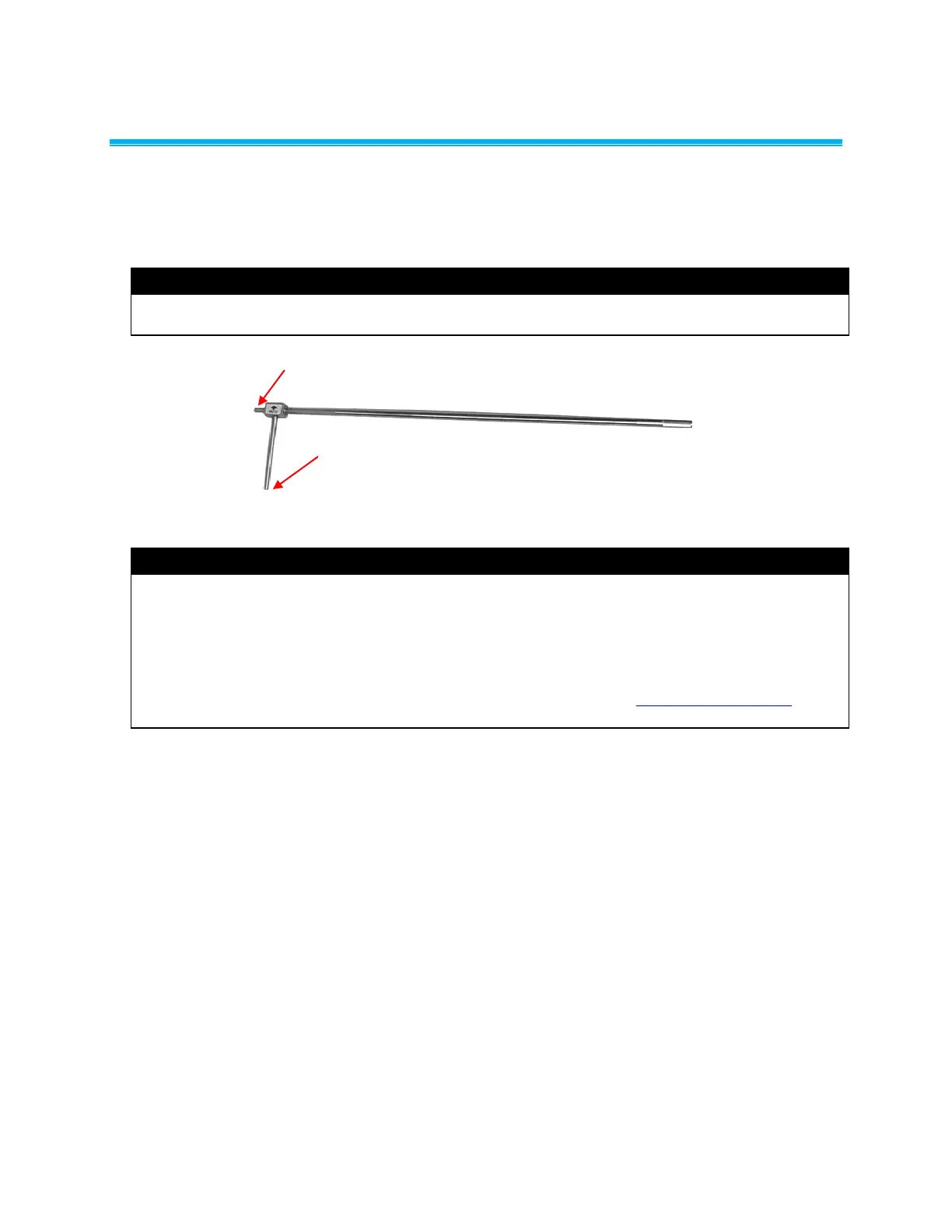
When the micromanometer is connected to the Air Flow probe (straight pitot probe), air velocity or air
volume measurements can be taken. The Air Flow probe is connected to the (+) and () pressure ports
on the micromanometer using two pieces of tubing of equal length. The total pressure port of the probe
connects to the (+) port on the meter, and the static pressure port of the probe connects to the () port on
the meter (see Figure 12).
Note
Observe the arrow indicator on the Air Flow Probe (straight pitot probe) when taking air velocity or air
volume measurements.
Total Pressure Port (+)
Static Pressure Port ()
Figure 12: Air Flow Probe
Note
The pitot velocity needs a valid temperature to perform the standard or actual velocity correction. This
probe capable of measuring temperature (plug
in probe) is connected, the
Probe, and no probe is connected, dashes (------) will appear on the display.
For more information on entering the temperature manually, refer to the Actual/Standard Setup
section of this manual.


 To Next Page