Chapter 2: Installation
Verify System Operation
Page 36
Turn the HVAC System On
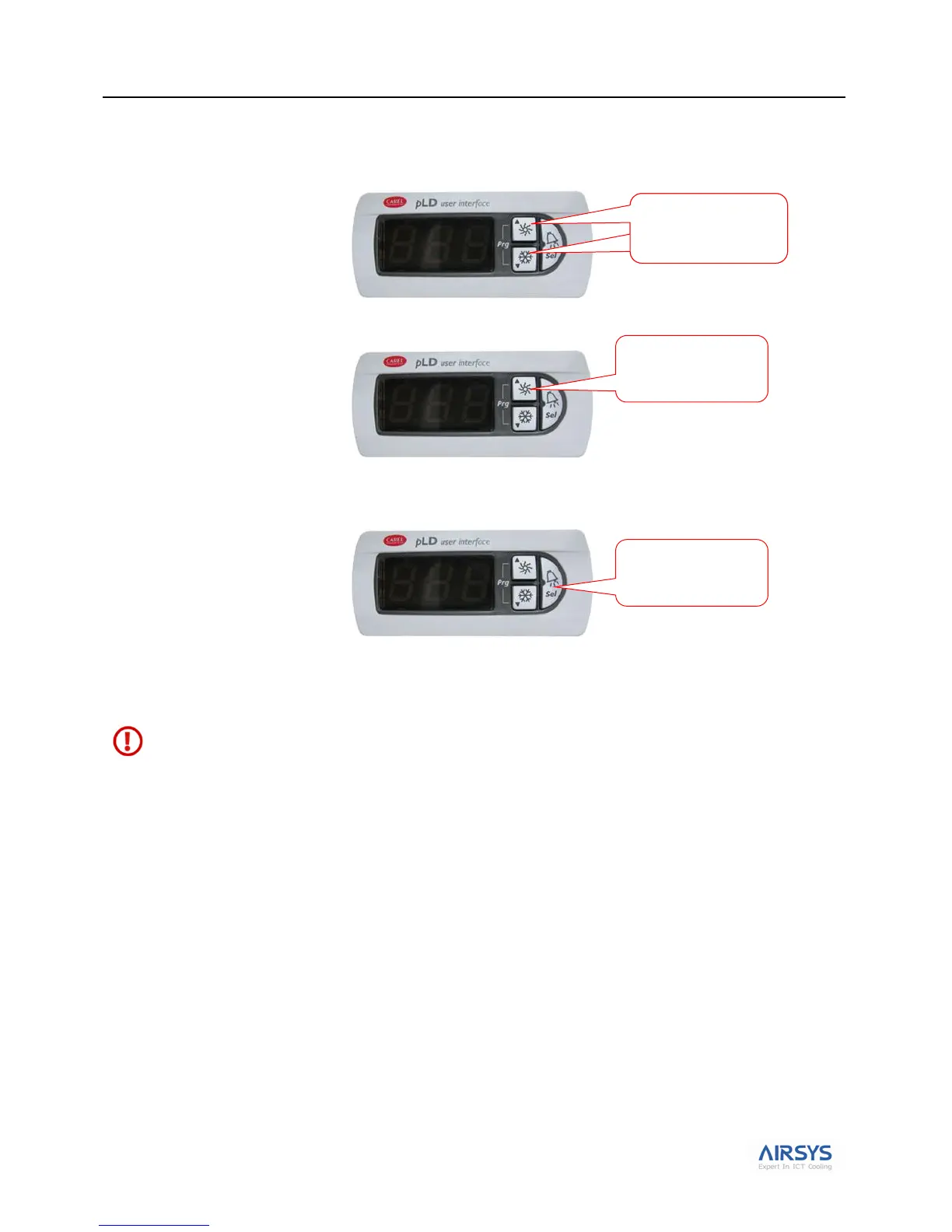
1. Press Up and Down together to enter the main screen (current room temperature will be displayed).
2. Press Down or Up until the screen displays OFF.
3. Hold Sel for 3 seconds. The screen will display ON, indicating that the system is turned on. Press Down
and Up together again to return to the main screen and display the indoor temperature.
Note: When the system is On both the Up and Down LEDs will be lit. When the system is Off both the Up or
Down LEDs will be dark.
Warning. Never leave the site with the HVAC system in the off state (Up and Down LEDs dark). Your
site will have no cooling, which likely will result in a high temperature alarm requiring an urgent site visit
to correct. When the HVAC system is on, the PLD will display the current temperature.
Press until screen
displays OFF
Press both buttons
together to enter the
main screen
Press the button for 3
seconds



 To Next Page