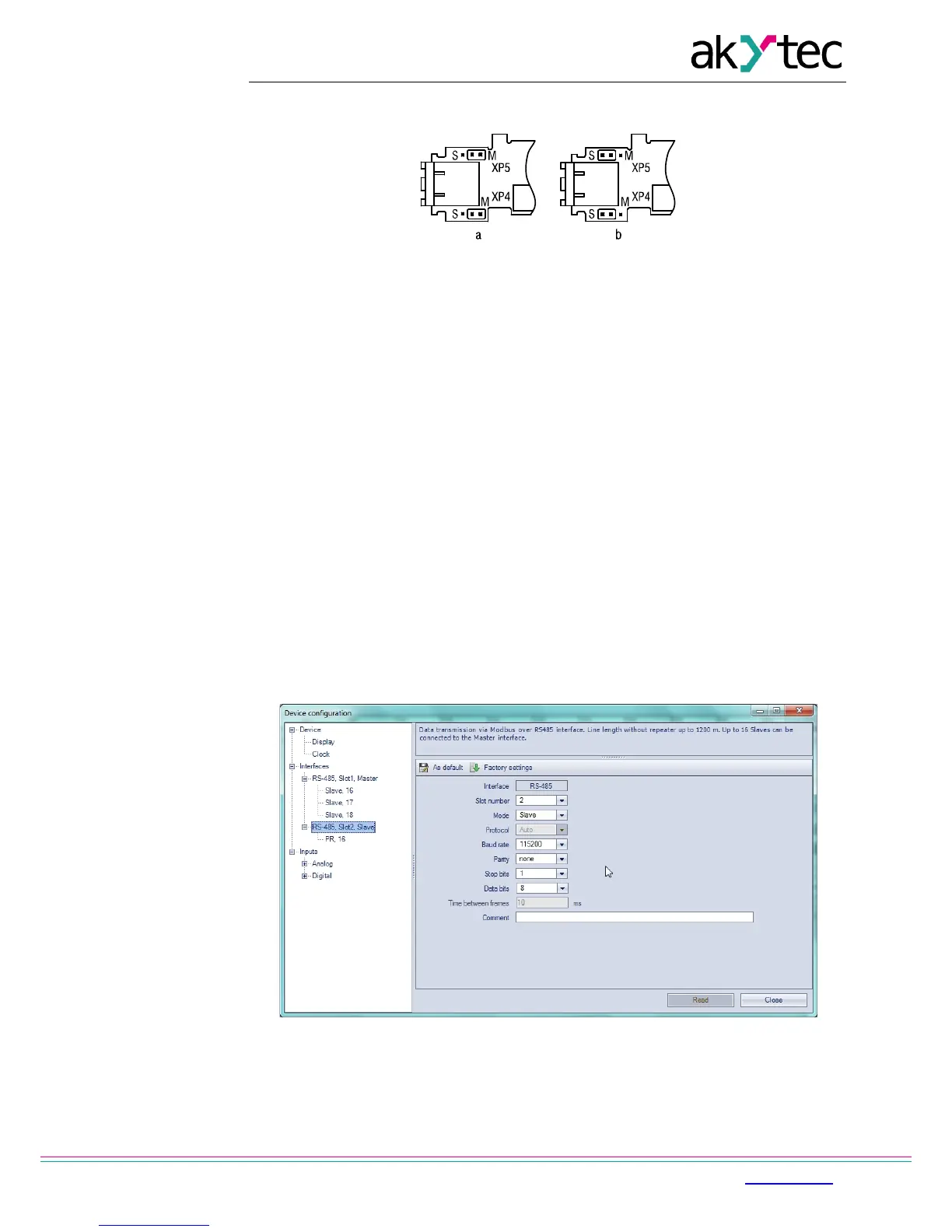
For detailed information about network interface configuration see ‘akYtec ALP Help’.
Network parameters can also be changed using system menu.
Fig. 4.2 PR-IC485 jumper positions: Master (a), Slave (b)
4.4 Slave mode
Functions:
− read digital I/O status
− read analog I/O value
− read / write network variables
− read / write Real-Time Clock data
Modbus registers are listed in Tab. 4.2.
In the slave mode the Modbus RTU and Modbus ASCII protocols are supported, with
automatic protocol detection.
To add an interface click RMB on the node ‘Interfaces’ in the configuration tree and select
‘Add interface’ (Fig. 4.3). Click RMB on this interface and add a master device to it (Fig 4.4).
See ALP Help for further instructions.
Following parameters can be set:
− Name – device name in the configuration tree
− Address – device address in a Modbus network.
To create a variable for polling click the ‘+’ icon (see Fig. 4.4).
To delete the selected variable click the ‘-’ icon.
Fig. 4.3 Slave configuration in slave mode


 To Next Page