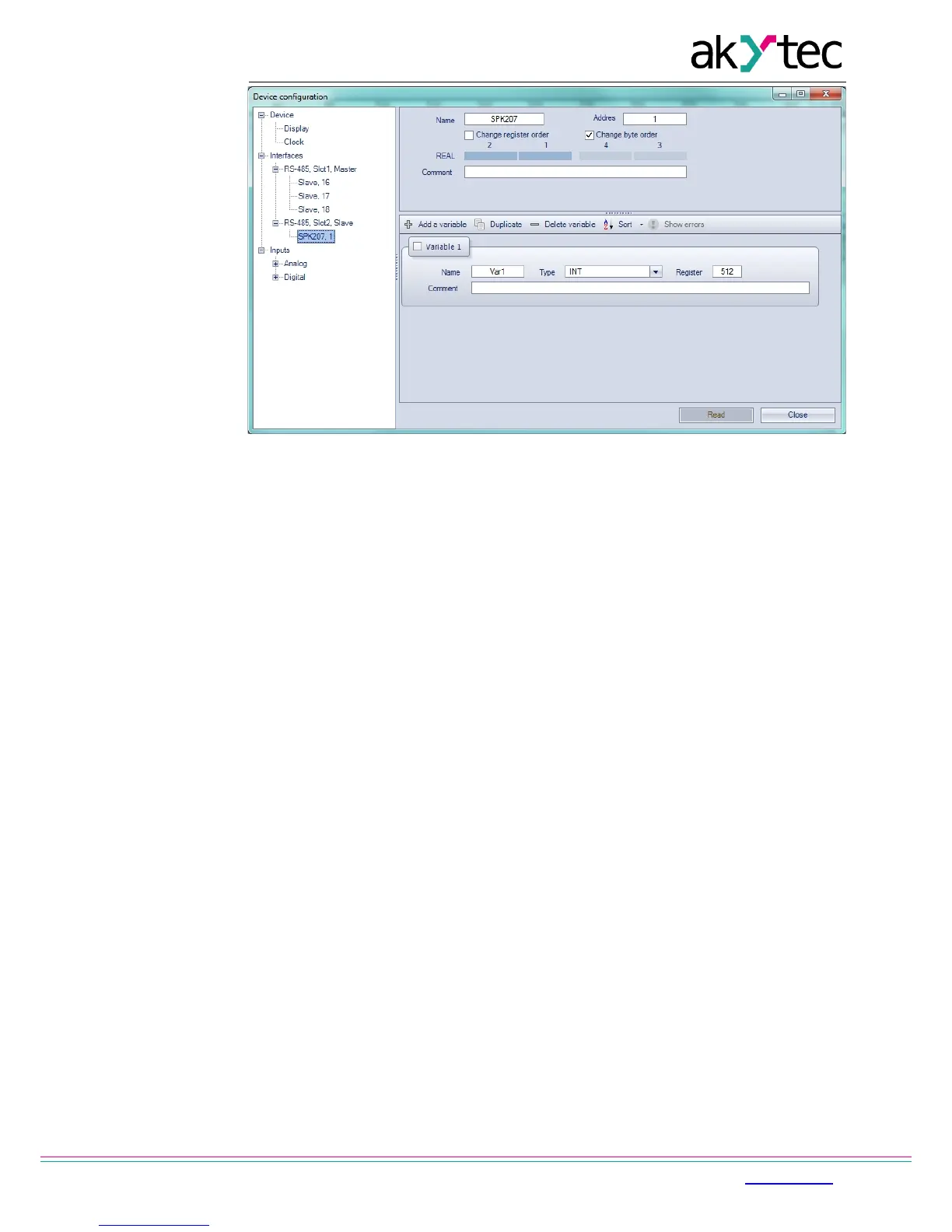
Fig. 4.4 Master configuration in slave mode
4.5 Master mode
There can be only one Master in a Modbus network.
To use the interface as a Master follow the instruction given in section 4.3 ‘RS485 network
interface’.
PR200 as a Master can control up to 16 slave devices over each RS485 interface. Each
slave device can use up to 256 variables. It is allowed to use the same name and the same
address for different slave devices.
To add an interface click RMB on the node ‘Interfaces’ in the configuration tree and select
‘Add interface’ (Fig. 4.5). Set the interface to Master, click RMB on it and add the slave
device (Fig 4.6).
See ALP Help for further instructions.


 To Next Page