Appendix G. Battery replacement
akYtec GmbH · Vahrenwalder Str. 269 A · 30179 Hannover · Germany Tel.: +49 (0) 511 16 59 672-0 · www.akytec.de
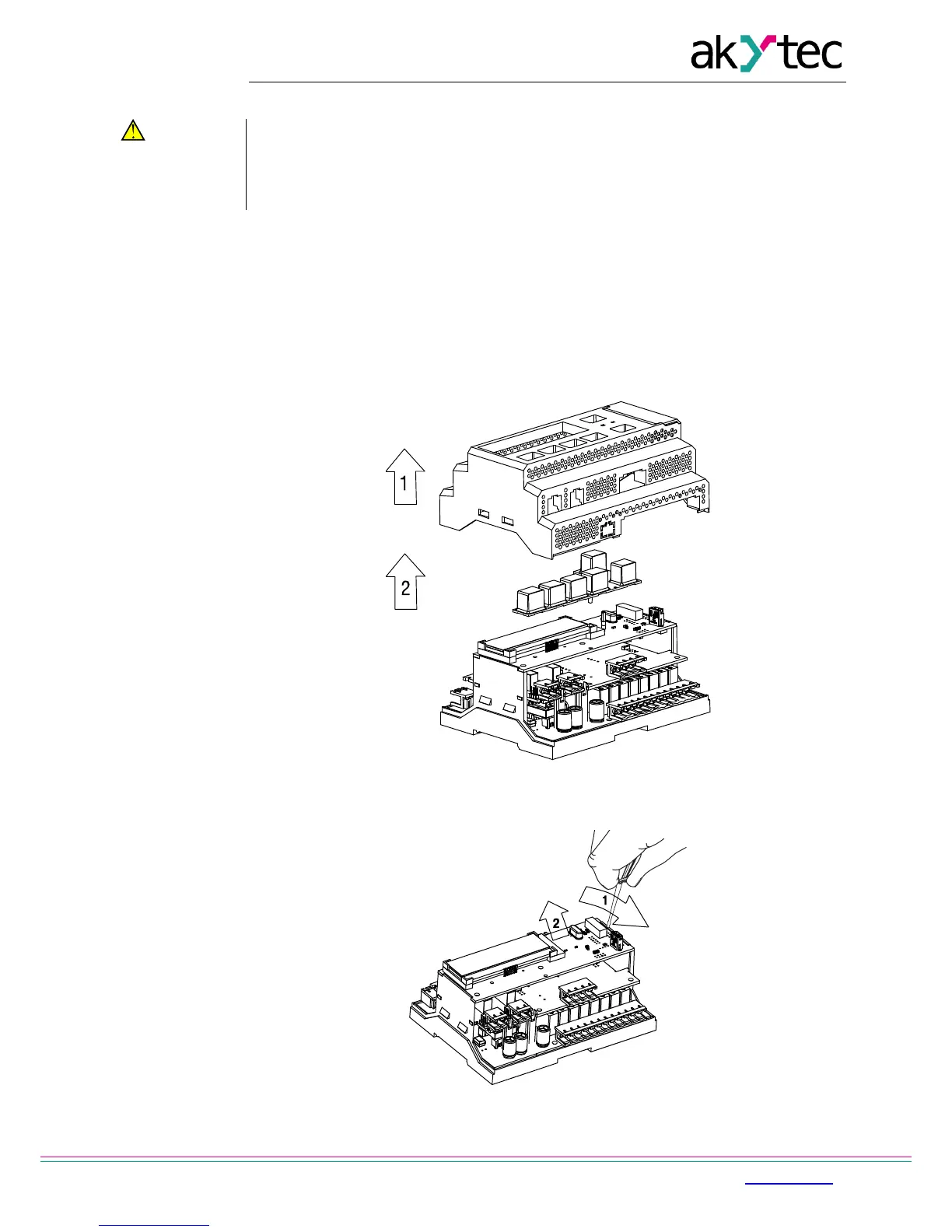
1. Remove the front housing with the keypad (Fig. G.1)
2. Use a screwdriver to pry the top board near the USB connector and carefully
separate it from the middle board. (Fig. G.2).
3. Turn over the top board, pry and pull out of the nest the CR2032 battery using a
screwdriver (Fig. G.3).
4. Install a new battery
5. Perform the disassemble operations in reverse order to assemble the device.
Fig. G.1 Front housing removing
Fig. G.2 Top circuit board removing


 To Next Page