Preset Controls and Displays
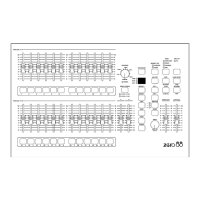
l PRESETS A AND B
There are 12 (24) PRESET A faders
which control individual channels 1 -12
(1 - 24).
There are 12 (24) PRESET B faders
which control individual channels 1 -12
(1 - 24) or channels 13 - 24 (25 - 48) if
WIDE is active.
l CHANNEL FLASH BUTTONS
There are 24 (48) CHANNEL FLASH
buttons corresponding to the 12 (24)
PRESET A and 12 (24) PRESET B
faders. These are used to flash individual
channels. These buttons can be disabled
using the FLASH ON/OFF button.
l
A MASTER AND B MASTER
In two preset operation, the A MASTER is
used to control the maximum output level
from the PRESET A faders. The B
MASTER is used to control the maximum
output level from the PRESET B faders.
In WIDE operation, the A MASTER and B
MASTER faders are used to control the
maximum output level from both the
PRESET A and PRESET B faders, and
the stored scene.
The B MASTER fader is reversed (100%
at the bottom of its travel) to facilitate
manual crossfades when moving the A
MASTER and B MASTER in tandem.
l CROSSFADE
The CROSSFADE control is used to
determine the fade time when crossfading
between scenes. The control can be set
to Manual or to a time between 1 second
and 5 minutes.
l FADING LIGHT
The red FADING light below the
CROSSFADE control flashes when a
timed crossfade is taking place.
l PRESET CONTROL
The PRESET CONTROL button is only
applicable when WIDE is active. This
button is used to control which master
(A MASTER or B MASTER) has control of
the PRESET faders, and which master
has control of the stored scene.
The accompanying lights on the front
panel indicate the current state (A
FADERS, B STORED or B FADERS, A
STORED).
Page 10 Alcora 73-700-00 Issue 2
Preset Mode


 To Next Page