Low Memory Warning
The desk has a maximum capacity of 99
memories. Each memory may be a
SCENE or a SEQUENCE. The number of
SEQUENCE steps may cause the total
number of memories to be less than 99.
The desk software monitors the amount of
memory used (programmed) and gives a
warning when the memory available is
getting low, and also when there is none
left. In PROGRAM Mode, when the
DISPLAY is showing an unprogrammed
memory or sequence step, the DISPLAY
will flash slowly when the memory
available is getting low, and flash quickly
when there is no memory available.
NOTES
Recording Output Values
It is recommended that the A MASTER,
B MASTER and GRAND MASTER are set to full
(100%) when programming memories.
Otherwise the output values may not be as
expected when the memories are replayed in
RUN Mode. The current output values are
recorded (not channel fader positions).
Desk Channels
All 24 (48) desk channels are recorded, even
when NOT in WIDE.
Preset Faders
In two preset operation, either PRESET A or
PRESET B faders can be used to set the levels
for channels 1 - 12 (1 - 24). Channels 13 - 24
(25 - 48) will be recorded at zero.
In WIDE operation, PRESET A faders are used to
set channels 1 - 12 (1 - 24) and PRESET B
faders to set channels 13 - 24 (25 - 48).
Program Controls and Displays
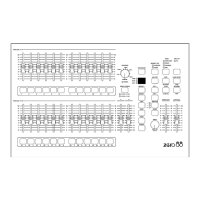
l PRESET A AND PRESET B
There are 12 (24) PRESET A faders
which control individual channels 1 -12
(1 - 24).
There are 12 (24) PRESET B faders
which control individual channels 1 -12
(1 - 24), or channels 13 - 24 (25 - 48) in
WIDE.
l CHANNEL FLASH BUTTONS
Each of the PRESET faders has a
corresponding CHANNEL FLASH button.
They are used to select that channel for
editing.
l A MASTER
The A MASTER fader is used to control
the maximum output level from the
PRESET A faders. If WIDE is active, the
A MASTER is used to control the
maximum output level from both the
PRESET A and PRESET B faders.
l
B MASTER
The B MASTER fader is used to control
the maximum output level from the
PRESET B faders. If WIDE is active, the
B MASTER has no effect.
l PREVIEW/EDIT
When EDIT is active the user can edit
individual channels of a previously
programmed SCENE or SEQUENCE
memory. The light in the button is
illuminated when EDIT is active.
Page 18 Alcora 73-700-00 Issue 2
Program Mode


 To Next Page