DMX Patching
The desk has a default 1:1 DMX patch
(desk channel 1 is patched to DMX
channel 1, desk channel 2 patched to
DMX channel 2 etc.).
Each desk channel may be patched to
any number of different DMX channels.
For example, desk channel 1 could be
patched to DMX channels 1, 101, 201.
A desk channel may also be unpatched
such that it is no longer patched to any
DMX channel.
Each DMX channel can only have one
desk channel assigned to it.
The DMX patch may be changed at any
time without affecting the memory data
stored in the desk.
The DMX patch is stored as part of the
show data when the show is saved onto
an external memory module.
Patching the Desk Channels
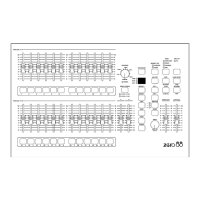
Press the BLACKOUT (Patch DMX)
button to enter DMX Patch Mode. The
light in the button comes on and the
DISPLAY shows DMX channel 1 (001).
If a desk channel is patched to the DMX
channel shown in the DISPLAY, the light
in the corresponding CHANNEL FLASH
button will be lit.
If no desk channel is patched to the DMX
channel shown in the DISPLAY, a dot is
displayed after the last DMX channel digit
in the DISPLAY (eg 001.)
Use the STEP + or STEP - buttons to
select the required DMX channel.
To patch a desk channel to the selected
DMX channel, press the corresponding
CHANNEL FLASH button. The light in the
button is lit.
To unpatch a desk channel from the
selected DMX channel, press the
corresponding CHANNEL FLASH button.
The light in the button goes out.
Press the BLACKOUT (Patch DMX)
button to exit DMX Patch Mode. The light
in the button goes out and the DISPLAY
returns to showing the software version.
Page 36 Alcora 73-700-00 Issue 2
Super User Mode


 To Next Page