Run Mode Controls and Displays
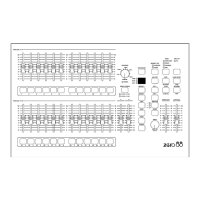
l PRESET A AND PRESET B
There are 12 (24) PRESET A faders
which control individual channels 1 -12
(1 - 24).
There are 12 (24) PRESET B faders
which control individual channels 1 -12
(1- 24) or channels 13 - 24 (25 - 48) if
WIDE is active.
l CHANNEL FLASH BUTTONS
The 24 (48) CHANNEL FLASH buttons
corresponding to the 12 (24) PRESET A
and 12 (24) PRESET B faders are used to
flash individual channels. These buttons
can be disabled, if required, using the
FLASH ON/OFF button.
l
A MASTER AND B MASTER
In two preset operation, the A MASTER is
used to control the maximum output level
from the PRESET A faders.
The B MASTER is used to control the
maximum output level from the PRESET
B faders.
In WIDE operation, the A MASTER and
B MASTER are used to control the
maximum output level from both the
PRESET A and PRESET B faders, and
the stored scene.
l MEMORY MASTER
The MEMORY MASTER fader is used to
control the maximum output level of the
current memory.
l CROSSFADE
The CROSSFADE control is used for
several things in RUN Mode:
To determine the rate at which the current
memory will fade out and next memory
fade in when the GO NEXT button is
pressed.
To determine the fade between steps of a
sequence memory.
To determine the preset crossfade time
when the A MASTER and B MASTER are
moved.
l FADING LIGHT
The red FADING light flashes when a
timed crossfade is taking place. The light
continues to flash if the crossfade is
stopped with the PAUSE button. The
FADING light goes out when the
crossfade is completed.
l PRESET CONTROL
The PRESET CONTROL button is only
applicable when WIDE is active. The
PRESET CONTROL button and the
accompanying lights on the front panel
are used to control and indicate which
master (A MASTER or B MASTER) has
control of the PRESET channel faders,
and which master has control of the
‘stored’ scene.
l
PREVIEW/EDIT
The PREVIEW/EDIT button is used to
provide the user with an indication of the
contents of the next memory (as indicated
on the DISPLAY). The light in the button
is lit when PREVIEW is active.
Page 28 Alcora 73-700-00 Issue 2
Run Mode


 To Next Page