
 Need help?
Do you have a question about the alcora Zero 88 and is the answer not in the manual?
Describes the operation and programming of the Alcora lighting desk, covering modes and functions.
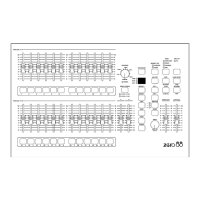
Overview of the Alcora lighting desk, its capabilities, memory types, and channel count.
Overview of Preset Mode, manual system, two preset or wide operation.
Details on PRESET faders, MASTERS, CROSSFADE, FADING LIGHT, PRESET CONTROL.
How to operate using two presets and crossfading.
Steps to configure the desk for two preset operation.
Instructions to output a scene configured on PRESET A.
Instructions to output a scene configured on PRESET B.
How to manually crossfade between scenes using master faders.
Details on setting up and executing timed crossfades.
How to use individual channel flash buttons to add channels to a scene.
Explains wide operation mode for 24 (48) channels and crossfading.
Steps to configure the desk for wide operation mode.
Process for storing scenes and crossfading them in wide mode.
How crossfades between scenes work in manual and timed modes.
Using channel flash buttons in wide mode.
Explains the purpose of Program Mode for creating and modifying memories.
Describes SCENE and SEQUENCE memory types and their characteristics.
Information on desk memory capacity and low memory warnings.
Recommendation for setting masters when programming memories.
Notes on how desk channels are recorded.
How PRESET faders are used in two preset and wide operation.
Details on PRESET faders, MASTER faders, and PREVIEW/EDIT button.
How to select and change memory types (SCENE/SEQUENCE).
Explains the function of the DISPLAY for memory and step numbers.
Button function to add a step into a SEQUENCE memory.
Button function to clear a memory or step.
Buttons to select current memory numbers.
Buttons to select current step in a SEQUENCE memory.
Button to save output levels into memory or step.
Buttons to copy and paste memory data.
Steps to prepare the desk for programming.
How to select a memory number for programming or editing.
Guide to creating a new scene memory.
Steps to update an existing scene memory.
How to modify individual channel levels within a scene.
Procedure to clear or delete a scene memory.
Introduction to programming sequence memories.
Step-by-step guide to creating a new sequence.
How to add a new step into an existing sequence.
Procedure to remove a step from a sequence.
How to update the levels of an existing step in a sequence.
How to modify individual channel levels within a sequence step.
Procedure to clear or delete a sequence memory.
How to change a memory from SCENE to SEQUENCE and vice versa.
Explanation of the copy and paste functions for memory data.
Steps to copy data from a scene memory.
Steps to copy data from a specific step in a sequence.
How to paste copied data into a scene memory.
How to paste copied data into a sequence step.
Explains the function of RUN Mode for replaying recorded memories.
Details on controls like PRESET faders, MASTERS, MEMORY MASTER, CROSSFADE, etc.
Step-by-step guide to switch the desk into RUN Mode.
How to navigate and select memories for output in RUN Mode.
How to identify the currently active memory.
How to output a selected memory, including crossfades.
How to achieve instant transitions between memories.
How to perform timed or manual crossfades between memories.
How to pause and restart a crossfade in progress.
How to play back sequence memories.
Manual and automatic stepping through sequence steps.
How to manually step through sequence steps.
How to set up automatic stepping for sequences.
How to use sound input to control sequence playback.
How to transition between sequence steps.
How to set the direction for sequence playback.
How to preview the contents of the next memory.
Overview of Super User Mode, its functions, and warnings.
Steps to access the Super User Mode.
Steps to leave Super User Mode.
Details on how to patch desk channels to DMX channels.
Step-by-step guide to patch or unpatch desk channels.
How to configure the desk's recovery mode setting.
Procedure to clear all memories and reset the DMX patch.
How to save programmed data to a memory module.
How to load programmed data from a memory module.
List of error codes for memory module operations.
Details on the desk's power supply unit and connections.
Specifications for the audio input connector and levels.
Details on the remote go connection for simulating button presses.
Specifications for the optional memory module.
Specifications for the optional analogue output.
Details on the DMX output connector and data.
 General
| Brand | alcora |
|---|---|
| Model | Zero 88 |
| Category | DJ Equipment |
| Language | English |

 To Next Page