16
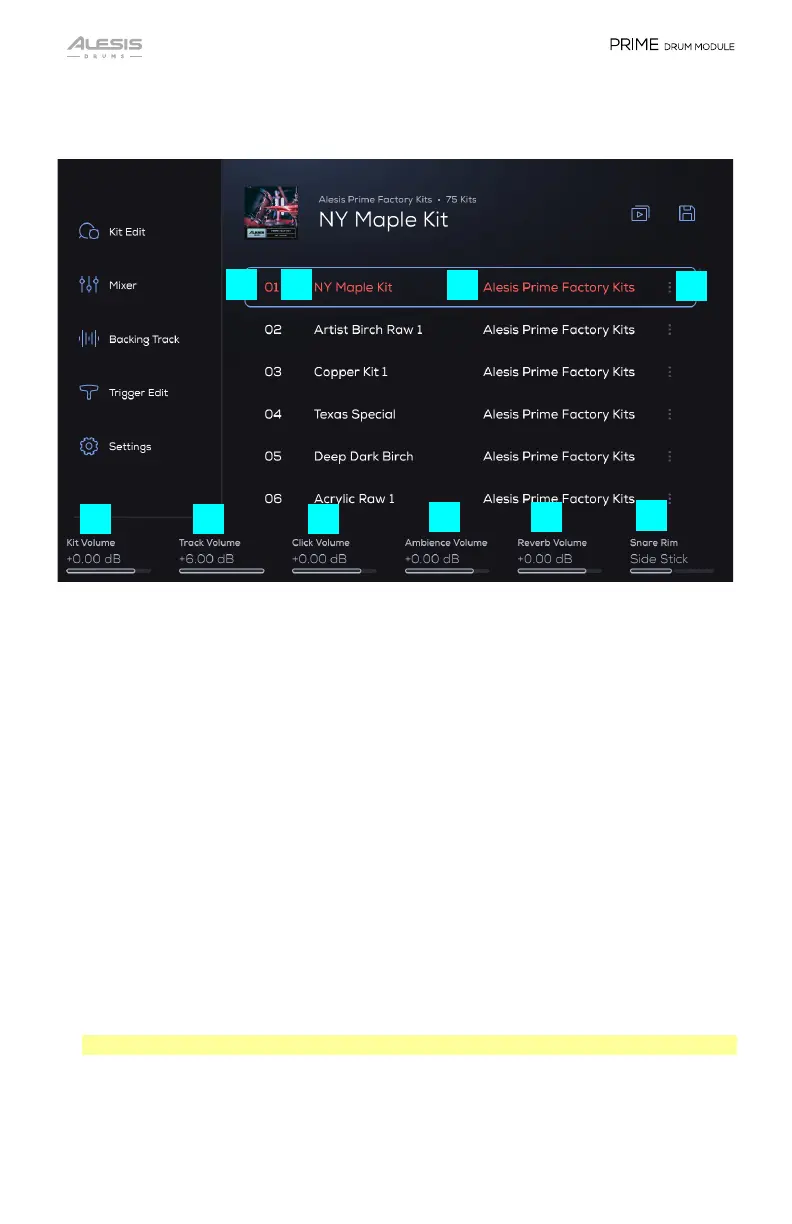
All Kit list items contain a playlist number, a kit name, a library name, and an options
button. These components are detailed below.
1. Playlist Number: A sequential number of the kit in the playlist.
2. Kit Name: Displays the name of the kit.
3. Library Name: The original library from which the kit is derived, which will always
be from the Factory Library or the User Library.
4. Options Button: Tap this to access kit and playlist management options as follows.
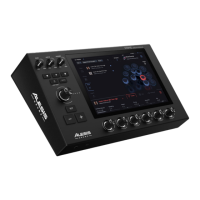
5. Kit Volume: Use the first 360° Small Encoder to adjust the loaded kit’s overall
output volume (-INF – 0.00 – +6.00 dB).
6. Track Volume: Use the second 360° Small Encoder to adjust the playback volume
for a loaded backing track (-INF – 0.00 – +6.00 dB). This is the same volume that
is seen in Backing Track mode > Track Volume.
7. Click Volume: Use the third 360° Small Encoder to adjust the volume of the click
playback (-INF – 0.00 – +6.00 dB).
8. Ambience Volume: Use the fourth 360° Small Encoder to adjust the ambience
effect volume (-INF – 0.00 – +6.00 dB).
9. Reverb Volume: Use the fifth 360° Small Encoder to adjust the reverb effect
volume (-INF – 0.00 – +6.00 dB).
Note: Double-tap a parameter to reset it to the default value.
10. Snare Rim: Use the sixth 360° Small Encoder to select to use a Side Stick or Click
sound when triggering the snare rim.
1
2
3
4
5
6 7
8
9
10


 To Next Page