26
(3.3) Kit Edit Mode Functions
From the main Kit menu, tap the Kit Edit
option to access this mode. This is where
you can edit/customize kits by changing the
Kit Pieces for each Trigger Slot, as well as
change the playback/tone of those
Instruments (sounds).
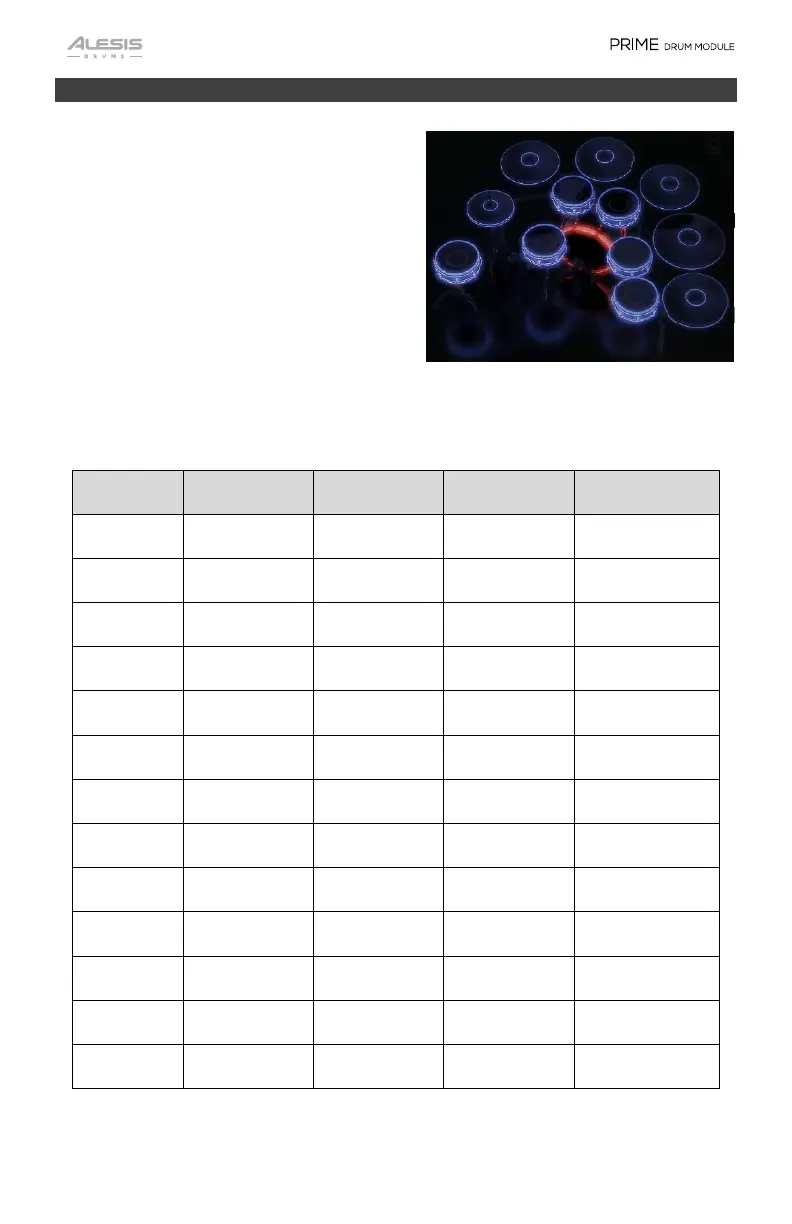
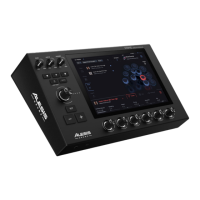
The right-side image shows the Kit display
graphical interface in Kit Edit mode
representing the pads and cymbals
connected to PRIME’s trigger inputs.
Below is a table showing the Trigger Slots,
the available Trigger Zones, and which
Trigger Zone is auditioned/played when the
graphic is tapped.
Trigger Slot
Trigger Zone 1
Trigger Zone 2
Trigger Zone 3
Audition Zone
Snare Head Rimshot N/A Rim Only
Kick Head N/A N/A Rim Only
Tom 1 Head Rimshot N/A Rim Only
Tom 2 Head Rimshot N/A Rim Only
Tom 3 Head Rimshot N/A Rim Only
Tom 4 Head Rimshot N/A Rim Only
Aux Head Rimshot N/A Rim Only
Hi-hat Bow Edge Bell Bow
Ride Bow Edge Bell Bow
Cymbal 1 Bow Edge Bell Edge
Cymbal 2 Bow Edge Bell Edge
Cymbal 3 Bow Edge Bell Edge
Cymbal 4 Bow Edge Bell Edge
Hi-Hat
Kick
C
mbal 1 C
mbal 2
C
mbal 3
C
mbal 4
Ride
Aux
Drum
Snare
Tom 4
Tom 1
Tom 2
Tom 3


 To Next Page