- 12 -
what kind of connection type your ISP provides, you can select the very type and click Next to
go on configuring.
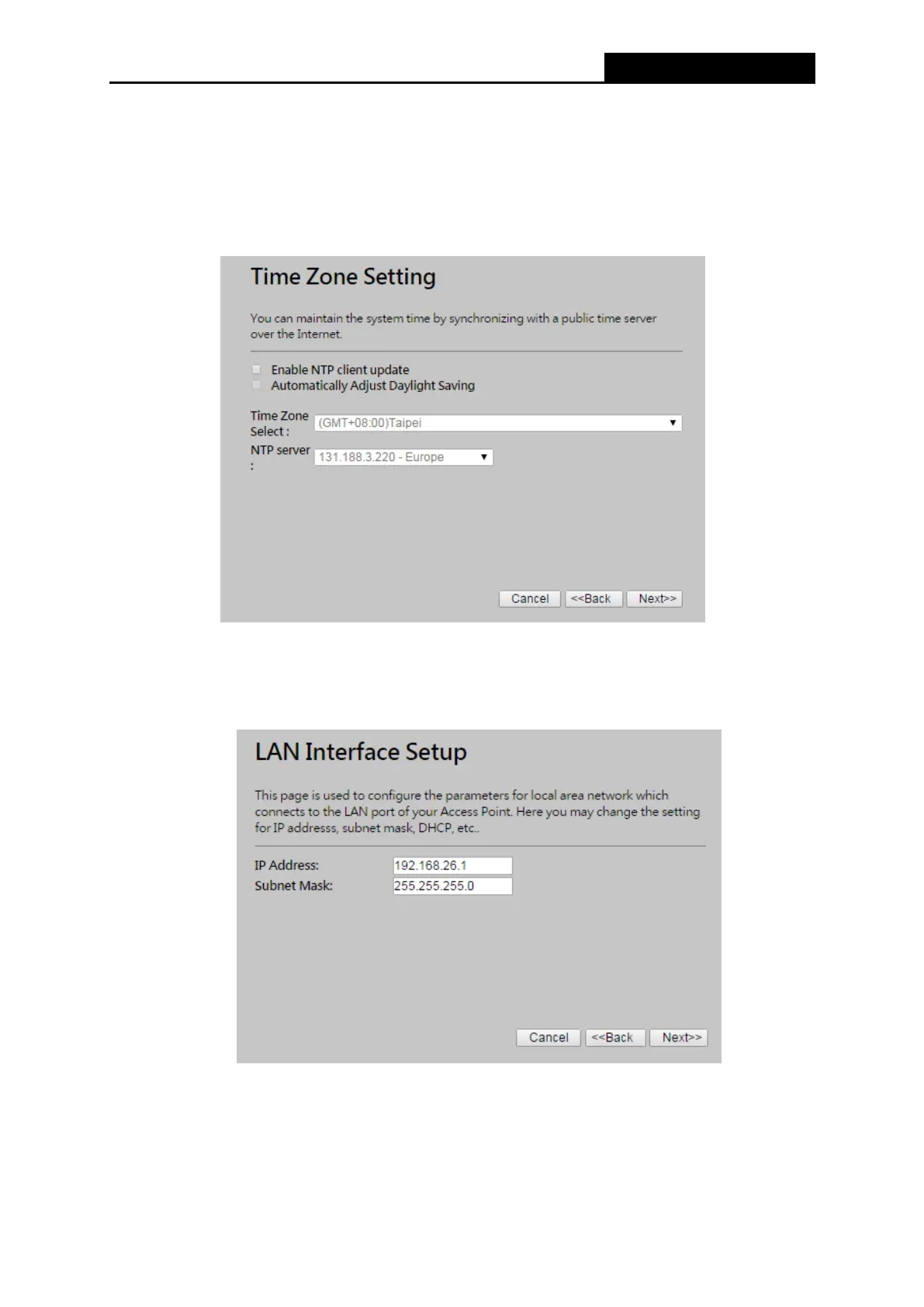
5. If you are sure of what kind of NTP server your Router, you can select the very type and click
Next to go on configuring as shown in Figure 3-6.
Figure 3-6 Quick Setup - Time Zone Setting
6. Confirm the IP address for your Router and click Next to continue configuration.
Figure 3-7 Quick Setup - LAN Interface Setting
7. If you select Gateway, the Router provides six connection types for your ISP provides. Make
sure the cable is securely plugged into the WAN port before continuing.



 To Next Page