8301 IP Paging Adapter & Scheduler
support@algosolutions.com
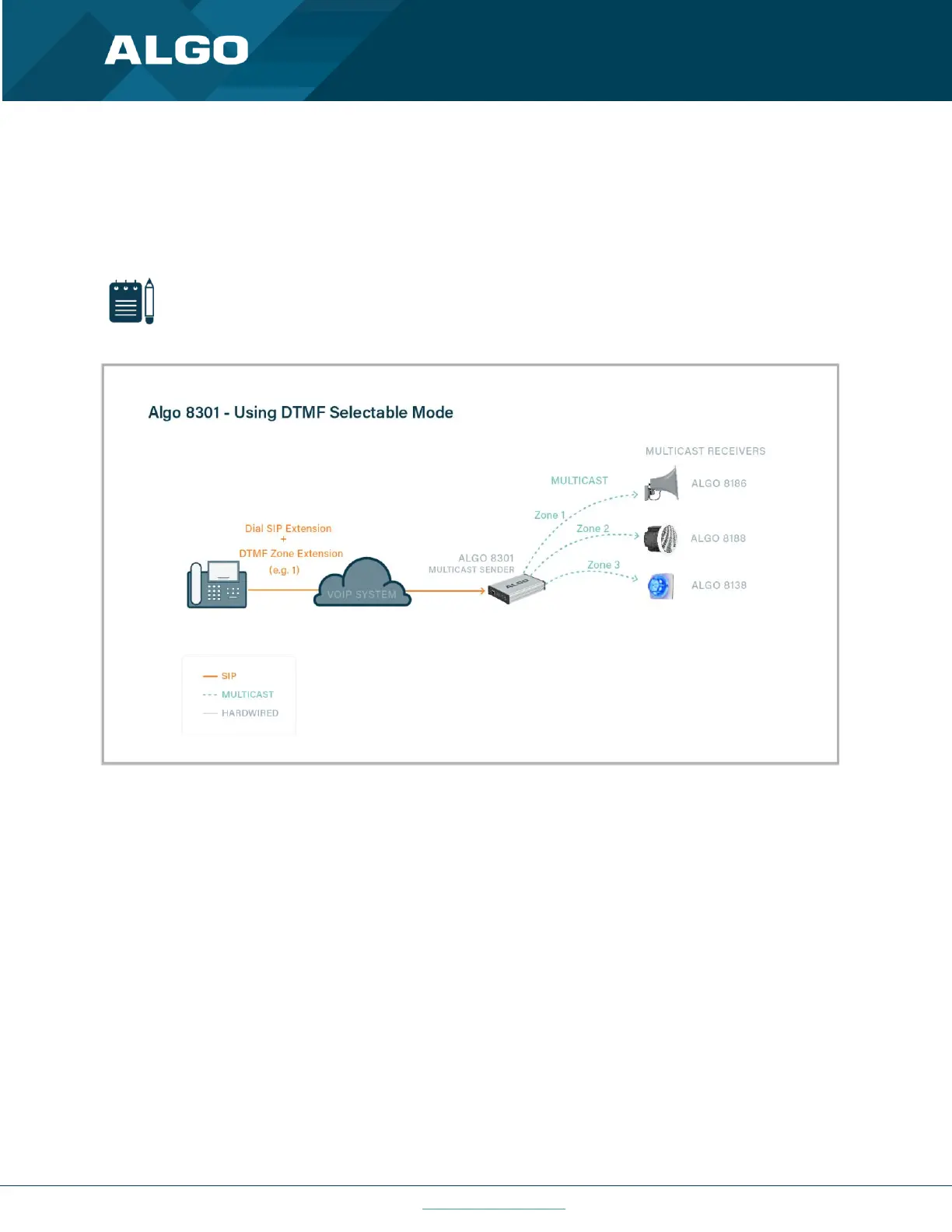
The ‘DTMF Selectable Mode’ offers a dynamic page zone selection and requires only the Sender device to have a
registered SIP Extension. To page, dial the SIP extension of the Sender device and then dial the desired DTMF page
zone (e.g., 1, 2, etc.) on the keypad. DTMF digits and their corresponding zone numbers are available in the Advanced
Settings → Advanced Multicast tab.
Note
DTMF codes for zones 10 and higher start with an “*”.
Figure 2: Using DTMF Selectable Mode
Alternatively, multiple SIP extensions can be registered on the Sender device. Each extension is mapped to a unique
zone, allowing zones to be called directly (for instance from speed-dial keys) without the use of DTMF. See Additional
Features → More Page Extensions tab.



 To Next Page