Up to 10 SIP Ring extensions can be registered. To configure additional ring extensions, select ‘Enable’ beside the
target extension and enter the Extension, Authentication ID, and Authentication Password. A unique Ring Tone and
Multicast Zone can be assigned to each extension if desired.
6.6 Scheduler TAB
6.6.1 Calendar
The Scheduler can be deployed along with Algo IP speakers, paging adapters, and strobes to provide bell scheduling
and automated announcements.
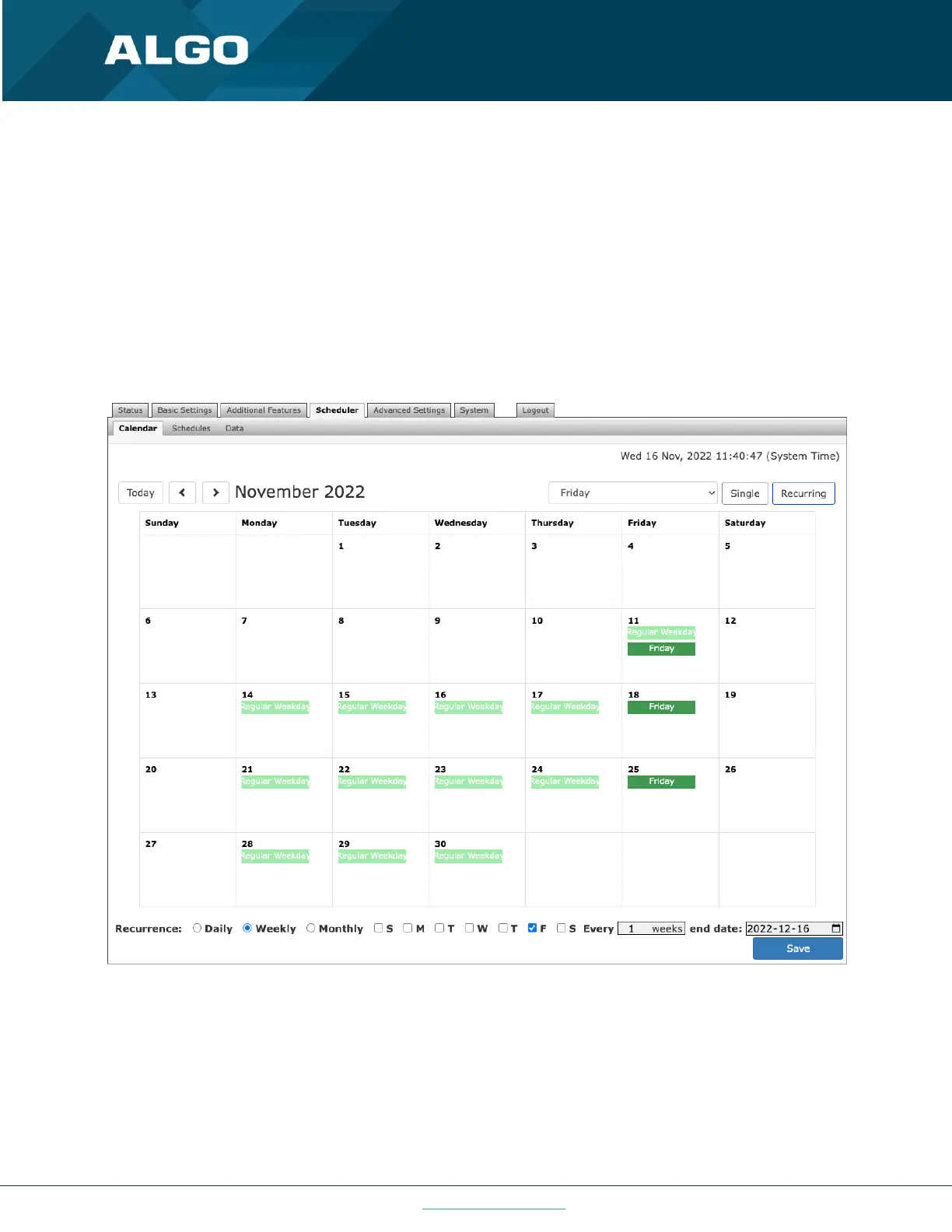
Once a bell schedule has been configured in the Schedules tab (see below), it can be added to the desired dates on the
calendar. Multiple different schedules can be created. For example, Fridays might have a different schedule than the
other weekdays.
From the drop-down menu at the top of the calendar, select a schedule (e.g., Regular weekday), then click on the
calendar dates to implement the schedule. When finished, click Save.
To clear the schedule from the entire month, select None (clear) from the drop-down menu, and click on the dates to
clear.



 To Next Page