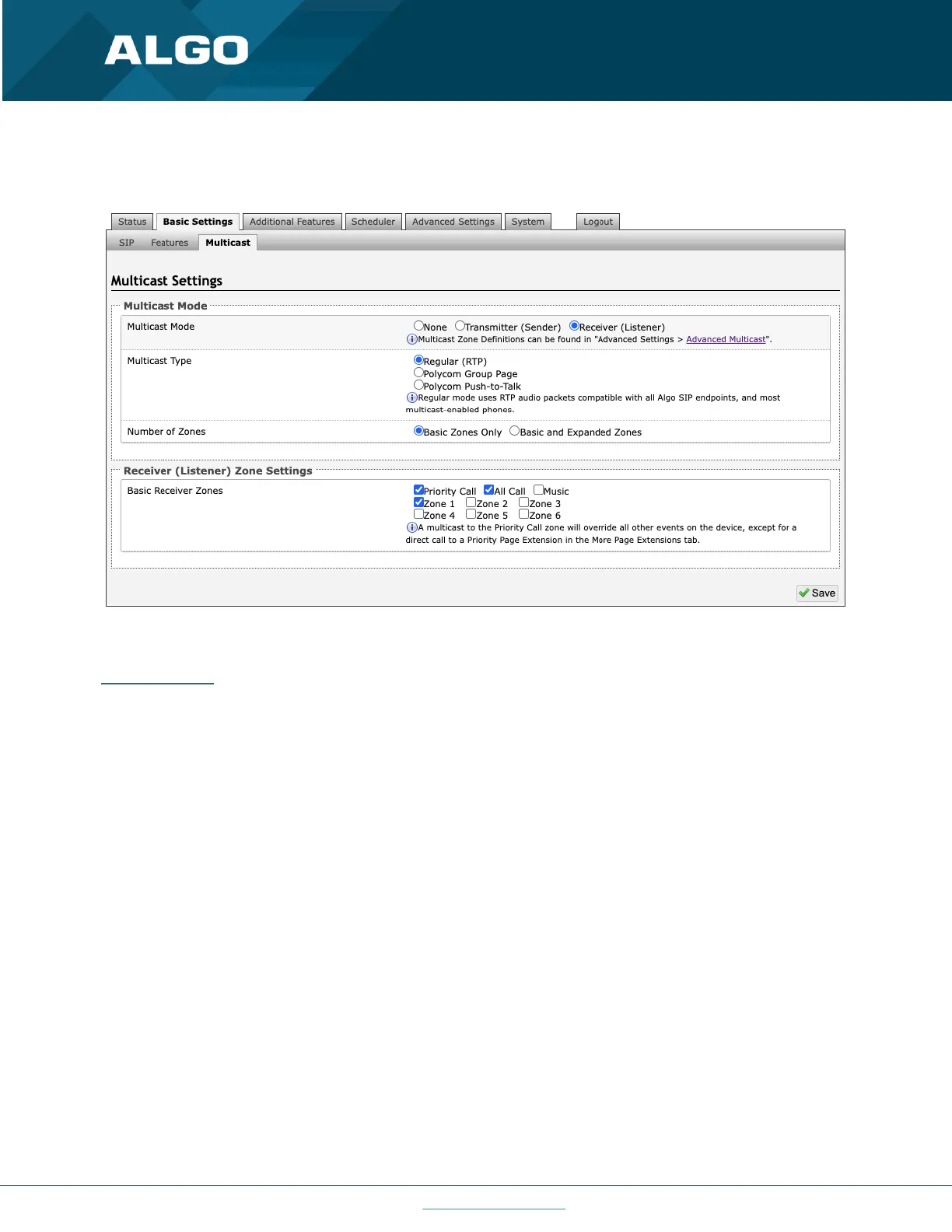
6.4 Multicast (Receiver Settings)
Figure 16: Multicast receiver mode settings
Multicast Mode
Multicast Mode (Receiver Selected)
If Receiver mode is enabled, the 8301 will activate when receiving a multicast message. It will mimic the audio stream
of the transmitter but use local volume settings (‘Page Speaker Volume’ in Basic Settings → Features).
Multicast Type - Regular
Select “Regular” if receiving multicast from other Algo IP endpoint(s) and/or multicast- enabled phone(s) that use RTP
audio packets.
Number of Zones
Select ‘basic’ zones if configuring nine or fewer multicast zones or ‘expanded’ to configure up to 50 zones. The
expanded zones have the same behavior as the basic Receiver zones but are hidden by default to simplify the
interface.
Multicast Type – Polycom Group Paging/Push-to-Talk
The 8301 may receive multicast paging compatible with Polycom “on premise group paging” protocol.
To configure the 8301 as a Receiver to play Polycom page announcements, select ‘Group Page’ or ‘Push-to-Talk’. Then
enter the Polycom Zone (IP Address and Port) that matches the configuration of the Polycom phones and Channels.
The ‘Default Channel’ is the target group in a Polycom paging environment.



 To Next Page