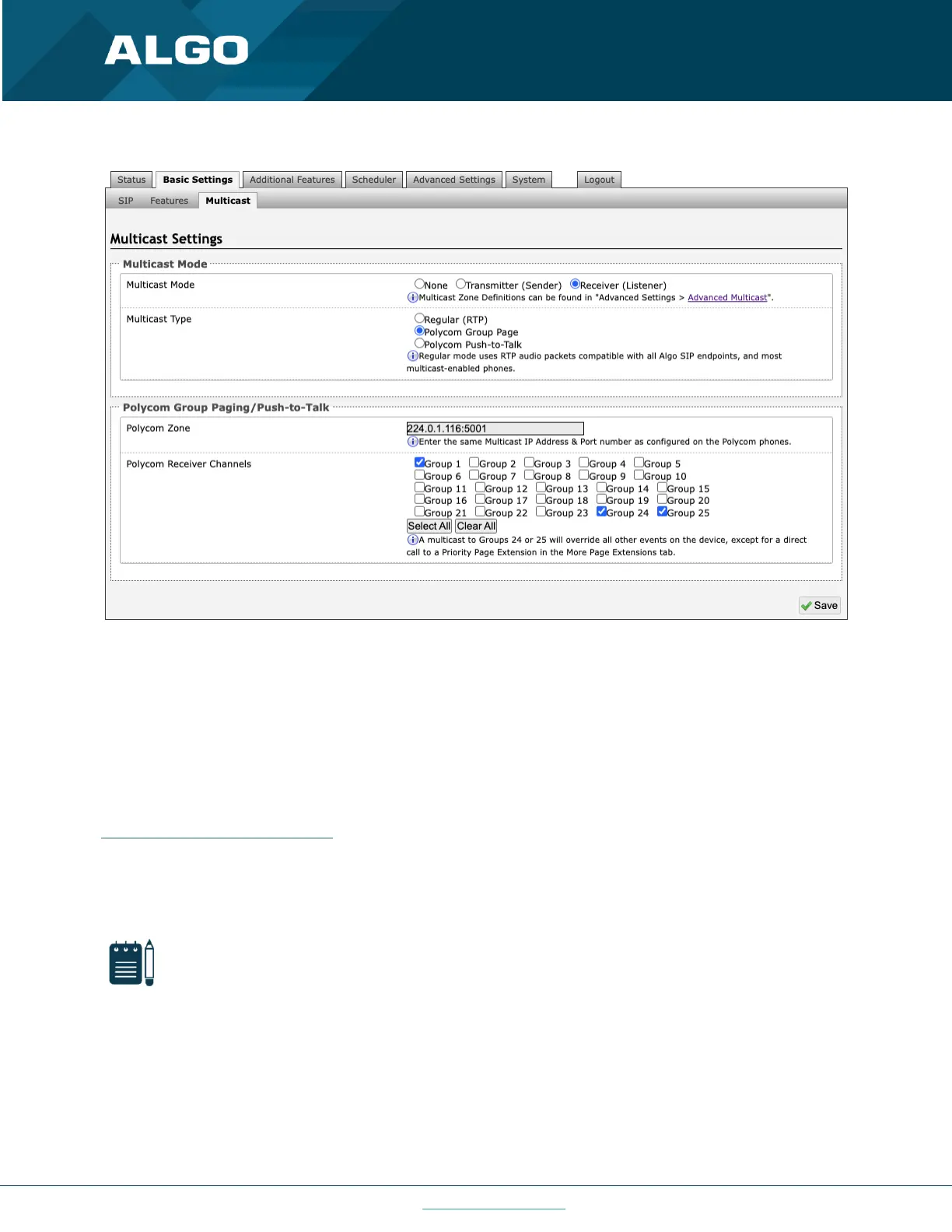
The Polycom phone used as page audio source for the 8301 must be configured to use either the G.711 or G.722 audio
codec. The Polycom phone(s) must also be configured with the “Compatibility” setting (“ptt.compatibilityMode”)
disabled in order for this codec setting to be applied.
If using a Polycom phone as the Multicast Transmitter, a tone may be set for any of the 25 Polycom Groups configured
on the Algo device. If an Algo device is used as a Multicast Transmitter, a tone does not have to be set as the Algo
Transmitter will provide its own tone. Polycom Group Tones can be set in Advanced Settings → Advanced Multicast.
Receiver (Listener) Zone Settings
Basic Receiver Zones
Select one or more multicast zones for the 8301 to subscribe to.
Expanded Receiver Zones
Up to 50 zones can be shown, however, they are only visible when ‘Basic and Expanded Zones’ is selected.



 To Next Page