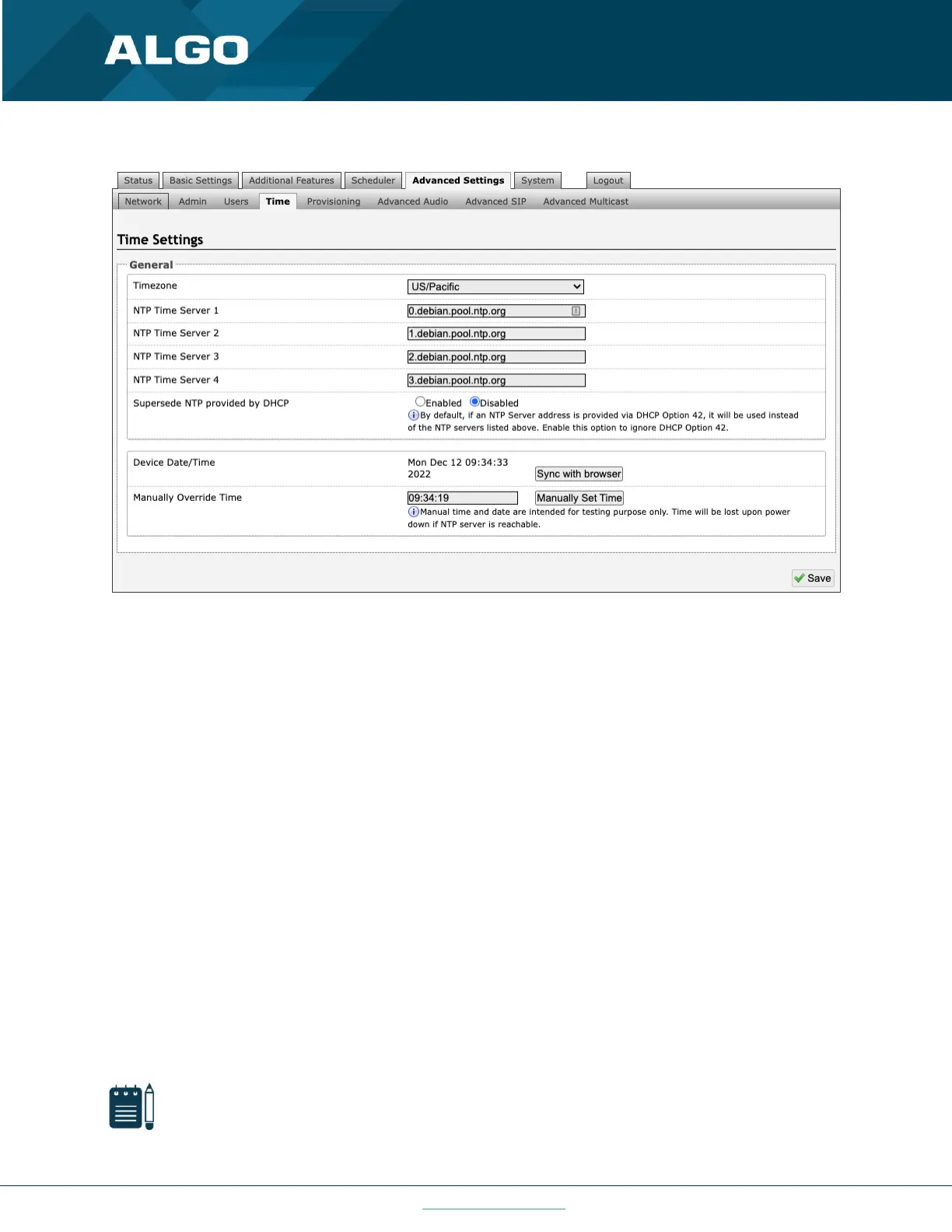
Figure 28: Time settings
Timezone
Select a time zone to be used.
NTP Time Servers 1/2/3/4
The interface will attempt to use Timer Server 1 and work down the list if one or more of the time servers become
unresponsive.
Supersede NTP provided by DHCP
When ‘Use DHCP Option 42’ is chosen, if an NTP Server address is provided via the DHCP Option 42, that NTP Server
will be used instead of the four (4) mentioned above. Alternatively, ‘Ignore DHCP Option 42’ can be chosen to only use
servers mentioned above.
Device Date/Time
This field shows the current time and date as set on the device. If testing the device on a lab network that may not
have access to an external NTP server, the “Sync with browser” button can be used to temporarily set the time on the
device.
Note
This time value will be lost at power down or overwritten if NTP is currently active. Time and date are used for
logging purposes and for the scheduler feature.



 To Next Page