Alienware ALX Desktop Manual
10
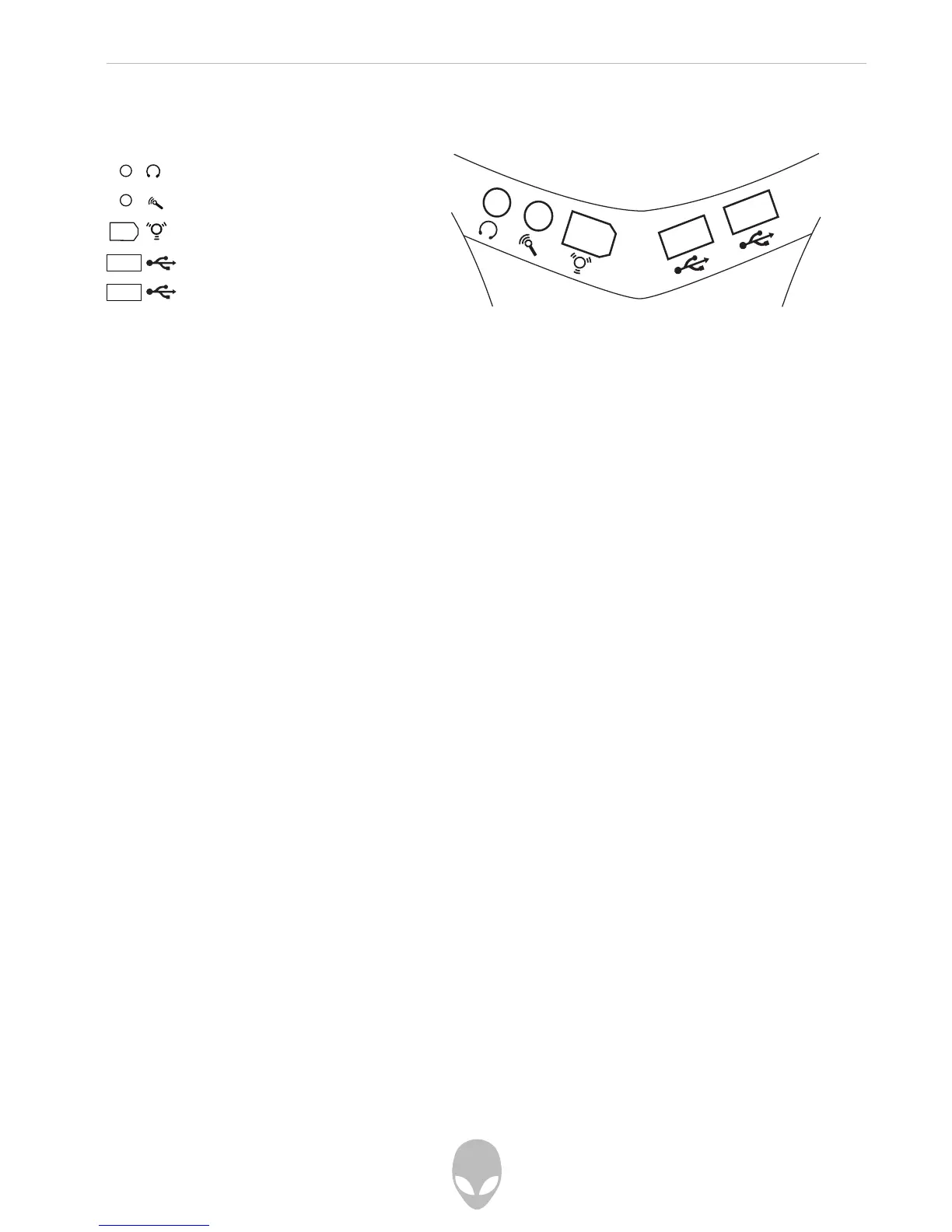
FireWire (IEEE1394)
Connect high-speed FireWire (also known as IEEE1394) devices such as digital
camcorders and external hard disk drives.
Line In
Connect audio devices such as a stereo microphone, MP3 player, or any other audio
source using a 1/8” mini-jack.
Line Out
Connect stereo headphones or other audio device using a 1/8” mini-jack.
USB 2.0
Connect high-speed USB 2.0 devices such as digital cameras, portable flash drives,
MP3 players, and game controllers.
Chassis Ventilation
Do not obstruct airflow to the front ventilation openings. Doing so may cause your
computer to malfunction.
Audio Line Out (Headphone)
Audio Line In (Microphone)
FireWire port (IEEE1394)
USB 2.0 port
USB 2.0 port
Front I/O Ports and Features















 To Next Page