Alienware ALX Desktop Manual
15
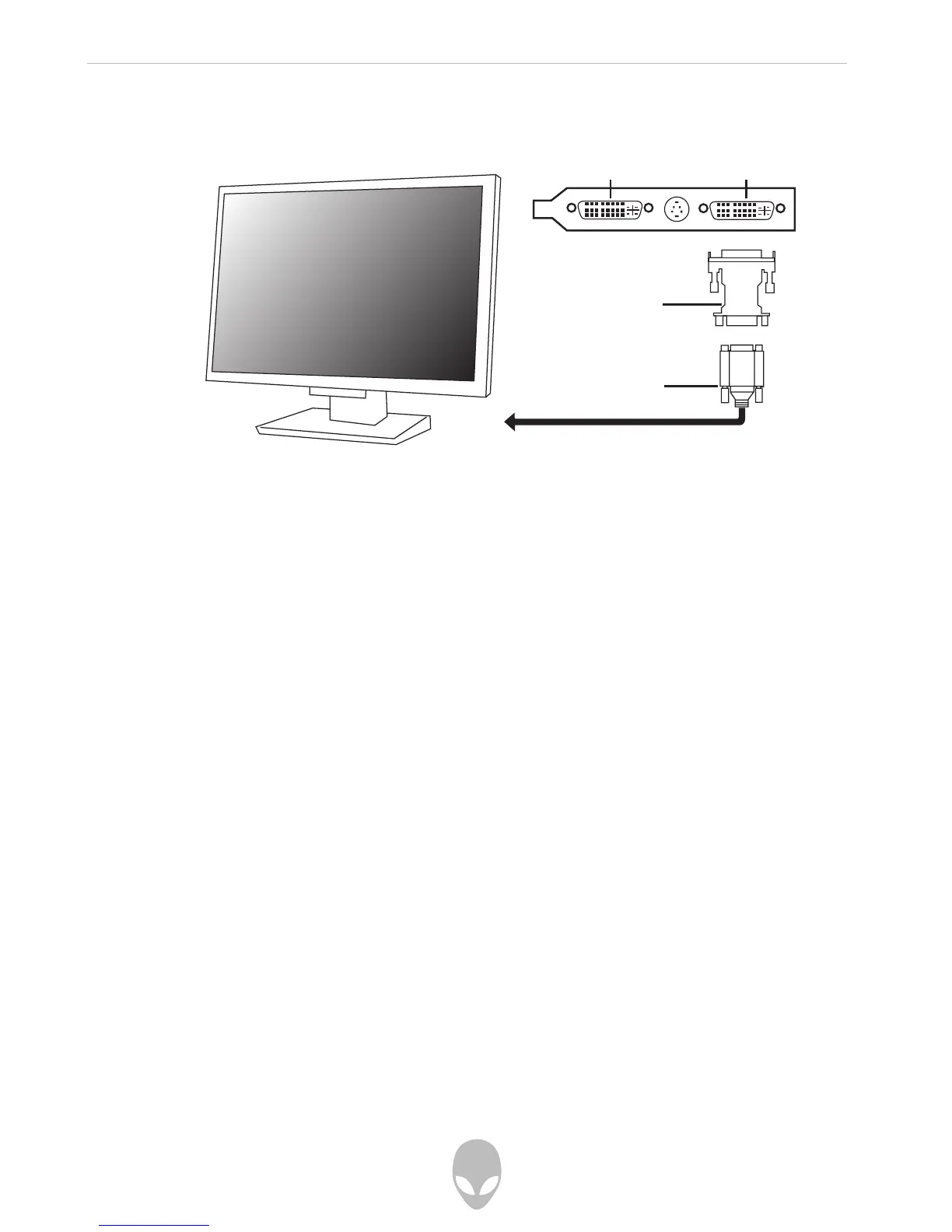
Connecting an Analog Monitor
An analog monitor can be connected to your computer the same way a digital monitor
can be connected; however, you will need a DVI-to-VGA adapter in order to adapt your
computer’s DVI display port to an analog connection.
Connecting Multiple Monitors
Up to two monitors can be connected in a single graphics card configuration, and up
to four monitors can be connected in a dual graphics card configuration.
To connect multiple monitors to you computer, follow the steps for Connecting a
Digital Monitor or Connecting an Analog Monitor above. A DVI-to-VGA adapter may be
necessary, depending on the type of displays you wish to connect.
DVI Connector DVI Connector
VGA to DVI
Adapter
VGA from
Monitor















 To Next Page