Alienware ALX Desktop Manual
36
CHAPTER 3: INSTALLING ADDITIONAL OR REPLACEMENT COMPONENTS
This chapter provides information about installing, uninstalling, and replacing system
components.
Refer to the technical reference provided on your system’s Windows Desktop for
more information about your system’s expansion slots, recommended memory
confi gurations, and further technical information. Your system’s technical reference
is also available for download from you’re My Hive® Personal Support Area on the
Alienware website.
Visit: http://support.alienware.com/Support_Pages/Restricted_Pages/myhive.aspx
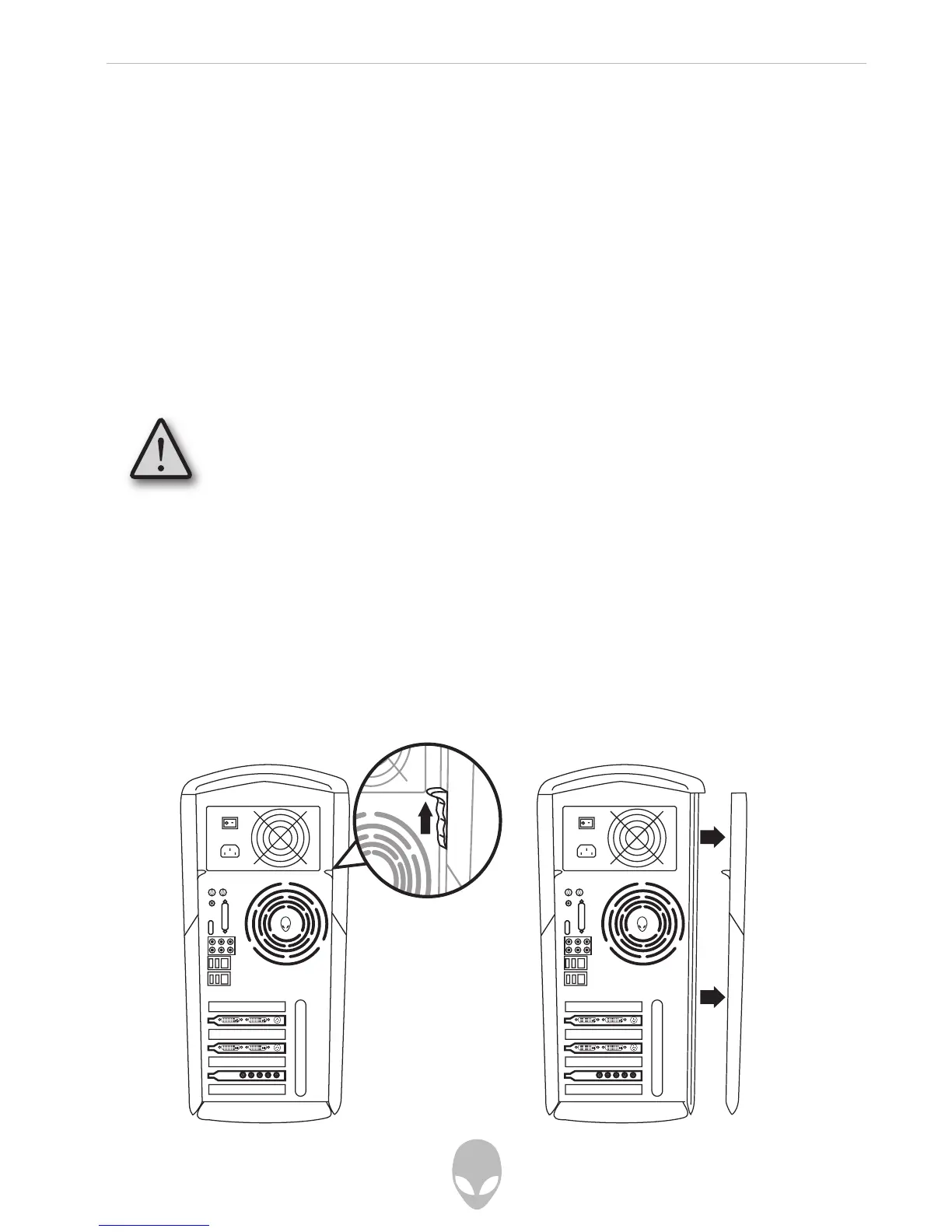
Removing the Side Panel
1. Turn off your computer and any connected peripherals and power sources.
2. Disconnect any peripherals from your computer.
3. Remove the left side panel following these steps:
1. Push up on the side panel release latch
2. Pull the rear edge of the side panel outward, away from the computer.
Before touching any of the computer’s internal components, touch
an unpainted portion of the chassis. Doing so will safely discharge
any static electricity, which could damage your computer and/or its
components.















 To Next Page