46 Altera Corporation
Board Ethernet Connection Nios Development Board Reference Manual, Cyclone Edition
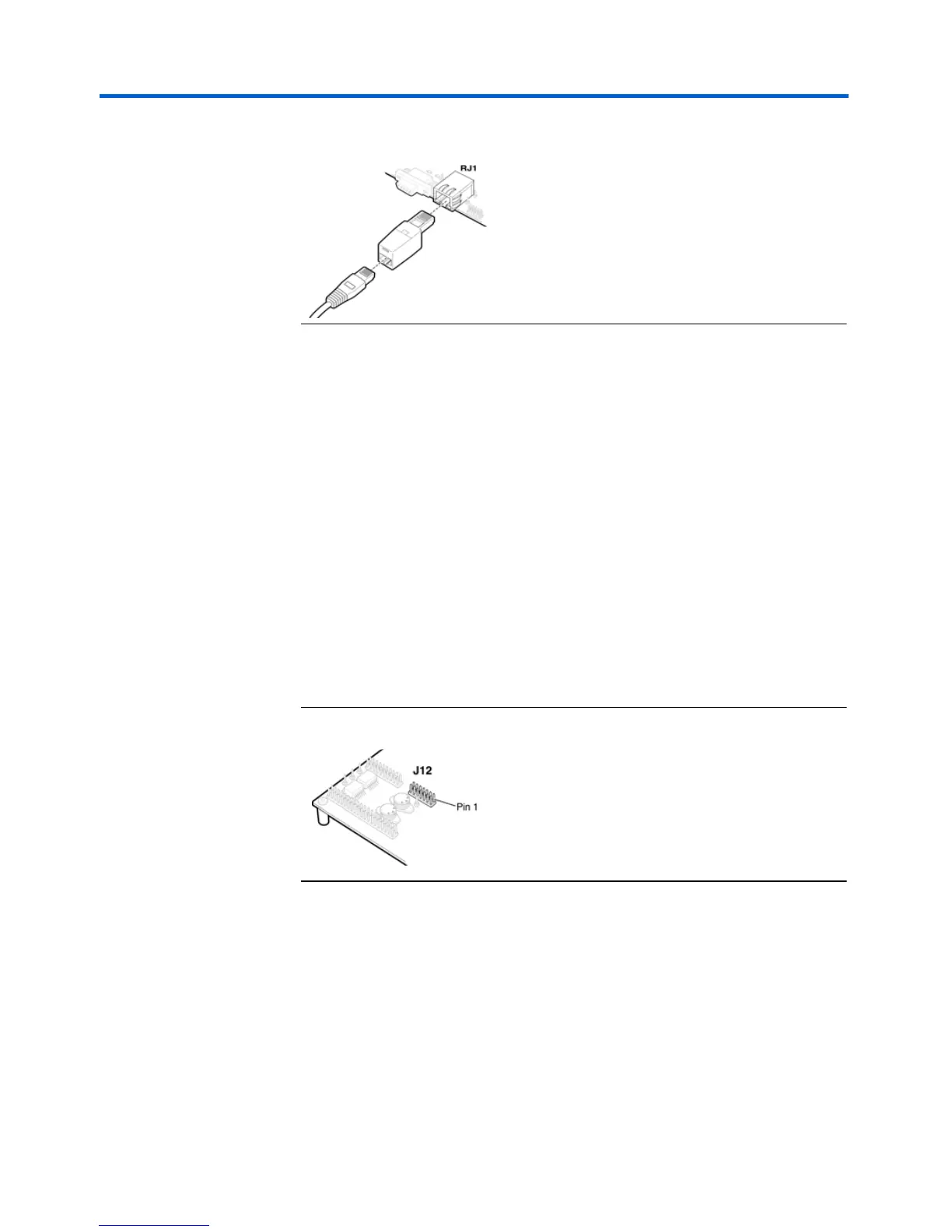
Figure 25. Point-to-Point Connection
2. LAN Connection — To use your Nios development board on a LAN (for
example, connecting to an Ethernet hub) do the following:
a. Connect one end of the RJ45 cable to the Ethernet connector on
the development board (RJ1).
b. Connect the other end to your LAN connection (hub, router, wall
plug, etc.).
Connecting the LCD Display
Your Nios Development Kit was delivered with a two-line x 16-character LCD
text display. The web-server software displays useful status and progress
messages on this display. If you wish to use the network features of the
board, connect the LCD display to the Expansion Prototype Header J12 as
shown in Figure 26 (take special care of the location of pin 1).
Figure 26. Expansion Prototype Header - J12
Obtaining an IP address: DHCP
In order to function on a network (either a point–to–point or LAN), your
board must have an IP address. Upon reset, the web-server will attempt
to acquire an IP address via the DHCP protocol. Many LANs support
DHCP.
1 If you do not know whether or not your LAN supports DHCP,
it’s probably best to try DHCP first.



 To Next Page