MaxAgent Manual 39
Using MaxAgent
Using the Calendar Button
The Create Meeting and Modify Meeting dialog boxes use Calendar
buttons for date selection. To select a date, click the Calendar button.
When the calendar is open, use the Up/Down arrows to select the year, or
you can type in a year and then press Enter.
Click the Calendar button again to close the calendar.
Creating a Meeting
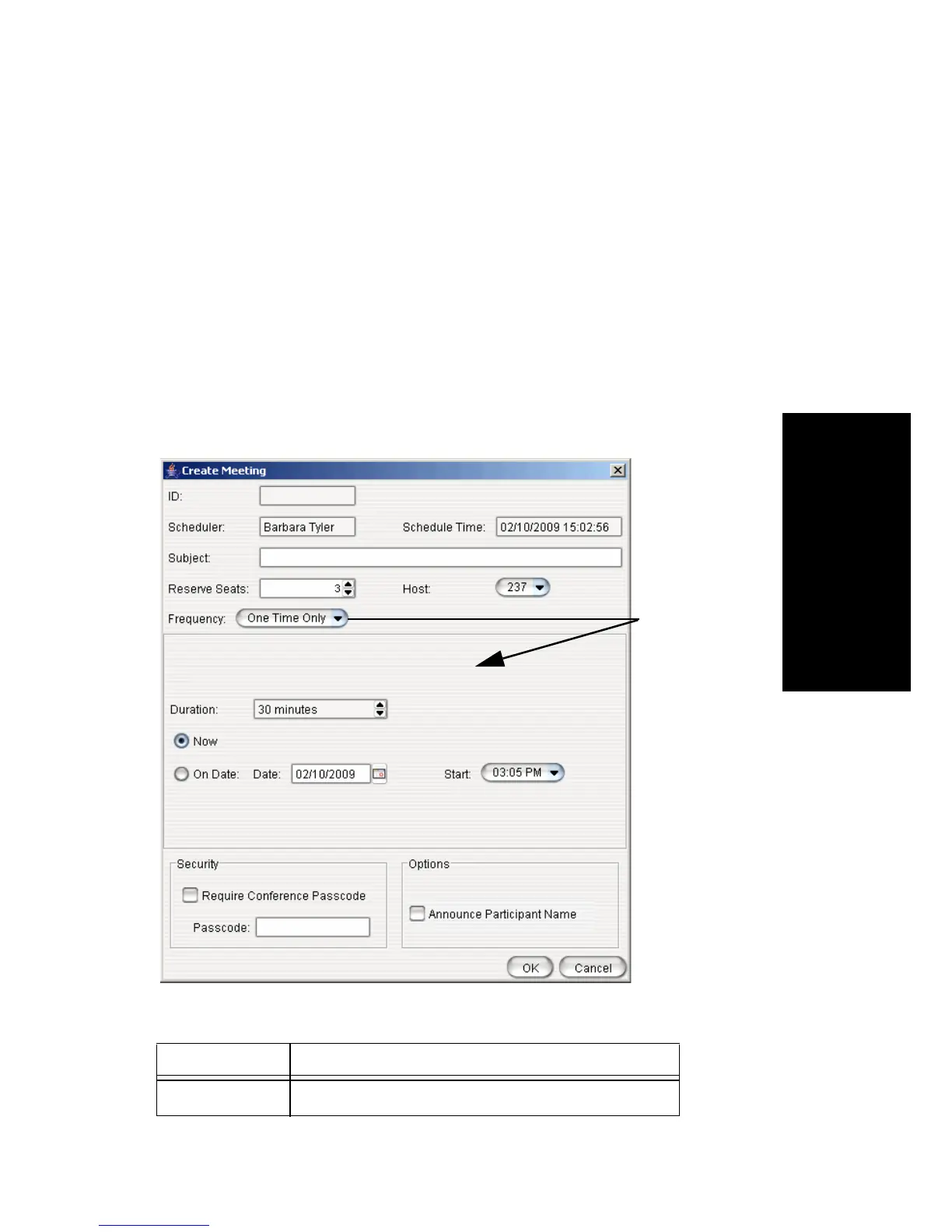
To create a meeting, click one of the Create buttons. The Create Meeting
dialog box opens.
The following parameters apply to all meetings:
Parameter Description
ID The conference ID is created by the system.
The options in
the middle
panel change,
depending on
the frequency
you select



 To Next Page