AMASPRAY+ BAG0017.7 10.17
4.3 Description of the switches
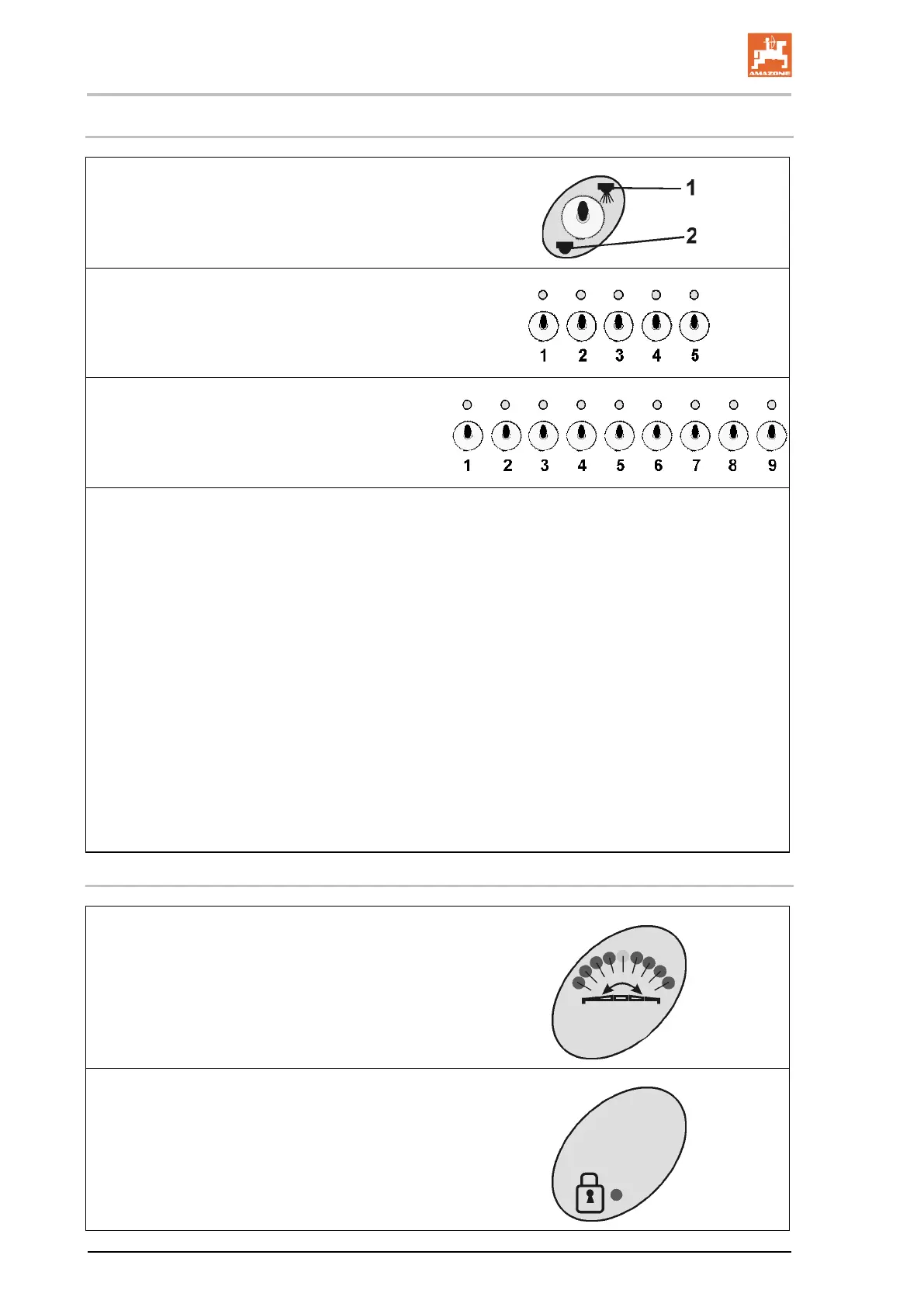
• Switching on / off the switch spraying op-
eration
ο Opening (1), closing (2) all boom part
width sections (2).
• 5 Part width section control
or
• 9 Part width section control
• Opening (1), closing (2) all boom part width
sections.
One boom part-width section switch is
available for every boom spray section. A
light indicates when a boom part width sec-
tion is switched on.
In cases where more switches than boom
part-width sections are available, the right
hand switches are not extended (for exam-
ple: field sprayer with 7 boom part-width
sections, 9 boom part-width section switch-
es → 2 boom part width section
switches right hand not extended).
ο Switch 1– boom part-width section
outermost left hand side off / on..
ο Switch 5 (9) – boom part-width section
outermost right hand side off / on.
4.4 Description of the Indications
• Indication tilt adjustment
ο The boom tilting is indicated with the
aid of a red light.
ο The central position is shown in green.
ο When the tilt adjustment is switched
off, the lamp goes out.
• Indication locking of pendulum compensa-
tion
ο The light indicates that the pendulum
compensation is locked.









 To Next Page