AMASPRAY+ BAG0017.7 10.17
5.4 Input of nozzles per boom part-width section (pre-set by the factory)
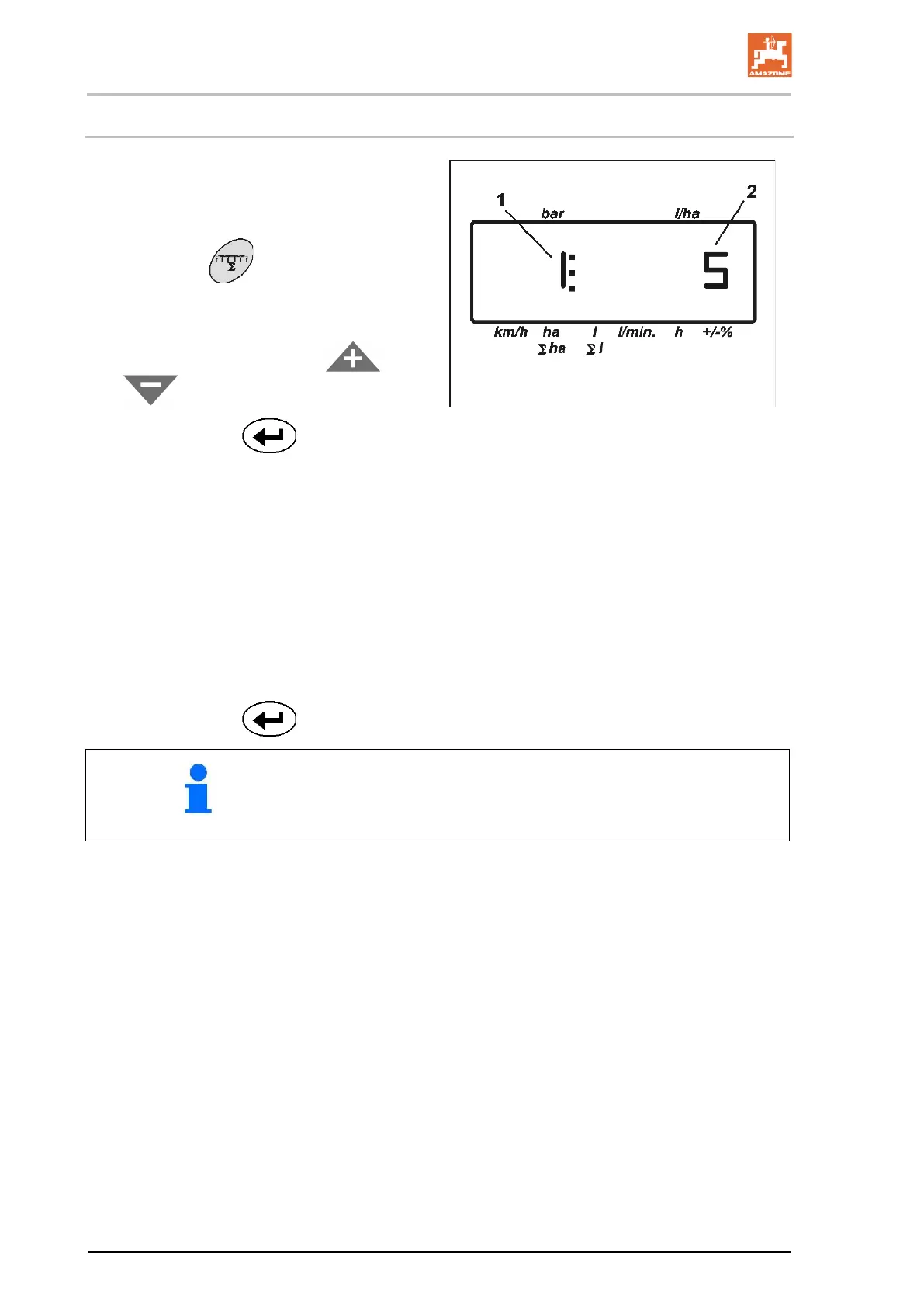
(1) Part width
(2) Number of nozzles per part width
1. Actuate key
.
→ the actual number of nozzles for the first
boom part-width section is shown.
2. Enter the value with the keys
or
.
3. Confirm with key
.
→ the actual value for the second boom part-
width section is shown.
4. Enter the number of nozzles for all boom
part-width sections following to points 1 to
3.
5. When the number of nozzles for the last
boom part-width section n (for example: 7)
has been entered the boom part width sec-
tion n+1 (for example: 8) appears in the
display.
→ Here enter zero.
6. Confirm with key
.
5
Numbering of the boom part-width sections is from left to right
as seen in driving direction.









 To Next Page