AmaSpread+ BAG0126.4 09.17
4.3.4 Tractor data
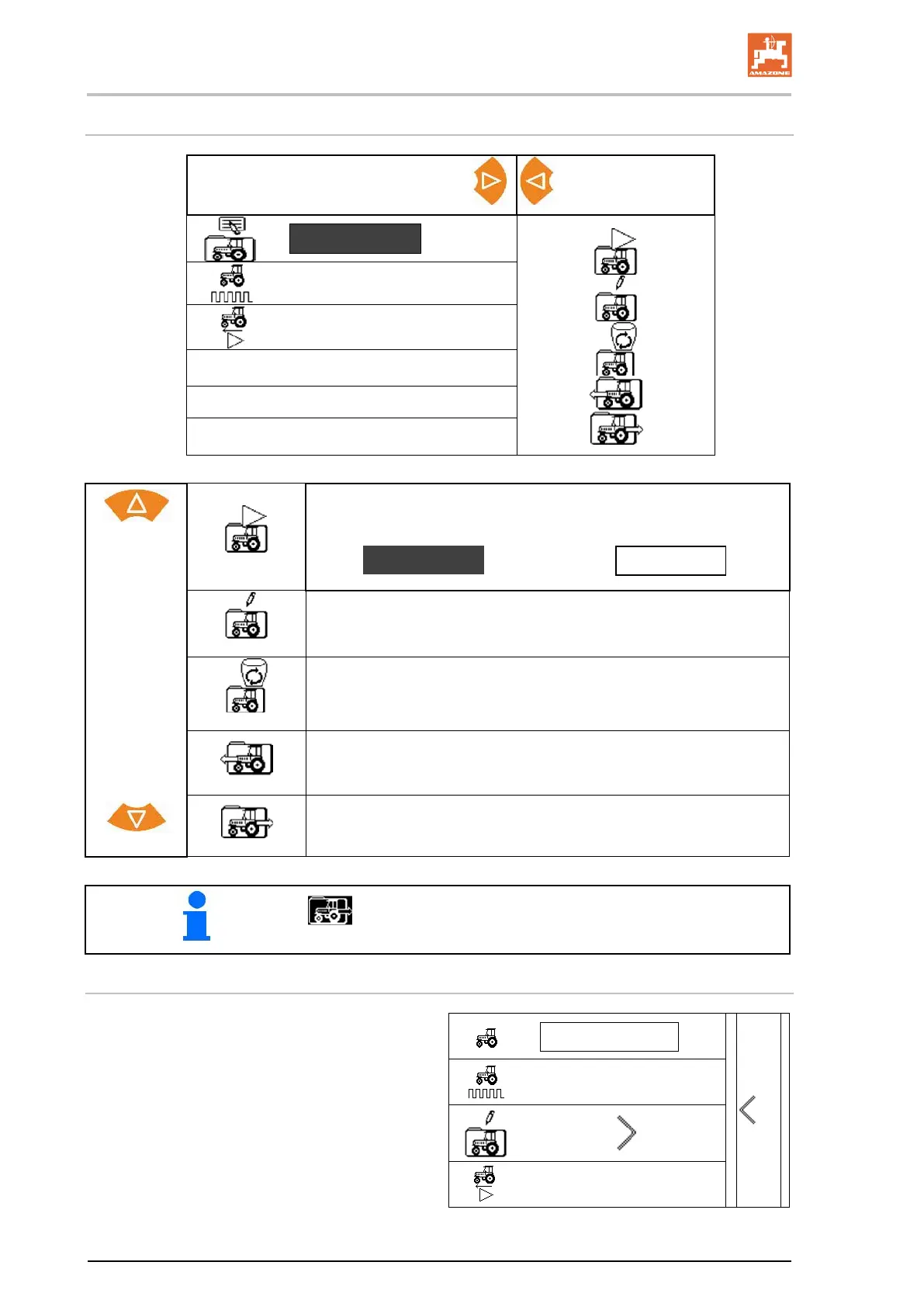
Tractor data
Manage
tractor data
Tractor_5
13000
0.0 km/h
Before spreading, always actively control the correct tractor!
Select function
Enter tractor data.
Delete tractor.
Must not be activated!
Scroll back in the tractor list.
Scroll ahead in the tractor list.
The active function is shown inverted.
Entering the tractor data
• Tractor name
• Enter value for pulses per 100 m
13000
• Determine pulses per 100 m
see page 23
• Speed simulator
0 km/h


 To Next Page