EasyManua.ls Logo

Amazone AmaSpread+ - User Manual

Amazone AmaSpread+
46 pages
Print Icon
To Next Page IconTo Next Page
Loading...
Operating Manual
az
AmaSpread
+
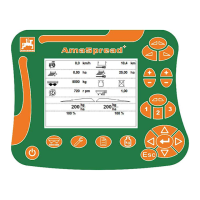
Control computer
MG5274
BAG0126.4
09.17
Printed in Germany
Please read this operating
manual before commissioning.
Keep it in a safe place for future
use!
en
Question and Answer IconNeed help?

Do you have a question about the Amazone AmaSpread+ and is the answer not in the manual?

Summary

Operating Manual

Control Computer Overview

Provides an overview of the AmaSpread+ control computer interface and functions.

Reading the Instruction Manual

Importance of Manual Adherence

Emphasizes the importance of reading and following the manual for proper operation.

1 User information

Purpose of the document

Explains the purpose and scope of this operating manual.

Locations in the operating manual

Describes how directions and instructions are presented in the manual.

Diagrams

Explains how to interpret diagrams and item numbers.

2 General Safety Instructions

Obligations and liability

Outlines user obligations and liability regarding manual compliance.

Representation of safety symbols

Explains the meaning of various safety symbols used in the manual.

3 Product description

Intended use

Specifies the intended application of the AmaSpread+ control unit.

Function

Details the primary functions and capabilities of the AmaSpread+ system.

Control terminal with buttons

Describes the physical layout and function of the control terminal buttons.

3.4 Menus

Menu Navigation

Explains the different menus available in the AmaSpread+ system.

Navigating in the menu

Details the process and buttons used for navigating through the menu system.

3.6 Entering numbers

Number Input Process

Details the steps for entering numerical values, including decimal places.

3.7 Entering text

Text Input Process

Outlines the procedure for entering text, character by character.

3.8 Power supply

Power Connection

Specifies the required power connection for the control unit.

4 Settings

Saving and Recalling Settings

Explains how to save and recall device settings.

Extended Settings

Mentions the possibility of configuring extended settings for the device.

4.1 Settings menu

Optional and Mandatory Settings

Lists optional and mandatory settings required for operation.

4.1.1 Tractor data

Tractor Name and Pulses

Details entering the tractor name and pulses per 100m for accurate spreading.

Speed Simulator

Explains the use of the speed simulator and its effect on spread rate control.

4.2 Managing the settings

Setting Activation and Management

Explains how to activate, deactivate, and manage saved settings.

4.3 Extended settings menu

Page 1 Settings

Details settings available on the first page of the extended settings menu.

Page 2 Settings

Details settings available on the second page of the extended settings menu.

Page 3 Settings

Page 4 Settings

Details settings available on the fourth page of the extended settings menu.

Slug pellets, fine seeds operation

Tractor Data Menu for Slug Pellets

Explains how the system switches to Tractor data menu for slug pellets.

4.3.1 Determining; entering the calibration factor

Calibration Factor Input

Describes how to enter or determine the calibration factor.

4.3.2 Adjusting the limiter

Limiter Settings for Spreading

Explains how to adjust limiter settings for different spreading methods.

4.3.3 Empty hopper

Hopper Emptying Procedure

Details the process for residual emptying of the hopper.

4.3.4 Tractor data

Managing Tractor Data

Covers selecting, entering, deleting, and scrolling through tractor data.

Entering Tractor Data

Provides steps for entering tractor-specific information like name and pulses.

4.3.5 Detailed settings

Operational Settings

Details settings for signal tones, alarms, task numbers, and tramlines.

Quantity and Part Width Settings

Explains settings for quantity increment and part width sections.

Lateral Distribution Check

Guides on checking lateral distribution using a mobile test rig.

4.3.6 Terminal

Terminal Settings

Covers settings for baud rate, contrast, and brightness of the terminal.

5 Operating data

Saving and Managing Operating Data

Explains how to save, recall, and manage operating data.

Recorded Operating Data

Lists the types of data recorded by the system, like worked area and time.

Spread Rate and Calibration Adjustment

Notes that spread rate and calibration can be adjusted within this menu.

5.2 Managing the operating data

Operating Data Overview Management

Explains how to activate, delete, and scroll through operating data overviews.

5.2.1 ASD interface

ASD Interface Setup

Details how to set up the ASD interface for data transmission.

6 Weighing and refilling fertiliser

Page 1: Hopper Operations

Covers hopper capacity display and refilling operations.

Page 2: Calibration Type

Details selecting the type of calibration, offline or online.

6.1 Refilling the hopper

Hopper Refill Information

Displays refilled quantity, total quantity, and workable area.

7 Determining the pulses per 100 m

Purpose of Pulses per 100 m

Explains why the "Pulses per 100 m" value is needed for accurate operation.

Calibration Run Procedure

Guides on how to perform a calibration run to determine the pulses per 100m.

8 Spread rate check (determining the calibration factor)

Calibration Factor Importance

Explains the role of the calibration factor in regulating the system.

Redetermining Calibration Factor

Advises when and why to redetermine the calibration factor.

Slug Pellets, Fine Seeds Handling

Provides specific instructions for slug pellets and fine seeds spread rate checks.

Spread rate check while standing still

Spread rate check while driving

Outlines methods for spread rate checks while the machine is stationary or in motion.

8.1 Performing a spread rate check with the fertiliser chute

Calibration Factor Determination Conditions

Lists conditions for determining the calibration factor with the fertiliser chute.

Spread Rate Check Procedure

Step-by-step guide for performing a spread rate check using the fertiliser chute.

8.2 Performing a spread rate check with a calibration device on the side

Spread Rate Check with Side Device

Step-by-step guide for performing a spread rate check using a side calibration device.

8.3 Online calibration

Online Calibration Process

Explains how online calibration works and when it can be started.

Online Calibration Conditions

Details the conditions required for online calibration to function correctly.

8.4 Offline calibration

Offline Calibration Procedure

Step-by-step guide for performing offline calibration.

Optimising Calibration Factor

Advises on performing additional calibrations for optimization.

9 Operation

Work Menu Overview

Provides an overview of the information displayed in the Work menu.

Special Displays

Explains special displays for slug pellets and the distance counter.

Scale Information

Shutter Position

Illustrates shutter positions for open and closed states.

Part Width Sections

Shows how part width sections are switched or pre-selected.

Spreading Methods

Depicts different spreading methods like normal, ditch, boundary, and border spreading.

9.2 Buttons in the Work menu

Spread Rate Adjustment Buttons

Explains buttons for increasing/decreasing spread rate and setting it to 100%.

Shutter and Part Width Control

Details buttons for opening/closing shutters and controlling part width sections.

Boundary Spreading Methods

Describes selection of boundary spreading methods and width adjustment.

Cancel;Back Function

Explains the function of the Cancel/Back button.

9.3 Procedure for use

Initial Setup and Calibration

Covers switching on, data entry, and calibration before starting work.

Operation Start and Stop Points

Guides on opening/closing shutters at switch-on and switch-off points.

Post-Operation Tasks

Details closing shutters and switching off the system after operation.

Slug pellets, fine seeds operation

Before Operation (Slug Pellets)

Steps for preparing the system for slug pellets/fine seeds.

During Operation (Slug Pellets)

Notes on driving at constant speed when speed-proportional control is off.

After Use (Slug Pellets)

Instructions for setting simulated speed to zero after use.

Switching boom part width sections

Part Width Section Control

Explains how to switch part width sections on/off and pre-select them.

Part Width Section Display

Illustrates how part width sections are displayed based on their status.

Example: Wedge Entry

Provides a practical example of switching part width sections when entering a wedge.

Changing the spread rate during spreading

Spread Rate Adjustment

Details how to adjust the spread rate for both shutters or individual shutters.

9.4 Empty hopper

Quick Access to Empty Hopper

Mentions quick access for the Empty hopper function in extended settings.

10 Setup menu

Opening the Setup Menu

Guides on how to open the Setup menu and enter the password.

Page 1 Setup Options

Lists initial setup options like configuring the scale and calibrating the shutter.

Page 2 Setup Options

Lists further setup options including low level sensor and spread rate check methods.

10.1 Configuring the scale

Scale Settings Overview

Covers scale on/off, calibration, adjustment, and parameter settings.

Calibrate Scale Procedure

Step-by-step guide for calibrating the scale, including taring and filling.

Adjusting the Scale

Scale Adjustment Process

Explains how to adjust the scale if filled and displayed quantities do not match.

10.2 Calibrating the shutters

Shutter Calibration

Details the process for calibrating individual shutters on the left and right sides.

Shutter Calibration Procedure

Step-by-step guide for performing shutter calibration, including motor disengagement and pin marking.

10.3 Factory settings menu

Restoring Factory Settings

Explains how to restore the implement to its original production status.

11 Faults

11.1 Alarms

Describes alarms, their causes, and acoustic signals.

11.2 Warnings

Lists warnings, their causes, and acoustic signals for implement issues.

11.3 Notes

Error Number Notes

Provides a list of error numbers and their corresponding notification messages.

12 Mounted

Implement Connection Diagram

Shows a diagram illustrating the implement connection points.

13 Cleaning, maintenance and repair

13.1 Cleaning

Provides a caution regarding cleaning the setting motor with a high-pressure cleaner.

13.2 Storage

Advises on storing the on-board computer in a dry place.

Summary

Operating Manual

Control Computer Overview

Provides an overview of the AmaSpread+ control computer interface and functions.

Reading the Instruction Manual

Importance of Manual Adherence

Emphasizes the importance of reading and following the manual for proper operation.

1 User information

Purpose of the document

Explains the purpose and scope of this operating manual.

Locations in the operating manual

Describes how directions and instructions are presented in the manual.

Diagrams

Explains how to interpret diagrams and item numbers.

2 General Safety Instructions

Obligations and liability

Outlines user obligations and liability regarding manual compliance.

Representation of safety symbols

Explains the meaning of various safety symbols used in the manual.

3 Product description

Intended use

Specifies the intended application of the AmaSpread+ control unit.

Function

Details the primary functions and capabilities of the AmaSpread+ system.

Control terminal with buttons

Describes the physical layout and function of the control terminal buttons.

3.4 Menus

Menu Navigation

Explains the different menus available in the AmaSpread+ system.

Navigating in the menu

Details the process and buttons used for navigating through the menu system.

3.6 Entering numbers

Number Input Process

Details the steps for entering numerical values, including decimal places.

3.7 Entering text

Text Input Process

Outlines the procedure for entering text, character by character.

3.8 Power supply

Power Connection

Specifies the required power connection for the control unit.

4 Settings

Saving and Recalling Settings

Explains how to save and recall device settings.

Extended Settings

Mentions the possibility of configuring extended settings for the device.

4.1 Settings menu

Optional and Mandatory Settings

Lists optional and mandatory settings required for operation.

4.1.1 Tractor data

Tractor Name and Pulses

Details entering the tractor name and pulses per 100m for accurate spreading.

Speed Simulator

Explains the use of the speed simulator and its effect on spread rate control.

4.2 Managing the settings

Setting Activation and Management

Explains how to activate, deactivate, and manage saved settings.

4.3 Extended settings menu

Page 1 Settings

Details settings available on the first page of the extended settings menu.

Page 2 Settings

Details settings available on the second page of the extended settings menu.

Page 3 Settings

Page 4 Settings

Details settings available on the fourth page of the extended settings menu.

Slug pellets, fine seeds operation

Tractor Data Menu for Slug Pellets

Explains how the system switches to Tractor data menu for slug pellets.

4.3.1 Determining; entering the calibration factor

Calibration Factor Input

Describes how to enter or determine the calibration factor.

4.3.2 Adjusting the limiter

Limiter Settings for Spreading

Explains how to adjust limiter settings for different spreading methods.

4.3.3 Empty hopper

Hopper Emptying Procedure

Details the process for residual emptying of the hopper.

4.3.4 Tractor data

Managing Tractor Data

Covers selecting, entering, deleting, and scrolling through tractor data.

Entering Tractor Data

Provides steps for entering tractor-specific information like name and pulses.

4.3.5 Detailed settings

Operational Settings

Details settings for signal tones, alarms, task numbers, and tramlines.

Quantity and Part Width Settings

Explains settings for quantity increment and part width sections.

Lateral Distribution Check

Guides on checking lateral distribution using a mobile test rig.

4.3.6 Terminal

Terminal Settings

Covers settings for baud rate, contrast, and brightness of the terminal.

5 Operating data

Saving and Managing Operating Data

Explains how to save, recall, and manage operating data.

Recorded Operating Data

Lists the types of data recorded by the system, like worked area and time.

Spread Rate and Calibration Adjustment

Notes that spread rate and calibration can be adjusted within this menu.

5.2 Managing the operating data

Operating Data Overview Management

Explains how to activate, delete, and scroll through operating data overviews.

5.2.1 ASD interface

ASD Interface Setup

Details how to set up the ASD interface for data transmission.

6 Weighing and refilling fertiliser

Page 1: Hopper Operations

Covers hopper capacity display and refilling operations.

Page 2: Calibration Type

Details selecting the type of calibration, offline or online.

6.1 Refilling the hopper

Hopper Refill Information

Displays refilled quantity, total quantity, and workable area.

7 Determining the pulses per 100 m

Purpose of Pulses per 100 m

Explains why the "Pulses per 100 m" value is needed for accurate operation.

Calibration Run Procedure

Guides on how to perform a calibration run to determine the pulses per 100m.

8 Spread rate check (determining the calibration factor)

Calibration Factor Importance

Explains the role of the calibration factor in regulating the system.

Redetermining Calibration Factor

Advises when and why to redetermine the calibration factor.

Slug Pellets, Fine Seeds Handling

Provides specific instructions for slug pellets and fine seeds spread rate checks.

Spread rate check while standing still

Spread rate check while driving

Outlines methods for spread rate checks while the machine is stationary or in motion.

8.1 Performing a spread rate check with the fertiliser chute

Calibration Factor Determination Conditions

Lists conditions for determining the calibration factor with the fertiliser chute.

Spread Rate Check Procedure

Step-by-step guide for performing a spread rate check using the fertiliser chute.

8.2 Performing a spread rate check with a calibration device on the side

Spread Rate Check with Side Device

Step-by-step guide for performing a spread rate check using a side calibration device.

8.3 Online calibration

Online Calibration Process

Explains how online calibration works and when it can be started.

Online Calibration Conditions

Details the conditions required for online calibration to function correctly.

8.4 Offline calibration

Offline Calibration Procedure

Step-by-step guide for performing offline calibration.

Optimising Calibration Factor

Advises on performing additional calibrations for optimization.

9 Operation

Work Menu Overview

Provides an overview of the information displayed in the Work menu.

Special Displays

Explains special displays for slug pellets and the distance counter.

Scale Information

Shutter Position

Illustrates shutter positions for open and closed states.

Part Width Sections

Shows how part width sections are switched or pre-selected.

Spreading Methods

Depicts different spreading methods like normal, ditch, boundary, and border spreading.

9.2 Buttons in the Work menu

Spread Rate Adjustment Buttons

Explains buttons for increasing/decreasing spread rate and setting it to 100%.

Shutter and Part Width Control

Details buttons for opening/closing shutters and controlling part width sections.

Boundary Spreading Methods

Describes selection of boundary spreading methods and width adjustment.

Cancel;Back Function

Explains the function of the Cancel/Back button.

9.3 Procedure for use

Initial Setup and Calibration

Covers switching on, data entry, and calibration before starting work.

Operation Start and Stop Points

Guides on opening/closing shutters at switch-on and switch-off points.

Post-Operation Tasks

Details closing shutters and switching off the system after operation.

Slug pellets, fine seeds operation

Before Operation (Slug Pellets)

Steps for preparing the system for slug pellets/fine seeds.

During Operation (Slug Pellets)

Notes on driving at constant speed when speed-proportional control is off.

After Use (Slug Pellets)

Instructions for setting simulated speed to zero after use.

Switching boom part width sections

Part Width Section Control

Explains how to switch part width sections on/off and pre-select them.

Part Width Section Display

Illustrates how part width sections are displayed based on their status.

Example: Wedge Entry

Provides a practical example of switching part width sections when entering a wedge.

Changing the spread rate during spreading

Spread Rate Adjustment

Details how to adjust the spread rate for both shutters or individual shutters.

9.4 Empty hopper

Quick Access to Empty Hopper

Mentions quick access for the Empty hopper function in extended settings.

10 Setup menu

Opening the Setup Menu

Guides on how to open the Setup menu and enter the password.

Page 1 Setup Options

Lists initial setup options like configuring the scale and calibrating the shutter.

Page 2 Setup Options

Lists further setup options including low level sensor and spread rate check methods.

10.1 Configuring the scale

Scale Settings Overview

Covers scale on/off, calibration, adjustment, and parameter settings.

Calibrate Scale Procedure

Step-by-step guide for calibrating the scale, including taring and filling.

Adjusting the Scale

Scale Adjustment Process

Explains how to adjust the scale if filled and displayed quantities do not match.

10.2 Calibrating the shutters

Shutter Calibration

Details the process for calibrating individual shutters on the left and right sides.

Shutter Calibration Procedure

Step-by-step guide for performing shutter calibration, including motor disengagement and pin marking.

10.3 Factory settings menu

Restoring Factory Settings

Explains how to restore the implement to its original production status.

11 Faults

11.1 Alarms

Describes alarms, their causes, and acoustic signals.

11.2 Warnings

Lists warnings, their causes, and acoustic signals for implement issues.

11.3 Notes

Error Number Notes

Provides a list of error numbers and their corresponding notification messages.

12 Mounted

Implement Connection Diagram

Shows a diagram illustrating the implement connection points.

13 Cleaning, maintenance and repair

13.1 Cleaning

Provides a caution regarding cleaning the setting motor with a high-pressure cleaner.

13.2 Storage

Advises on storing the on-board computer in a dry place.

Amazone AmaSpread+ Specifications

General IconGeneral
BrandAmazone
ModelAmaSpread+
CategoryController
LanguageEnglish

Related product manuals