BAG0126.4 09.17
Switching boom part width sections
Switching part width sections from the right or from the left:
Switch part width section on or off.
→ The part width sections are shown on the work display.
When the button is pressed several times, sev
are switched off.
• Part width sections can be switched during spreading.
• Part width sections can be pre-selected before spreading.
2 part width sections switched off from the left.
4 part width sections switched off from the right.
1 part width section pre-selected on the right
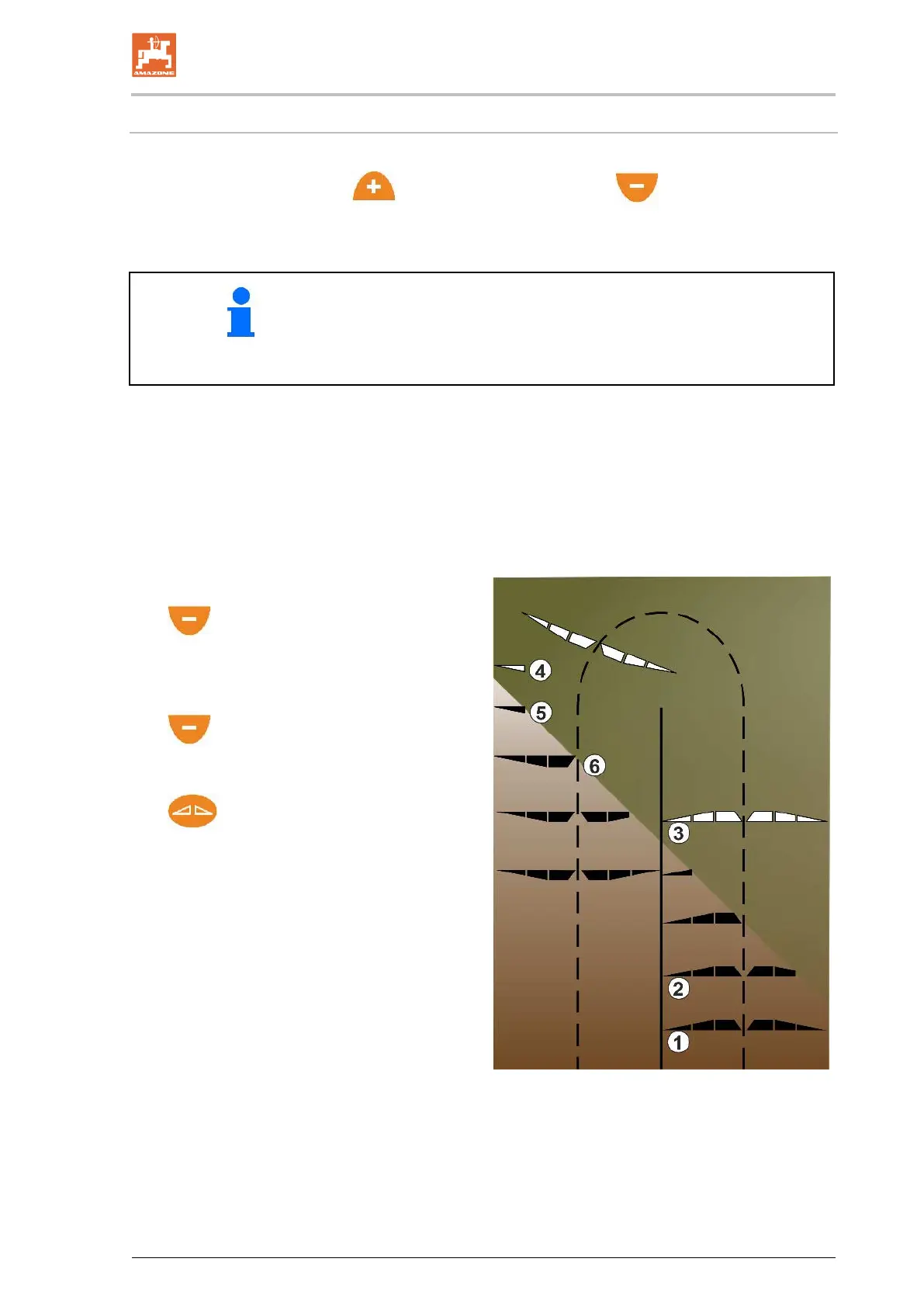
Driving into a wedge on the right side
(1) All part width sections on.
(2) In the wedge, start switching off the
part width sections from the right.
(3) All part width sections switched off, all part
width sections pre-selected.
(4)
Switch off the pre-
selected part width
section from the left until only one part width
section is pre-selected on the right.
(5)
Open the shutter when driving onto
the field.
(6) Switch on additional part width sections
from the left.


 To Next Page