AmaSpread+ BAG0126.4 09.17
10.2 Calibrating the shutters
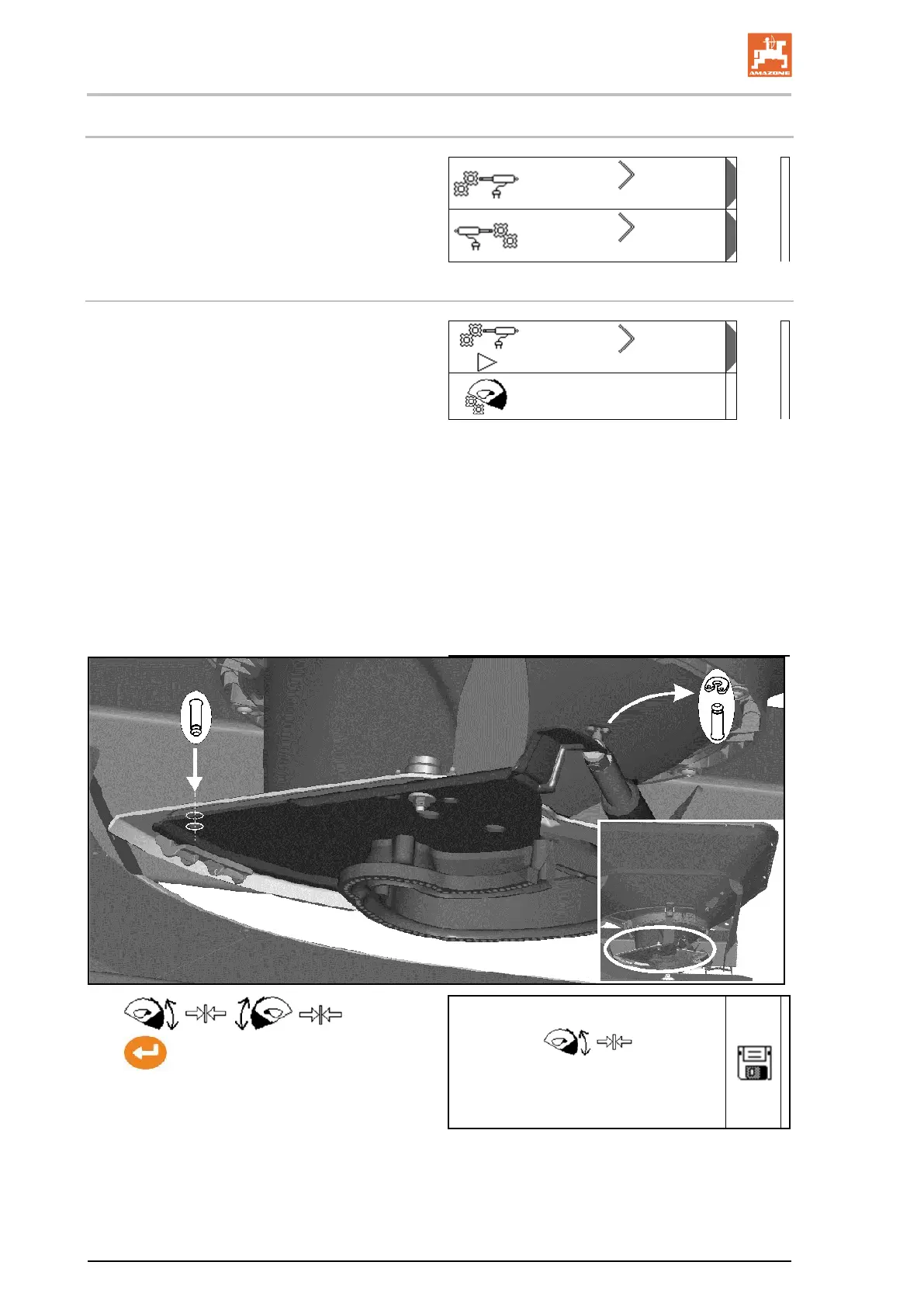
• Calibrate the shutter on the left
• Calibrate the shutter on the right
Shutter calibration menu
• Calibrate the shutters
• Voltage in V for shutter calibration
After updating the software, the values can
be entered manually.
Performing the calibration on the left / right
After updating the software, the values can be
entered manually.
The shutters on the left and right can be config-
ured consecutively.
1. Disengage motor.
2. Put the shutter into the calibration position.
3. Mark calibration position with pins.
4. / :
Perform and save the calibration.
5. Attach motor to shutter again before leaving
the menu.
0. 00 V


 To Next Page