en
5
6
7
Note: By default, the Archive containing all photos and videos is password protected apart
from the current procedure folder and the bin. The Archive can be accessed by an
Administrator or an Advanced user profile.
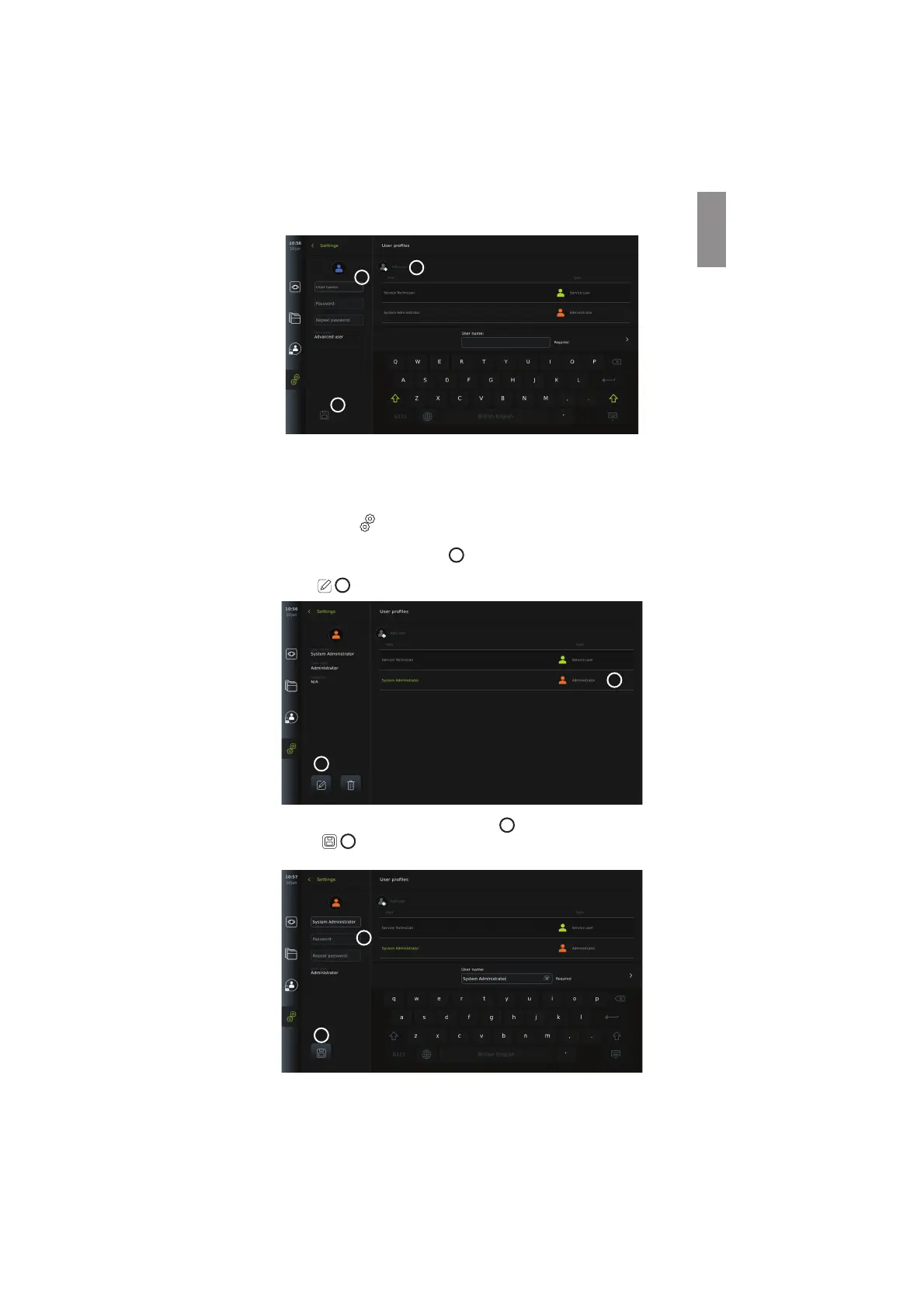
5.3.3. Edit an existing Advanced user profile:
• Press the Settings
tab in the tool bar on the left.
• Press User profiles.
• Select a user profile from the User list
8
. The User name, User type, the time it was
Created for the selected user will be shown on the left side of the screen.
• Press Edit
9
.
8
9
• Type a new name and/or choose a new password
10
• Press Save
11
.
• Press OK in the confirmation dialog box to confirm the change.
10
11
13



 To Next Page