36
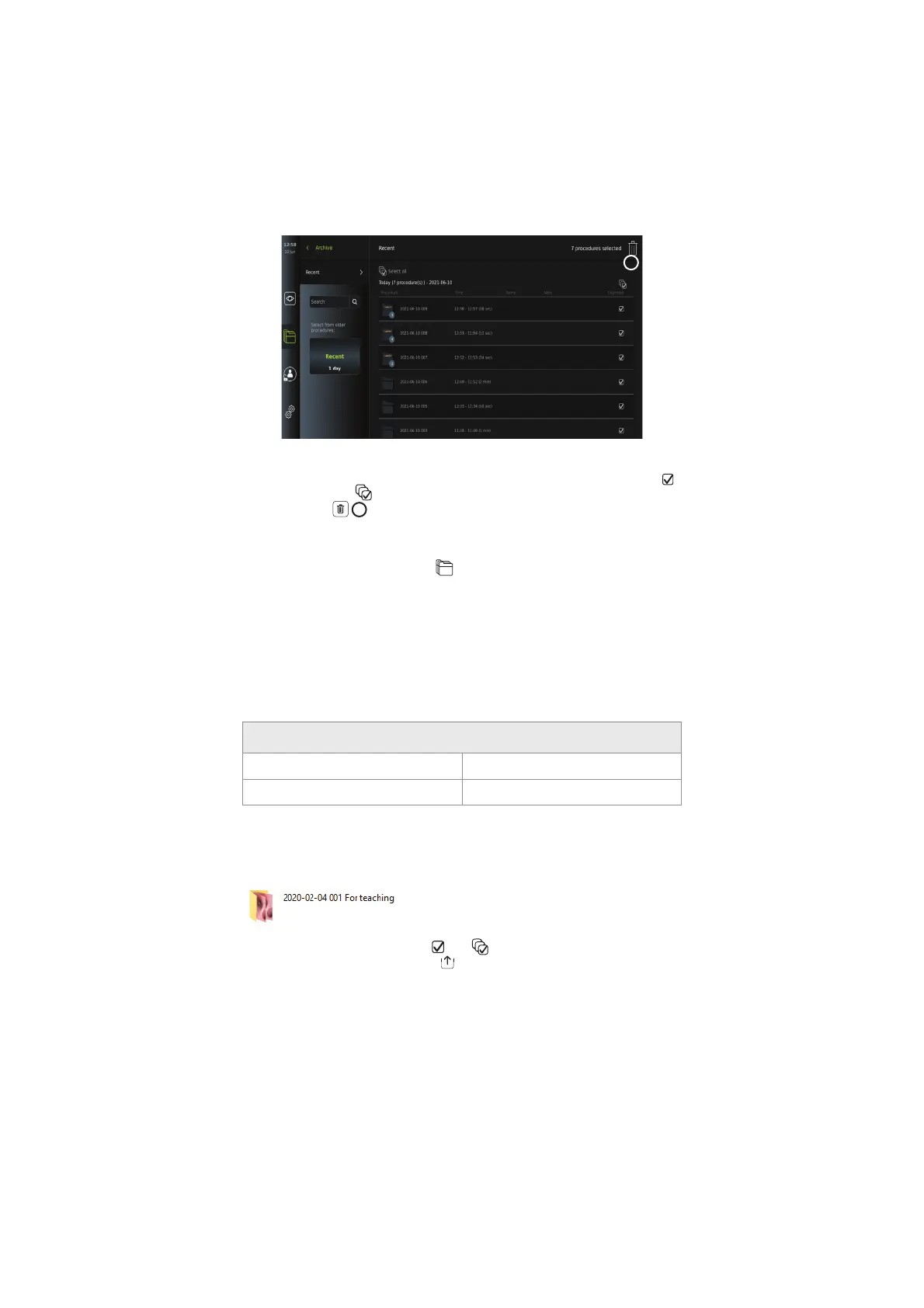
To delete files or procedure folders:
• Select the photo(s), video(s) or folder(s) to be deleted by the specific selection boxes
or press Select all
. Pressing the same button again will deselect all.
• Press the Bin
36
to delete selected files or folders.
• In the confirmation dialog box press OK to confirm or Cancel to return to the overview.
NOTE: When a photo or a video has been deleted, it cannot be restored. Administrators can
access the Deleted folder under Archive
to get an overview for all of all deleted
procedure folders. The empty procedure folders are not visible to other users.
7.4.5. Export to USB flash drive or PACS
Photos and videos recorded on the displaying unit can be exported to a connected USB flash
drive or to a PACS server (Picture Archiving and Communication System – see section 5.7.2. -
for setup).
The photos and videos can be exported in two formats: DICOM (Digital Imaging and
Communications in Medicine) format and standard format called BASIC.
When photos and videos are exported in BASIC format to the USB flash drive, they are stored
in the following formats:
Storage settings
Image (photo) PNG (800 x 800 pixels) – no compression
Video MP4 - compressed
When files are exported to a USB flash drive, they are placed in a folder with a name composed
by the procedure name and the note (if any). Example below: The procedure name is 2020-02-
04 001 and the note written is “For teaching”. The exported files in the folder will be called;
YYYY-MM-DD XXX ZZZZ, where XXX is the procedure count and ZZZZ is the photo count
within the procedure.
To export files, go to the procedure folder to view all photos and videos in the procedure. Use
the Selection boxes to select individual
or all files from the procedure to export. When
files have been selected, press the Export
icon in the top right corner of the screen.
36



 To Next Page