H-1.601.00149-2.0
Page
16
3.2.4 Time
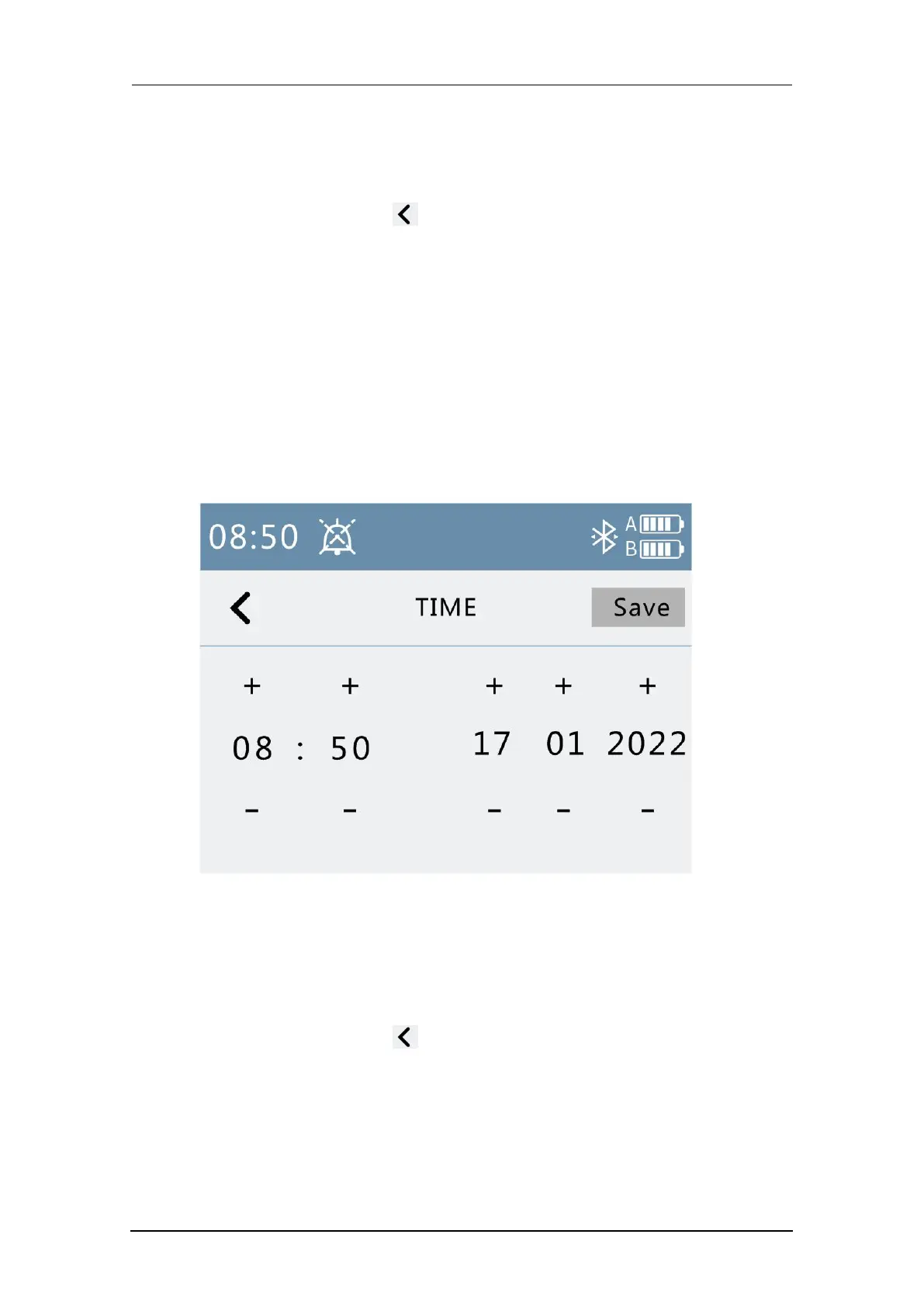
The time calibration interface is shown below.
1. Press the Back button to return to the menu interface.
2. “Time” label displays gray when unmodified, and highlights when
modified; press “Save” button, the label turns gray if saving is successful,
or the label turn red when saving failed.
3. Press the "Save" button to save the set time.
4. Press the“+” button, the corresponding number is increased by one, and
the long press scroll operation is supported.
5. Press the “-” button, the corresponding number is decremented by one,
and the long press scroll operation is supported.
Fig. 11 Time
3.2.5 Maintainance
The maintenance interface is shown below.
1. Press the Back button to return to the menu interface.
2. Enter the password and press the Enter key to enter the maintenance
mode; if the password is entered incorrectly, the red font “Password Error”
will be displayed. After entering the maintenance mode, the machine will
stop pressing. The factory initialization password is six zero "000000".



 To Next Page