35 Ampler – Stellar / Stout
8.2.3 Headset
Adjusting the headset
Information and a video on this subject are available on the Ampler Support Portal.
Using a torque wrench
If necessary, a torque wrench can be used for assembly (not included; available from specialist shops).
Switch o the Pedelec.
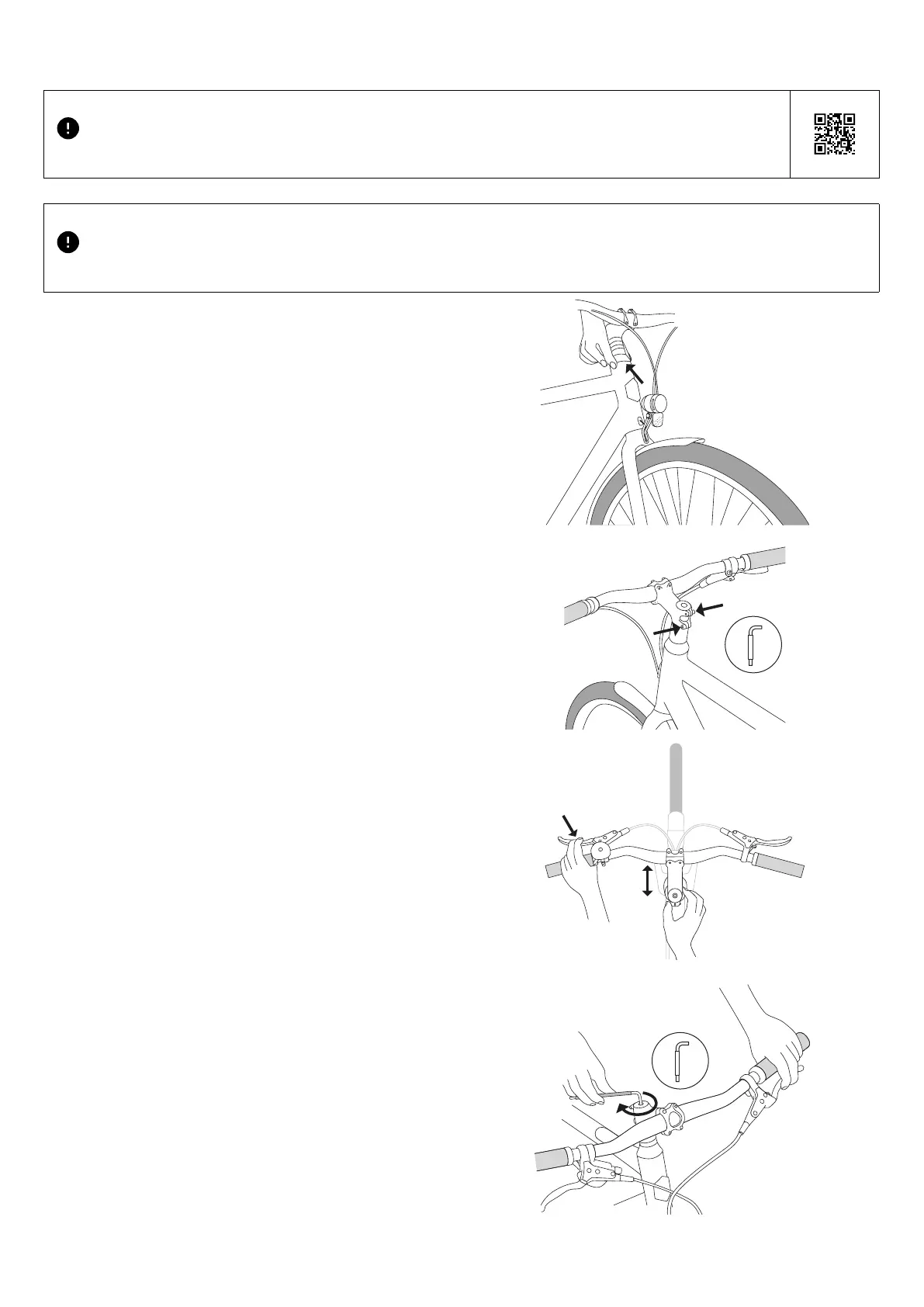
Checking the headset
1. Move the wheel back and forth with the front brake applied.
y If it is noticeable that the dust cap is moving where the
frame meets the headset, proceed as follows.
Adjusting the headset
1. Slightly loosen both side stem clamping screws with
the 4 mm hex key.
2. Slightly tighten the screw of the headset cap until the spacer
no longer moves.
3. Check adjustment: Reapply the front brake and gently move
the wheel back and forth again.
4. Tighten both side stem clamping screws.
5. Turn the handlebar to the left and right and check whether
they move smoothly, the wheel moves evenly in the
direction of rotation and the headset has no "play".
J If the movement feels a little too tight:
y Loosen the stem clamping screws.
y Loosen the screw of the headset cap a little.
y Tighten the stem clamping screws again.
J If there is noticeable "play" on the headset during movement:
y Loosen the stem clamping screws.
y Tighten the headset cap screw a little tighter.
y Tighten the stem clamping screws again.
6. Repeat the check if necessary.
Cleaning, maintenance and care



 To Next Page