There are four delicacy keys labeled as H, P, E and V/A. Use these four keys
to read metering data and do parameter setting.
Metering data reading
Normally, Ai205 display the metering data, such as voltage, current, power
etc. To read the metering data simply press the keys H, P, E and V/A.
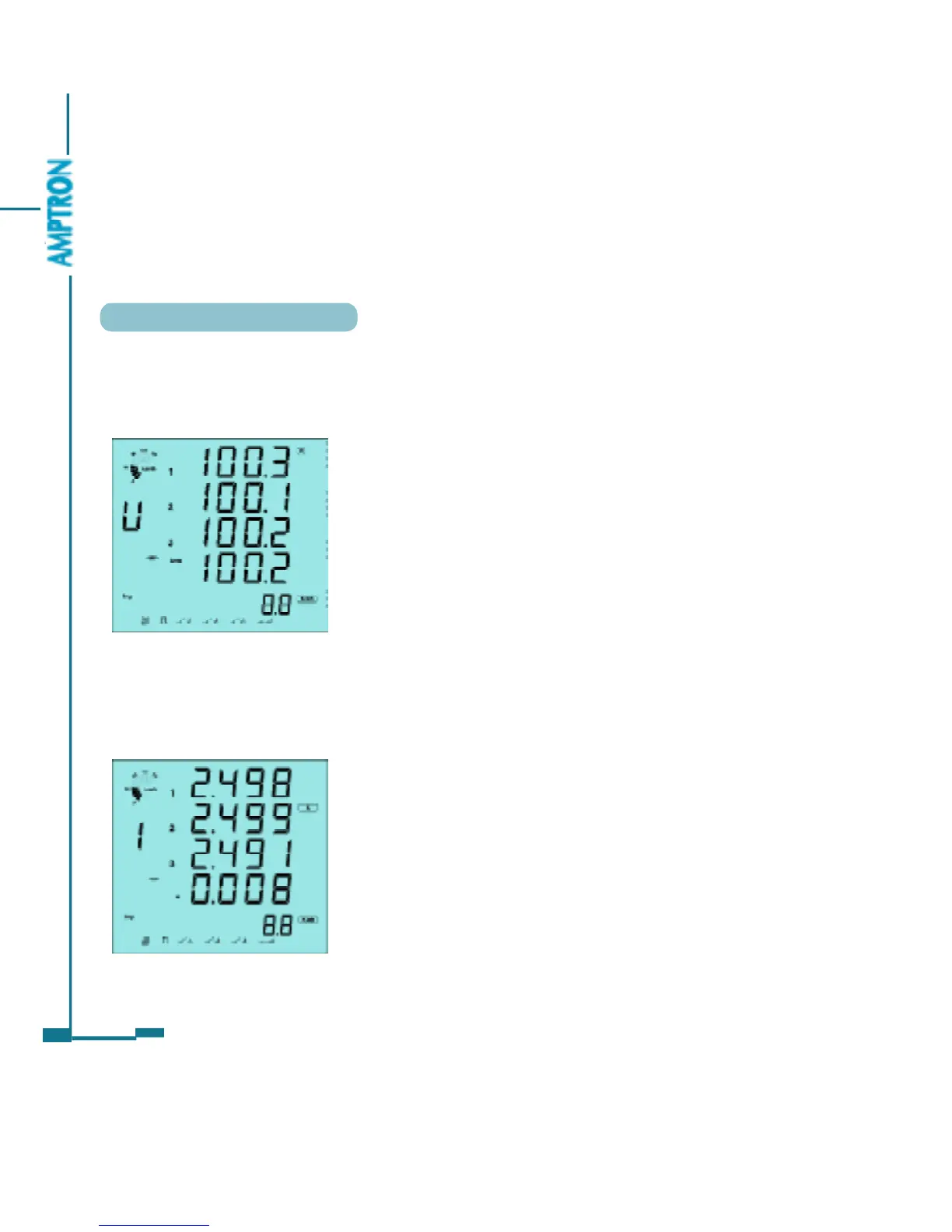
Press V/A to read voltage and current in the metering area.
The first screen: display U1, U2, U3 and
Ulnavg as in fig. 3.2.
U1=100.3V, U2=100.1V, U3=100.2V and
Ulnavg=100.2V. Load rating is 50%, inductive load,
imp energy is 8.8Kwh, communication state
normal, pulse output, DI1, DI2 and DI3 are open,
DI4 is close.
Press V/A, go to the second screen.
The second screen: display current of each
phase, I1, I2, I3 and In as in fig 3.3. I1=2.498,
I2=2.499, I3=2.491, In=0.008A.
Press V/A, go to the third screen.
32
Fig 3.2 Three phase voltage
Fig 3.3 Three phase current
PDF created with FinePrint pdfFactory trial version http://www.pdffactory.com



 To Next Page