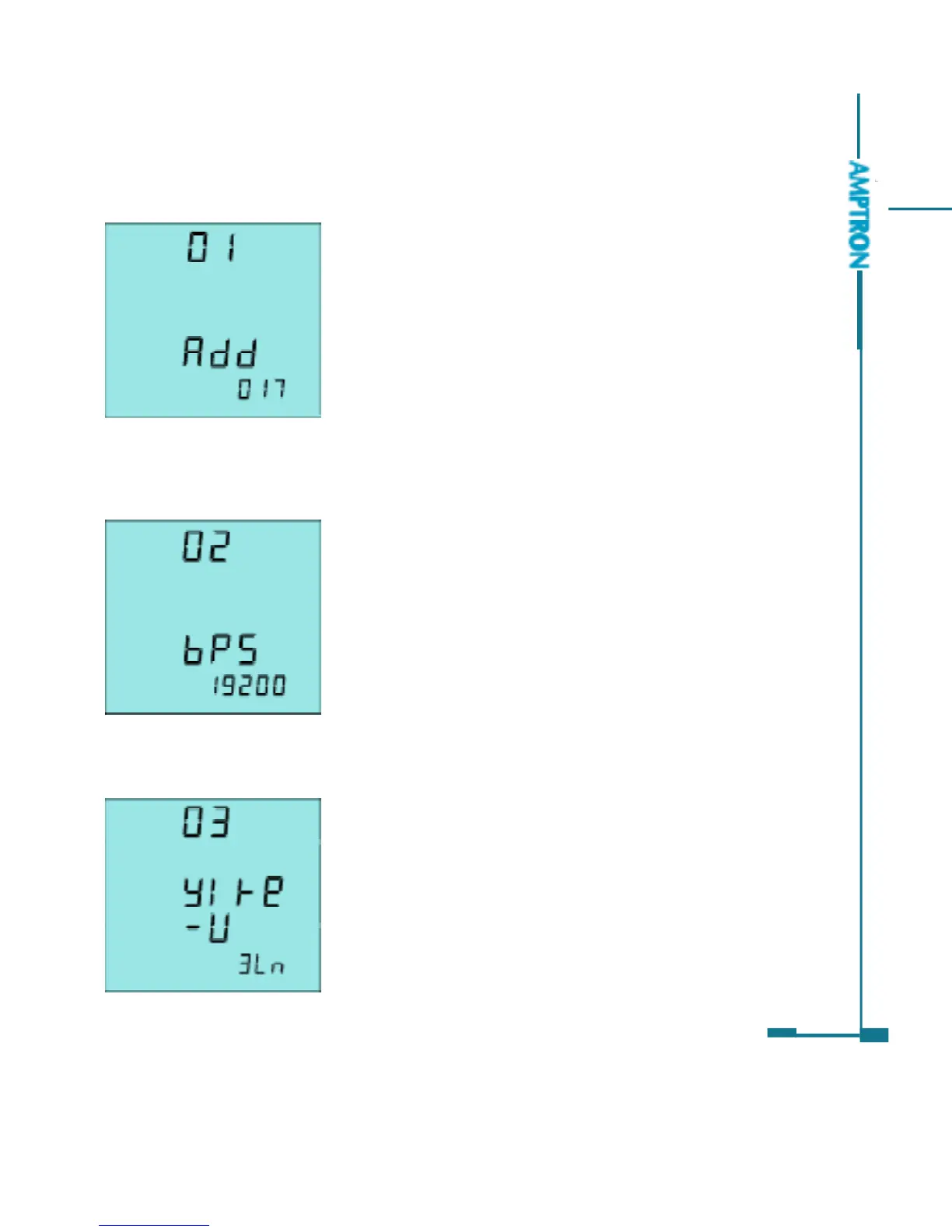
The first screen: setting Ai205 address page
for the communication purpose. It is any digit
number from 1 to 247. As in fig 3.34, the Ai205
Address is 17. Changing method is simple, press
H to move the curser to the digit wanted, press P
for increasing and press E for decreasing. Press
V/A for the acknowledgment.
Note: Each meter on same RS485 net should have
different address according to the Modbus-RTU protocol.
The second screen: Baud rate setting page
The asynchronies communication setting of
the Ai205 is 8 data bit, no parity, 1 star bit and 1
stop bit. Baud rate could be one of the seven,
600, 1200, 2400, 4800, 9600, 19200, 38400. as
in fig 3.35, the baud rate of the Ai205 is 19200bps.
Press P or E to select one. Press V/A Key, go to
the next page.
The third screen: voltage input wiring setting page
Voltage input could be one of the three modes,
3LN, 2LN and 2LL. (refer to chapter 2)
As in fig 3.36, the setting of voltage input mode
is 3LN.
Press P or E to select from 3LN, 2LN and 2LL.
Press V/A key for acknowledgment and going to
the next page.
45
Fig 3.34 Address setting page
Fig 3.35 Baud rate setting page
Fig 3.36 Voltage input wiring
PDF created with FinePrint pdfFactory trial version http://www.pdffactory.com



 To Next Page