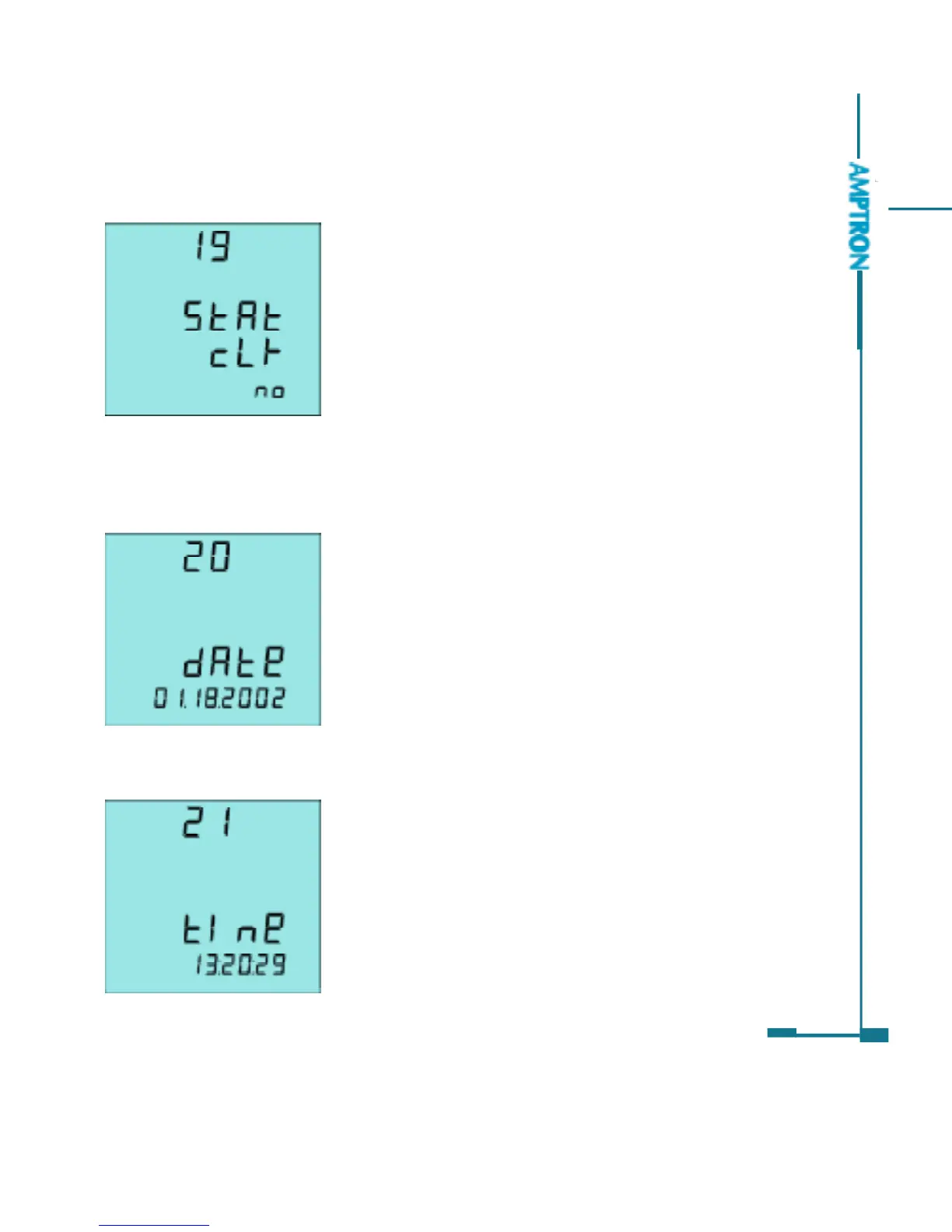
The nineteenth screen: Clearance of the Max
and Min value
The Max and Min statistics value can be
cleared by operating the front keys. Clear means
to begin record new Max and Min statistics value.
As in fig 3.52, press E or P keys to select Yes or No.
Yes: Clear the Max and Min statistics value
No: Do not clear the Max and Min statistics value
Press V/A key, go to the next setting page.
The twentieth screen: System date setting page
Display format is MM:DD:YYYY
MM: 1 to 12
DD: 1 to 31
YYYY: 2000 to 2099
As in fig 3.53, the setting date is Jan. 18, 2002.
Press V/A key, go to next setting page.
The twenty first screen: system time setting page
The display format is hh:mm:ss.
hh: 0 to 23
mm: 0 to 59
ss: 0 to 59
As in fig 3.54, the system time is 13:20:29
Press V/A key, go to next setting page.
51
Fig 3.52 Clearance of the max
and min value
Fig 3.53 Date
Fig 3.54 Time
PDF created with FinePrint pdfFactory trial version http://www.pdffactory.com



 To Next Page