Commissioning qTOWER
3
touch/qTOWER
3
G touch
20
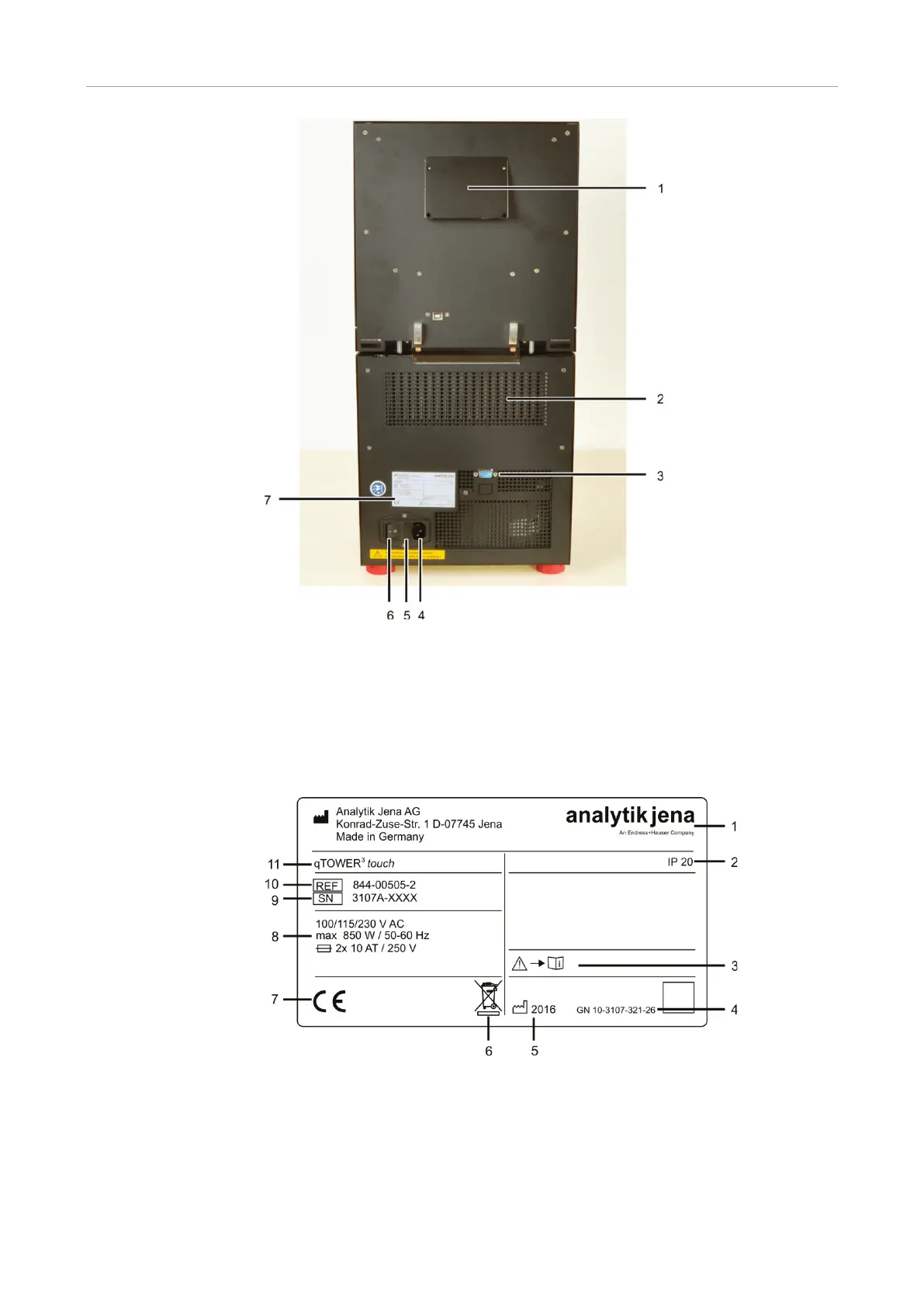
Fig. 6 qTOWER³ touch rear view
1 Ventilation for fluorescence spectrometer
2
Ventilation grille at the thermal cycler
Service connection
Mains connection
5 Fuse holder for instrument fuses
6
Mains switch
Type plate
The type plate is also located on the rear of the device. The type plate shows the serial
number of the device and the electrical connection data.
Fig. 7 Type plate
1 Manufacturer and address
2
Protection class of the housing
Safety symbol
(Attention! Note the accompanying documents!)
Device number
Manufacturing year
Disposal instructions
Electrical connection data:
Voltage, max. power consumption, frequency and
instrument fuses
Serial number
Order number
Device type and model



 To Next Page