qTOWER
3
touch/qTOWER
3
G touch Maintenance and care
29
Proceed as follows:
Press the button on the qPCRsoft touch start screen to exit the
shut down the tablet.
Switch off the qTOWER³ touch.
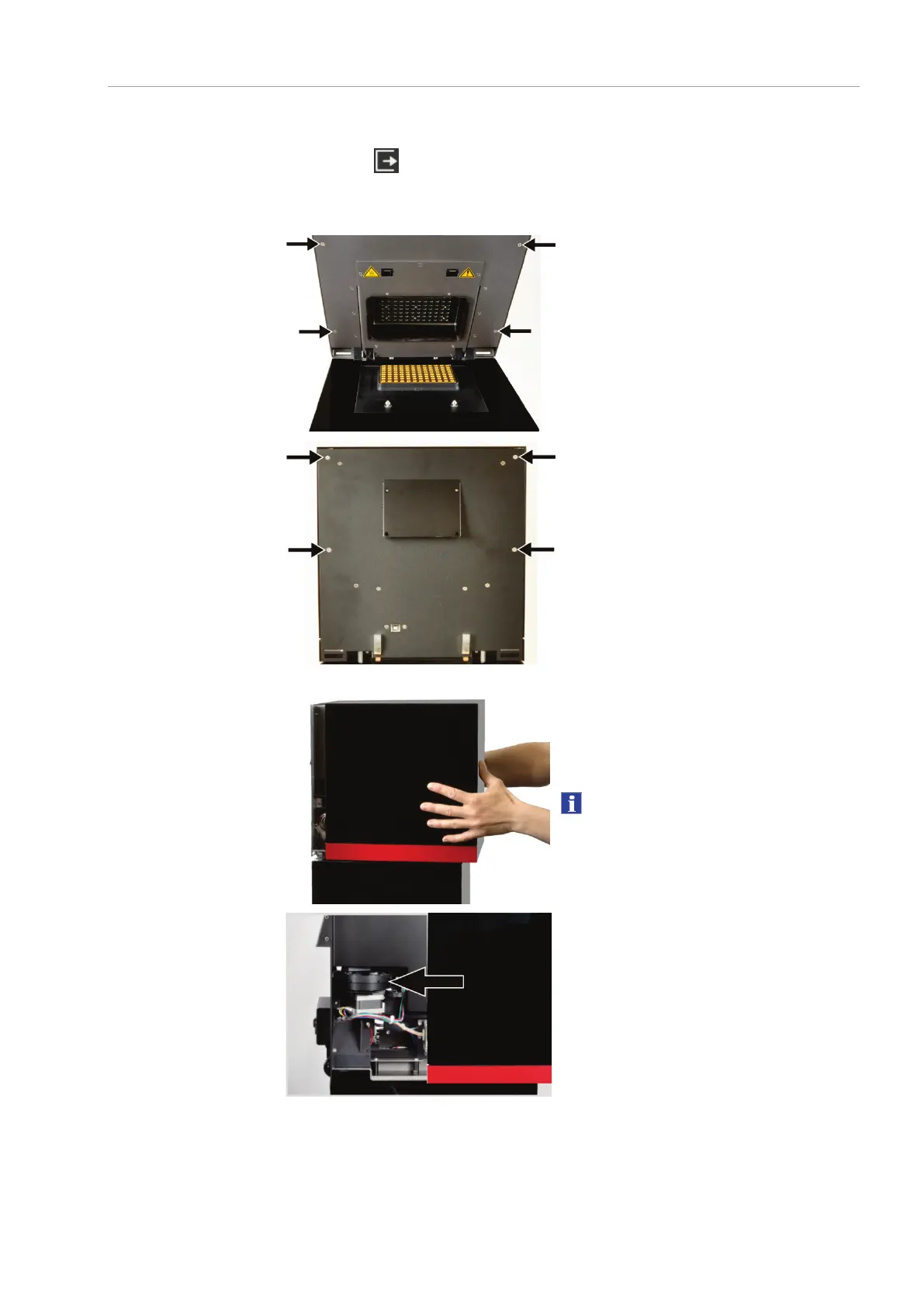
3. Open the lid. Remove the four external
screws on the inside of the lid.
Close the lid.
5. On the device backplate remove the four
external screws at the upper part with
which the hood is attached.
6. Pull the hood to the front until the rotat-
ing filter wheel for the color modules is
accessible (see next figure).
Secure the hood in this position to pre-
vent it from falling.
Notice
Do not disconnect the cable connection be-
tween qTOWER
3
touch and the tablet!



 To Next Page