EasyManua.ls Logo

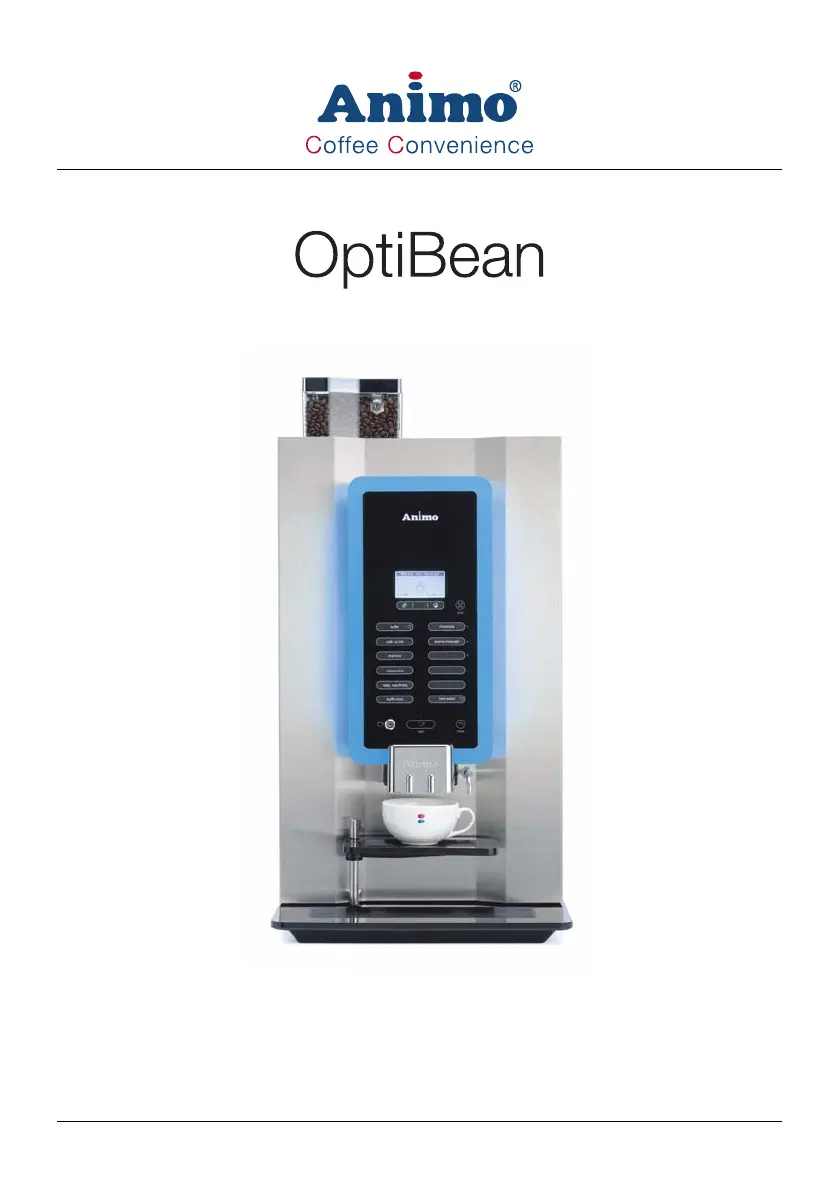
Animo OptiBean - User Manual

Animo OptiBean
45 pages
Print Icon
To Next Page IconTo Next Page
Loading...
gebruiksaanwijzing betriebsanleitung
user manual mode d’emploi

Other manuals for Animo OptiBean

Questions and Answers

  • L
    Loretta LongAug 30, 2025
    What causes 'E8 Mixer 2 error' on Animo Coffee Maker?
    • L
      lynnbatesAug 30, 2025
      If your Animo Coffee Maker displays an 'E8 Mixer 2 error', it means the mixer 2 motor has stalled, or its output is overloaded. Check whether mixer 2 is contaminated or incorrectly mounted. Clean it and check if the rotor turns freely. After checking these, switch the machine off and on again.
  • T
    tammysummersAug 30, 2025
    How to troubleshoot 'E13 Mixer group error' on Animo OptiBean?
    • D
      duncanstaceyAug 31, 2025
      If your Animo Coffee Maker displays an 'E13 Mixer group error', it means the brewer and mixer output group is overloaded. Perform the checks as specified for errors E7 and E8. Then, switch the machine off and on again.
  • C
    Christopher EvansAug 25, 2025
    How to fix Animo OptiBean Coffee Maker 'Out of service E3 Fill error'?
    • B
      Brian LittleAug 25, 2025
      If your Animo Coffee Maker displays an 'Out of service E3 Fill error', it means the boiler is filling too slowly. This can occur if the inlet valve isn't filling the boiler within 180 seconds during setup. To resolve this, check the water pressure, ensure the water supply tap is fully open, and inspect the connecting hose for any kinks. Then, try switching the machine off and on again.
  • R
    robertsjohnSep 1, 2025
    What to do if Animo Coffee Maker shows 'E27 NTC short circuit' error?
    • R
      Rachel HerreraSep 1, 2025
      If your Animo Coffee Maker displays an 'E27 NTC short circuit' error, it means the temperature sensor is measuring a temperature higher than 125°C or has a short circuit. First, let the boiler cool down if it's overheated. Then, check if the dry-boil protection was triggered. Finally, check the NTC sensor and its wiring/connection.
  • B
    Brian WardSep 2, 2025
    Why is the 'E28 NTC not detected' error appearing on my Animo OptiBean?
    • B
      Brian KnightSep 2, 2025
      If your Animo Coffee Maker displays an 'E28 NTC not detected' error, it means the temperature sensor is not being detected. Check the NTC sensor and its wiring/connection.
  • A
    Ashley GarciaSep 2, 2025
    How to fix 'E17 MDB error' on Animo OptiBean Coffee Maker?
    • T
      Tanya EspinozaSep 2, 2025
      If your Animo Coffee Maker displays an 'E17 MDB error', it means there is no communication between the machine and the MDB payment system. Check the connection between the machine and the MDB payment system.
  • J
    jeremy78Sep 3, 2025
    What to do if Animo OptiBean Coffee Maker displays 'E23 inlet valve error'?
    • R
      rgloverSep 3, 2025
      If your Animo Coffee Maker displays an 'E23 inlet valve error', it means the flow meter is registering water flow while the inlet valve is electrically closed. Switch the machine off and on again and check the operation of the inlet valve.
  • S
    shannon33Sep 4, 2025
    Why does my Animo OptiBean show 'E26 Low temperature' error?
    • J
      James OrtizSep 4, 2025
      If your Animo Coffee Maker displays an 'E26 Low temperature' error, it means the temperature sensor is measuring a boiler temperature below 0°C. Allow the machine to warm up to room temperature.
  • M
    Melissa JordanSep 4, 2025
    What does 'E18 Mixer group FET error' mean on Animo OptiBean?
    • D
      Diane RoweSep 5, 2025
      If your Animo Coffee Maker displays an 'E18 Mixer group FET error', it means that the brewer or mixer motor output remains activated. The brewer or mixer motor output (FET) is defective and the control should be replaced.
  • M
    mschneiderSep 5, 2025
    What does 'E19 output FET error' mean on Animo OptiBean Coffee Maker?
    • T
      Thomas DuranSep 5, 2025
      If your Animo Coffee Maker displays an 'E19 output FET error', it means that the ingredient motor, valve, or fan output remains activated. The ingredient motor, valve, or fan output (FET) is defective and the control should be replaced.

Summary

Machine Safety Guidelines

Important Information and Warnings

Essential safety information, warnings, and classification of safety signs for safe operation.

Intended Use and Modifications

Details on the machine's intended purpose and warnings against unauthorized modifications or alterations.

Safety Devices and Precautions

Explanation of safety devices like door switches and temperature limits, plus general safety precautions.

Transport and Installation Guide

Installation Safety and Package Contents

Key safety advice during installation and a list of included accessories.

Water Supply Connection

Steps for connecting the machine to the water supply, including filter system.

Electrical Connection Procedures

Guidance on correctly connecting the machine's power supply wires.

Machine Operation Guide

General Operation Warnings

Important warnings and notes regarding safe machine operation and energy saving mode.

Dispensing Coffee and Hot Water

Steps for preparing cups, selecting recipes, and starting the dispensing process.

Dispensing into Jugs

Procedure for dispensing beverages into jugs, including jug lock activation.

Machine Maintenance and Cleaning

Daily, Weekly, and Monthly Cleaning Schedules

Schedules and procedures for daily, weekly, and monthly cleaning tasks.

Troubleshooting and Error Resolution

Error Message Codes

List of error codes, their possible causes, and recommended correction steps.

Display Message Troubleshooting

Common display messages, their meanings, and required actions.

Machine Malfunctions and Solutions

Troubleshooting common malfunctions like the machine not working or bad product taste.

Animo OptiBean Specifications

General IconGeneral
Power SupplyMains
MaterialStainless steel, plastic
Voltage220-240V
DrinksEspresso, coffee, cappuccino, latte
Adjustable settingsCoffee strength, Temperature
CleaningAutomatic cleaning

Related product manuals