52
05/2008 Rev. 0.6
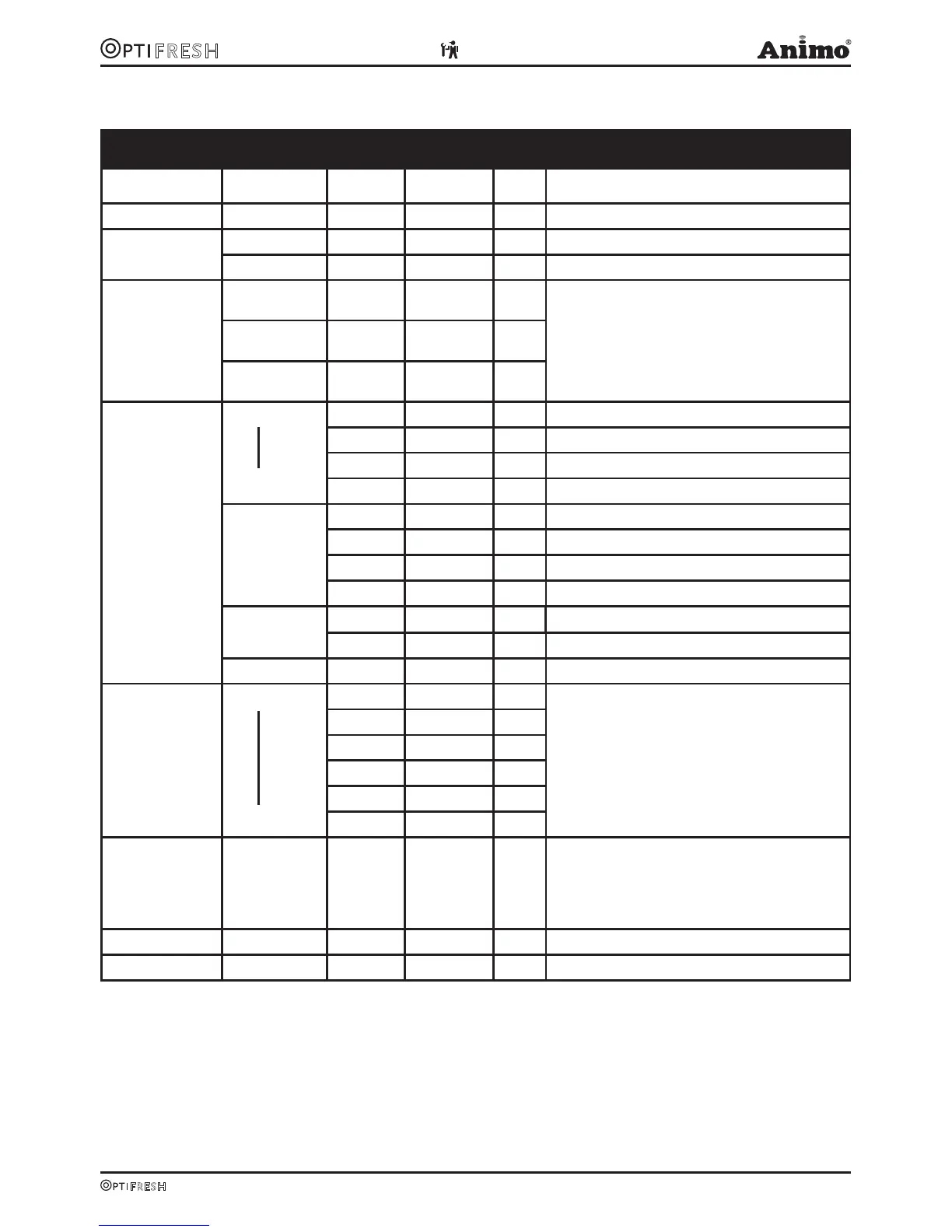
2.2 The operator menu
Operator menu
Main item Sub item Item Range Set Description
1.0 Free dispensing
Yes/no Yes Set the device to free or paid dispensing here.
1.1 Clock Time HH:MM Set the clock to the correct local time here.
Date DD-MM-JJJJ Set the clock to the correct local time here.
1.2 Timer Mon-Fri On 00:00
Off 00:00
Set the time when the device should operate here. If
the timer switches off the device it will automatically
revert to standby mode.
Sat On 00:00
Off 00:00
Sun On 00:00
Off 00:00
1.3 Recipe counters
Recipe 1
Recipe 12
Total Off 00:00 Total counter for recipe 1 (free-paid-jugs)
Free Cups Number of free dispensed drinks (recipe 1)
Paid Cups Number of paid dispensed drinks (recipe 1)
Jug Cups Number of dispensed jugs (recipe 1)
Recipes total Total Cups Total counter for all dispensed recipes
Free Cups Total counter for all free dispensed recipes
Paid Cups Total counter for all paid dispensed recipes
Jug Cups Total counter for all dispensed jugs
Rinse counters Brewer Number of brewer rinses
Mixer(s) Number of mixer rinses
Reset counters Total rest of all counters
1.4 Quick recipe Recipe name 1
Recipe name 12
Cup volume
50-200 ml 120ml Use this for setting the volume and strength of cof-
fee, milk, sugar and cocoa easily per recipe (drink
button).
Only the ingredients applicable to the recipe are
shown.
Coffee (1)
-20 / +20% 0%
Decaf (2)
-20 / +20% 0%
Chocolate (3)
-20 / +20% 0%
Topping (4)
-20 / +20% 0%
Sugar (5)
-20 / +20% 0%
1.5 Permanent filter
Reset teller After the permanent filter of the vending unit
(brewer) has reached the maximum number of
brews the filter must be replaced. After replacing
the permanent filter, reset the ‘replace brewer filter’
indicator.
1.6 Software Software version is readable here.
1.7 PIN-code 2-2-2-2-2 PIN code = press the number 2 key five times.












 To Next Page