05/2008 Rev. 0.6
61
3. RECIPE SETTINGS
3.1 Quick recipe
First of all we would like to remind you that the cup volume (ml) and strength (%) can easily be set in
the service menu 2.1 Quick recipe (page 53 of this document).
The operator of the device (end user) also has access to this quick recipe, which is found under
section 1.4 Quick recipe (see user manual). As supplier of the device, you can remove the quick recipe
from the operator menu if desired. Go to 2.4 Settings / 2.4.9 I/0 Quick recipe via the service menu
and change Yes into No.
3.2 Model code system
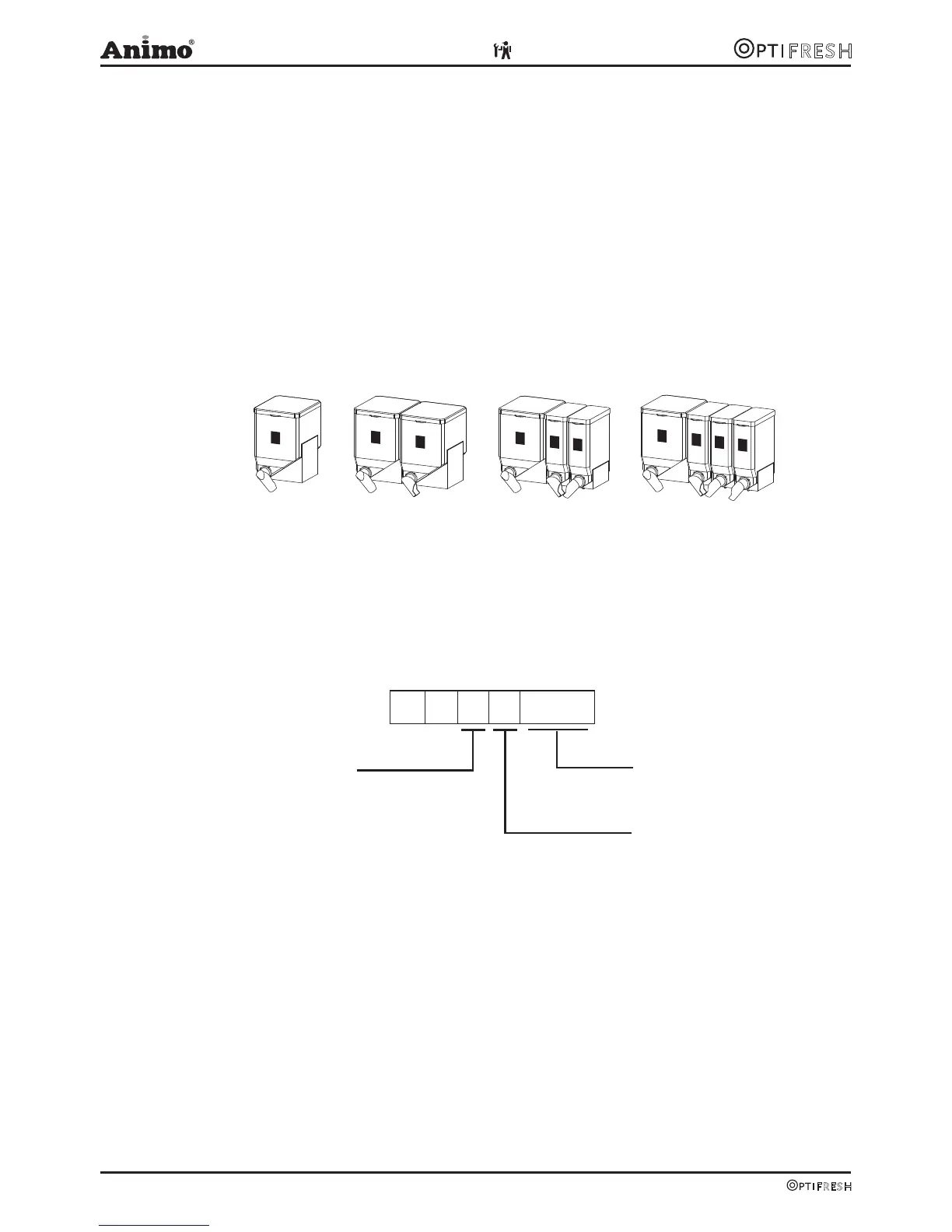
The OptiFresh models have the following standard canister configurations (fig. 8):
OptiFresh 1 A [FB Coffee]
OptiFresh 2 A [FB Coffee / Chocolate]
OptiFresh 3 A [FB Coffee / Chocolate / Topping]
OptiFresh 4 A
[FB Coffee / Chocolate / Topping / Sugar]
If the device is delivered with a different canister configuration this can be given a new number using
the model code system below.
OptiFresh O F 4 A
a a 0 0
Model Internal data
OF 1 standard
1
OF 2 standard
2
Model version
OF 3 standard
3A
Base execution
OF 4 standard
4D
Decaf execution
OF 2 Topping instead of Chocolate
5
OF 2 Instant Coffee instead of Chocolate
6
OF 3 Instant Coffee instead of Chocolate
7
OF 3 Instant Coffee instead of Topping
8
OF 4 Instant Coffee instead of Sugar
9
Fig. 8
1
3
4
5
1
1
3
4
1
3












 To Next Page