05/2008 Rev. 0.6
79
8.3 Activating existing tokens
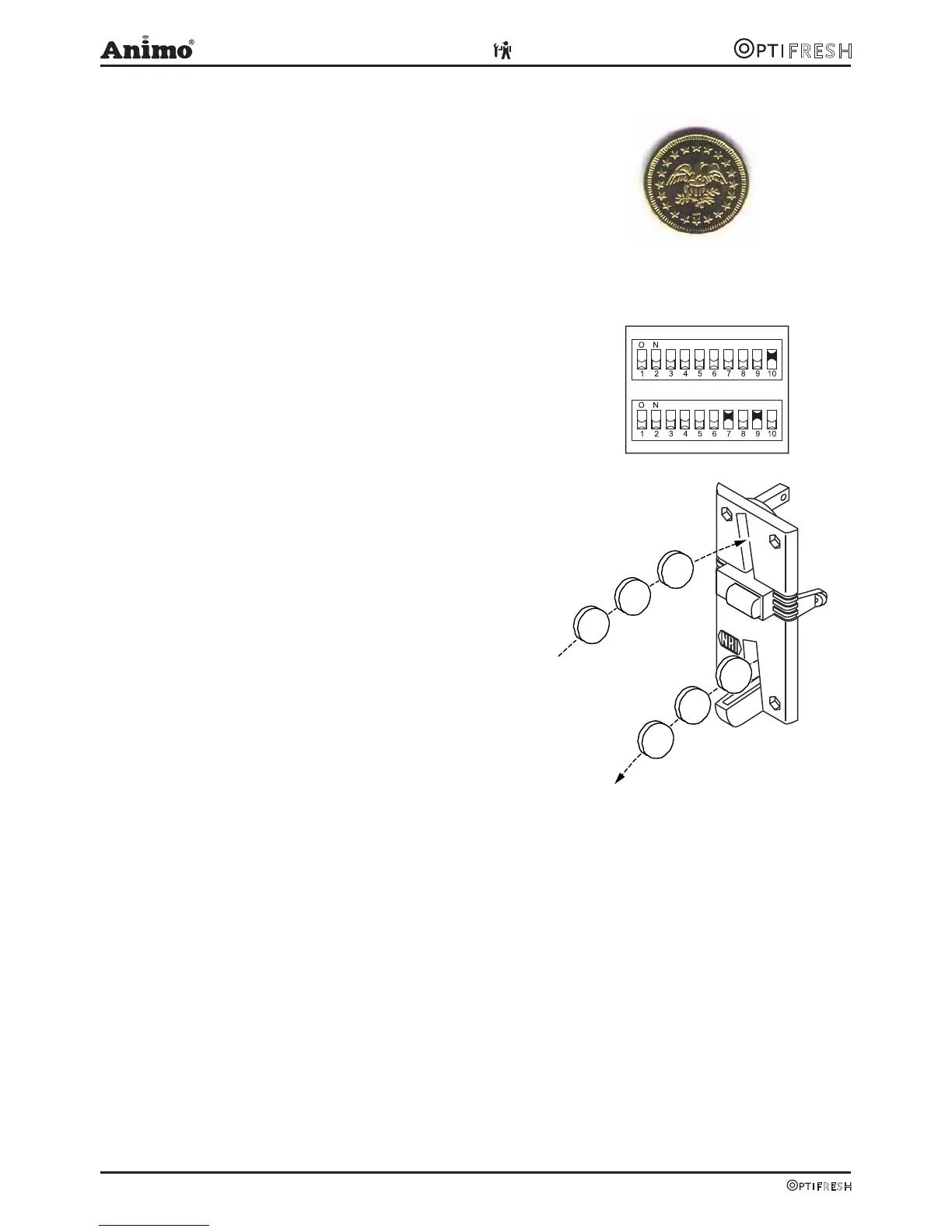
The token shown here (fig. 26) is programmed in
the coin mechanism as standard.
Configure the service menu as described in the
following section from point 4.
Token Art. No. : 03344
8.4 Programming a new token
● Required: 10 tokens
● Attention: remember the DIL switch positions
for any rejected coins. Leave S1.10 ON!
1. The following DIL switches on Switch Block S2
should be facing upwards and switch to ON (fig. 27).
a) First switch S2-9 Teach Mode to ON
b) Then, switch S2-7 coin channel 6 (TM) to ON
2. Insert a minimum of ten tokens (Fig. 28). These
ten tokens should not be the same. After the ten
tokens have been inserted the (internal) reject coil
will be automatically drawn.
3. End programming by switching the DIL switch S2-9
downwards to OFF. If saved successfully, the reject
coil will be drawn once again. After this, switch S2-7
OFF again. (To halt programming, first switch S2-7
and then S2-9 to OFF).
4. Service menu: change coin channel 6 (menu item
2.5 Payment system) from €2 to TOKEN.
5. The device now accepts the token as a method of
payment.
8.5 Accepting Euros and Tokens
Carry out section 5.3.3 and 5.3.4 beforehand.
● Open the service menu
● Set a price using menu 2.2 Button settings / Button
1-12 / Price (e.g. €0.50)
● The recipe buttons are activated after sufficient
euros or tokens have been inserted!
S1
S2
10x
10x
Fig. 26
Fig. 27
Fig. 28












 To Next Page