Step 4.
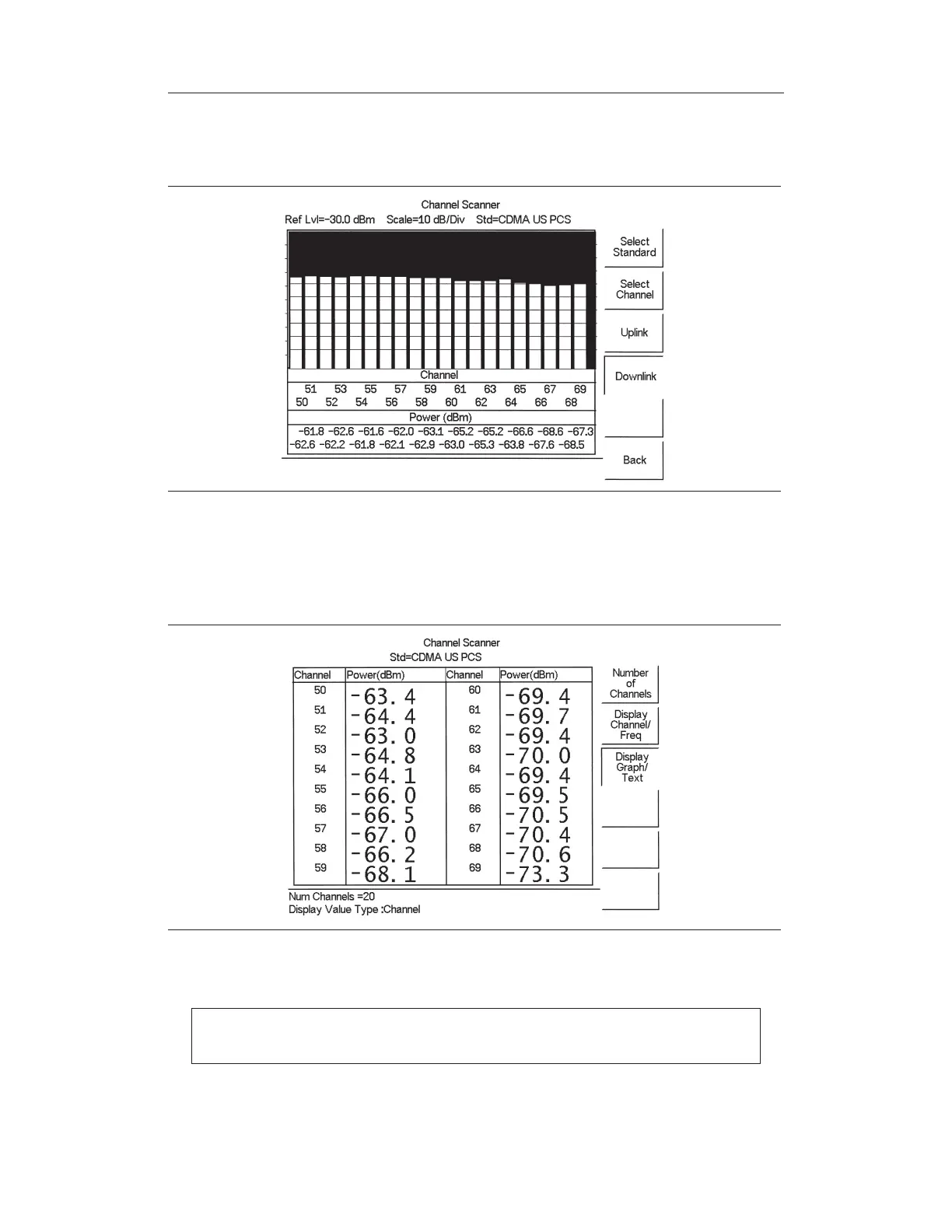
Press the MEAS/DISP key and select the
Number of Channels soft key. Use the
keypad to enter
20 and press the ENTER key. The channels will be displayed as
bar graphs.
Step 5. Press the
Display/Graph Text soft key and the data will be displayed in text for-
mat.
NOTE: The measurement can be made when the base station is either in ser
-
vice, out of service, or over the air.
14-2
Chapter 14 Channel Scanner Mode
Figure 14-1. Example of Channels Displayed as Bar Graphs
Figure 14-2. Example of Channels Displayed in Text Format



 To Next Page