Step 6.
To set up the channel step size, press the FREQ/DIST key and select the
Chan
-
nel Step Size
soft key. Use the keypad to enter 5 and press the ENTER key.
Step 7.
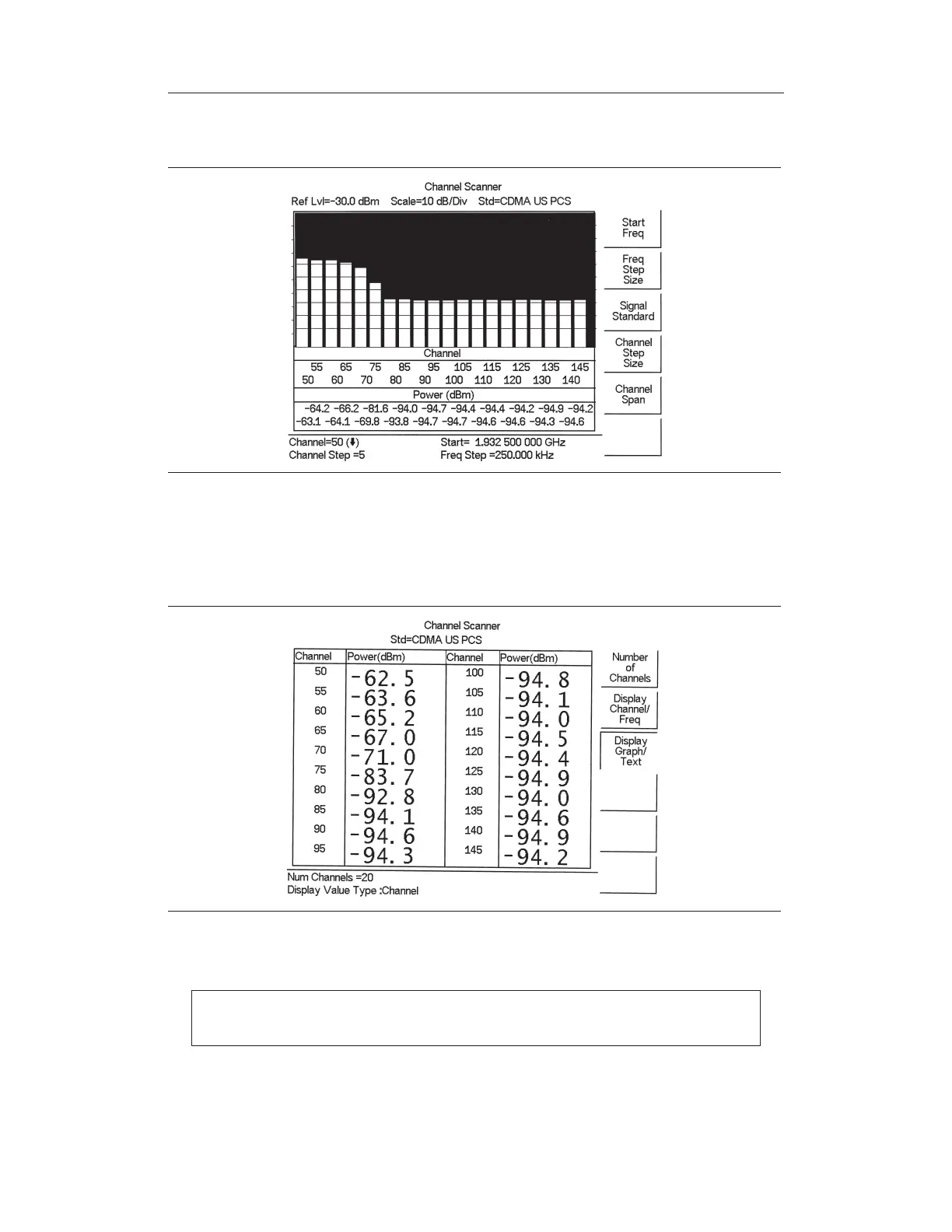
Press the MEAS/DISP key and select the
Display/Graph Text soft key and the
data will be displayed in text format.
NOTE: Follow the same procedure for frequency step size as used for channel
step size.
Chapter 14 Channel Scanner Mode
14-3
Figure 14-3. Example of Channels Displayed as Bar Graphs with Channel Step Size = 5
Figure 14-4. Example of Channels Displayed in Text Format with Channel Step Size = 5



 To Next Page