Chapter 1 Orientation 13
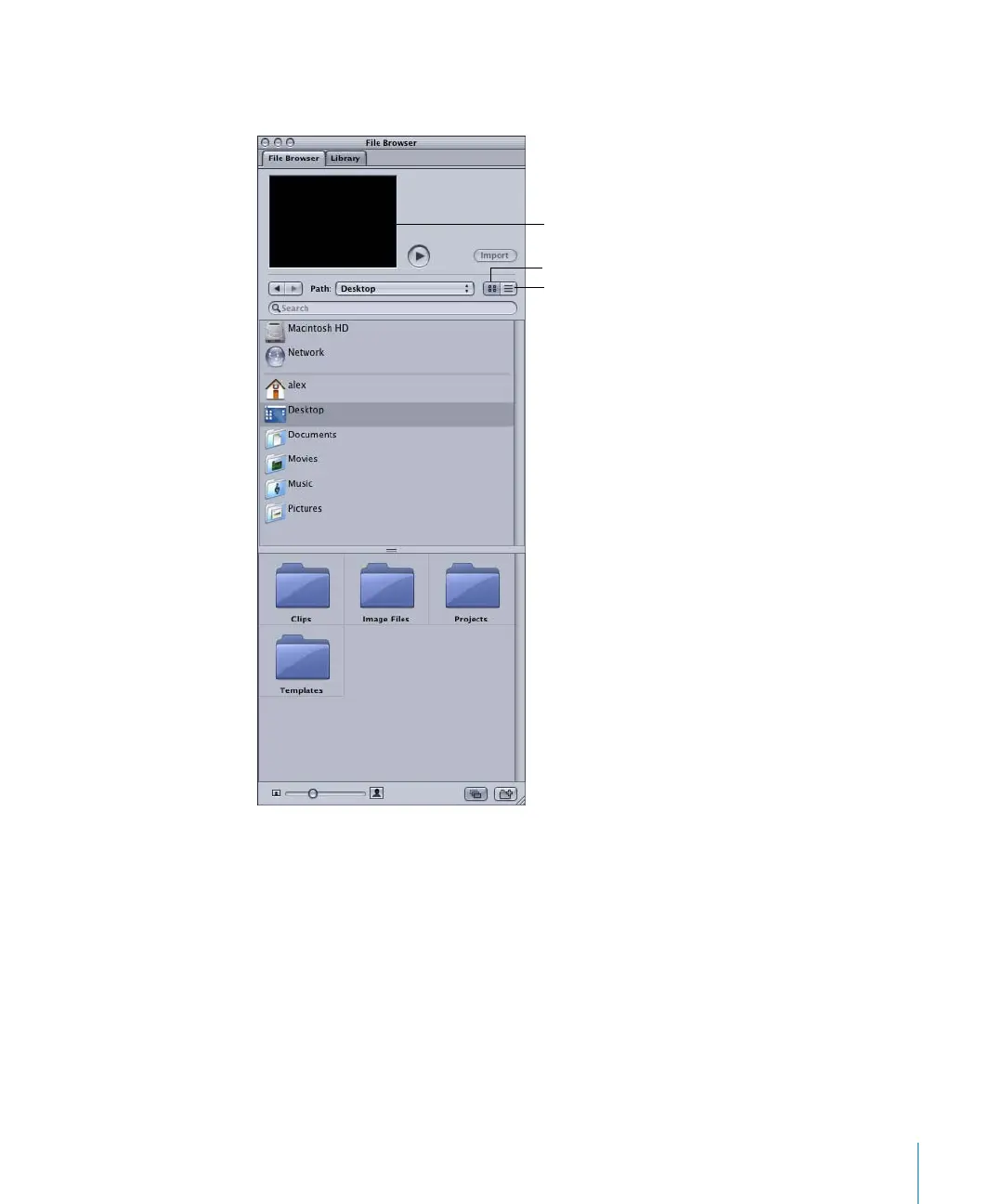
Note: Like the Mac OS X Finder, you can display the browser contents in icon or list
view.
Importing Media
There are three ways to import media into your project:
• The File Browser, which allows you to preview images and play clips (including audio)
prior to importing the media
• The File > Import command in the menu bar, which opens the Import Files dialog
• The Finder, which allows you to drag files into a project
To bring in media using the File Browser:
1 Click the File Browser tab.
Note: You can also choose Window > File Browser, or press Command+1 to display the
File Browser.
List view
Icon view
Preview area
2505.book Page 13 Wednesday, June 30, 2004 5:58 PM



 To Next Page