Chapter 1 Orientation 35
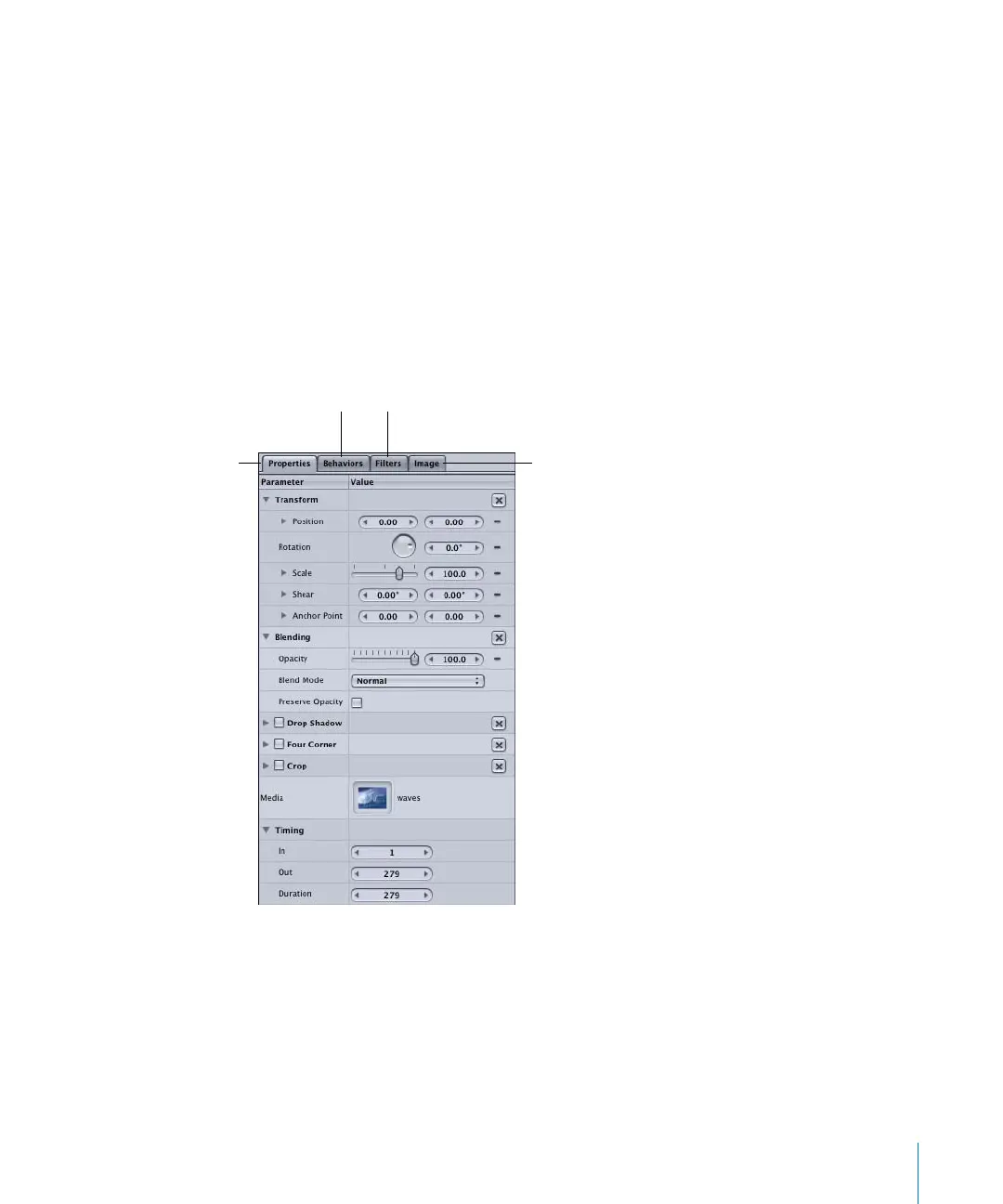
The Inspector contains four tabs: Properties, Behaviors, Filters, and Object. The first
three tabs—Properties, Behaviors, and Filters—are common to all objects. The fourth,
the Object tab, changes depending on the object that is selected. The following
sections provide a brief description of the four tabs.
Properties Tab
The Properties tab contains controls for the basic object properties, such as Position,
Rotation, Scale, Blend Modes, Opacity, and so on. The Properties tab, shown in the
image below, is displayed by default when an image, image sequence, or QuickTime
movie is selected.
The following image represents the Properties tab in the Inspector for a selected
object—a QuickTime movie called “waves.” The “waves” file appears in the Media
parameter of the Properties tab.
Properties tab
Image tab (represents
currently selected
object)
Behaviors tab
Filters tab
2505.book Page 35 Wednesday, June 30, 2004 5:58 PM



 To Next Page